












GOJHL: A Complete, No‑Nonsense Guide to the Greater Ontario Junior Hockey League
If you spend your winters in small-town rinks from Sarnia to St. Catharines, you already know the soundtrack: skate edges biting fresh ice, a brass horn from the far corner, someone in a winter coat yelling “Good stick!” after a routine backcheck. That’s the GOJHL in a nutshell—fast, physical, local, and fiercely proud. But behind those Friday night crowds and the race to the Sutherland Cup sits a complex ecosystem shaped by Hockey Canada rules, Ontario regulations, billet homes, school schedules, and scouts with clipboards. This guide pulls back the curtain. You’ll learn what the Greater Ontario Junior Hockey League is, how it’s structured, how players can move up, what families actually pay, how billets work, and how to follow the GOJHL season without missing a beat.
Think of this as your field manual for the league: practical, detailed, and built around real decisions Canadians make—where to try out, how to juggle course loads with late buses, what “Junior B” really means compared to the OHL or OJHL, and how to get the most from the GOJHL experience whether you’re a player, parent, billet, or diehard in the second row. Let’s get into it.
What the GOJHL Actually Is—and Why It Matters
The GOJHL—short for Greater Ontario Junior Hockey League—is Ontario’s top “Junior B” league under the Ontario Hockey Association (OHA) and Hockey Canada. It’s a development tier below Junior A but above Junior C. The league sits in a sweet spot for 16- to 20-year-old players who want strong competition, community spotlight, and legitimate opportunities to move up to Junior A (like the OJHL or NOJHL), the OHL, U SPORTS, or NCAA hockey while staying close to home.
It isn’t a beer league. It isn’t minor hockey. It’s a fully sanctioned junior competition with paid staff, certified athletic trainers, structured off-ice programs, and coaches who take video study and systems seriously. It’s also local and proud. Many GOJHL clubs are community staples run by non-profit boards and an army of volunteers. The arenas carry decades of stories—rosters that fed OHL teams, a local kid who became a university captain, and cross-ice rivalries that sell out on a Tuesday night.
Three conferences organize the league’s footprint across southwestern Ontario and the Golden Horseshoe:
- Western Conference: London, Sarnia, Chatham, LaSalle, and neighbouring centres.
- Midwestern Conference: Stratford, Listowel, Elmira, Cambridge, Kitchener-Waterloo, and nearby towns.
- Golden Horseshoe Conference: Hamilton, St. Catharines, Niagara Falls, Welland, Pelham, Caledonia, and others in the Niagara-Hamilton corridor.
If you’re new to Canadian junior hockey’s alphabet soup, here’s the critical piece: GOJHL is officially Junior B under Hockey Canada and the OHA. That status influences player movement, recruiting, fees, and how scouts evaluate the league. The GOJHL has long argued its playing standard deserves Junior A recognition; that debate has surfaced repeatedly, but official sanctioning still lists it as Junior B. Even so, the league’s best programs are known for elite structure, alumni who climb the ladder, and rinks where the intensity feels every bit “major” when a series is on the line.
The GOJHL Map: Conferences, Cities, and Real Rivalries
Long bus rides? Not usually. One of the biggest advantages of the GOJHL is proximity. Most teams sit within a couple hours of one another, which keeps travel costs down and lets players get home on school nights. Rivalries are real because cities share borders—and sometimes, families.
Western Conference: Big Barns, Blue-Collar Tempo
Think London, Sarnia, Chatham, LaSalle, Strathroy, St. Thomas, Komoka, and St. Marys. Games lean physical, and the crowds can be rowdy in the best way. Historic programs like the London Nationals and Chatham Maroons draw long-time season ticket holders who remember who ran the power play a decade ago. This conference has sent consistent contenders to the Sutherland Cup picture, and the trips are comfortable: Hwy 402, 401, and 403 connect the dots. Weather matters here—lake-effect snow can turn a Wednesday road game into a rolling odyssey—so teams plan careful bus timelines mid-winter.
Midwestern Conference: Classic Jr B Towns with Deep Roots
Stratford, Listowel, Elmira, Cambridge, and Kitchener-Waterloo anchor the Midwestern. Stratford’s rink is a rite of passage. Elmira is proud, loud, and relentless. Listowel builds sturdy, smart rosters. Cambridge has modern energy with strong minor programs feeding up. The identity here blends skill and structure. Clubs obsess over detail and consistency, and rivalries feel neighbourly until the puck drops. Don’t let the friendly pregame handshakes fool you; shift-to-shift execution is top class at this level.
Golden Horseshoe Conference: Packed Sheds and Storylines
The Horseshoe brings Hamilton, St. Catharines, Niagara Falls, Pelham, Welland, and Caledonia into tight, high-emotion rinks. Fans tailgate. Teams don’t waste time on the perimeter. Many clubs in this corridor are minutes apart, which turns a simple home-and-home into a mini playoff series complete with road fans, car flags, and arena horns. The Caledonia Corvairs and St. Catharines Falcons, for example, have reputations for consistently icing title-calibre squads, and Hamilton’s Kilty B’s are never short on prospects hoping to push their way into the OHL or Junior A visibility.
How the Season Works: Schedules, Standings, and the Sutherland Cup
Most GOJHL regular seasons land in the 48–52 game range, typically running from late September through early March. The exact schedule tweaks year to year, but Friday nights are king, with plenty of midweek games in towns that fill bleachers as if it’s Saturday. Divisional play makes up the bulk of the slate to keep travel reasonable, though inter-conference matchups and showcase weekends offer cross-pollination.
Standings are straightforward: points for wins and extra-time results. Many seasons use a three-on-three overtime followed by a shootout to decide regular-season ties. In the playoffs, sudden-death overtime rules take over. As always, confirm the current season’s format on the official GOJHL site; tweak a bylaw and overtime can change overnight.
The Sutherland Cup is the GOJHL’s top prize—Ontario’s historical Junior B championship. The route typically runs through conference brackets and ends with a final series that fills barns and tightens stomachs. The format has evolved over the years (round-robins have come and gone), but today the Sutherland Cup crowns the GOJHL champion. If you’re new to the league, understand that winning a Sutherland Cup matters deeply. The trophy comes with a legacy across Ontario’s hockey towns that people remember decades later. Players wear rings to weddings.
Where the GOJHL Fits in Canada’s Development Pyramid
Junior hockey in Canada runs on layers. The GOJHL sits beneath Junior A (like the OJHL, NOJHL, CCHL, BCHL, and others in the CJHL network) and beneath the Canadian Hockey League’s OHL/WHL/QMJHL “Major Junior” tier—but it isn’t a dead end. It’s a launchpad with several exit ramps:
- Up to Junior A: Many GOJHL players earn opportunities with OJHL or NOJHL clubs after a strong season or via affiliate call-ups. Scouts trust successful 19-year-olds who’ve survived GOJHL playoff pressure.
- To the OHL: It’s harder, but not unheard of. Unsigned OHL prospects and late bloomers can earn camps and contracts when they show pace, size, and maturity in the GOJHL. An OHL look at 18 or 19 is possible for players who dominate and skate well.
- NCAA hockey: Junior B is amateur under NCAA definitions. That means GOJHL players can keep NCAA eligibility provided they maintain amateurism and meet academic standards. Many use a year or two of GOJHL, move up to Junior A, then commit to NCAA DIII or occasionally DI as late bloomers.
- U SPORTS: Canadian university teams recruit older, physically ready players. A route through the GOJHL and then Junior A or even staying in the GOJHL while taking college classes can lead to tryouts or roster spots, especially for reliable defencemen and right-shot centres who can kill penalties.
What’s the biggest difference between GOJHL and Junior A? Perception and exposure. Junior A leagues in the CJHL run national rankings and the Centennial Cup. Scouts prioritize those environments, especially east-west events. The GOJHL counterpunch is cost, community, and role opportunity. A top-pair defenceman in the GOJHL may log 24–26 minutes, face heavy forechecks, and mature fast. For many 17-year-olds, that beats being a seventh D in Junior A—at least for a season.
Scouting, Showcases, and How Players Move Up from the GOJHL
Fans see the goals. Scouts see patterns. Whether it’s a coach from the OJHL in the second row or an OHL regional scout tucked behind the penalty box, evaluators watch the same things in GOJHL arenas:
- Skating: Can you separate at this level and sustain it for 45 seconds? If you can’t lead a controlled exit now, projecting to Junior A is tough.
- Decision speed: The GOJHL punishes hesitation. Scouts look for first touches that turn soft walls into clean breakouts.
- Physical sturdiness: It’s a heavier league than most people expect. Finishing checks is one thing; absorbing them and staying connected to the play is another.
- Habits: Line changes, faceoff reads, support on the weak side. Junior B mistakes end up in the back of the net in Junior A.
- Special teams value: Coaches love players who can run a flank or close out a penalty kill without chaos.
The GOJHL stages showcase weekends early in the season where teams play neutral-site games over two or three days. It’s efficient for scouts who want to see multiple rosters. For players, it’s a double-edged sword: you can raise your stock in a hurry—or show holes that’ll take weeks to patch. If you’re a parent, understand that this is normal. The league is competitive. One off-night won’t erase a year of work, but those weekends matter.
Affiliate Player (AP) rules allow GOJHL clubs to bring up eligible prospects from local U18 AAA or Junior C (now often PJHL) to cover injuries and provide development looks. Likewise, GOJHL players may AP up to Junior A when carding rules and agreements allow. Honest communication between coaches is the key. If you want your son to get AP looks up the ladder, make sure he nails details on your own penalty kill first.
Life in the GOJHL: Routines, School, and Billet Homes
A typical week? Two to three games, three to four practices, video sessions, off-ice lifts, and personal skill work when ice is available. Weeknight road games wrap late. Friday-Saturday sets are common. For high schoolers, that means carefully chosen course loads and mature time management. For college students, it means negotiating exam schedules with professors before midterms land. Smart clubs create academic support plans and ask for mid-semester grade checks. If an organization doesn’t talk about school during recruiting, ask why.
Billet families are the league’s backbone. A billet home is where an out-of-town player eats, sleeps, and learns how to set the table without being asked. Teams screen billets, run background checks, and provide guidance around curfews, visitors, nutrition, and transportation. Billet stipends typically help offset groceries and utilities. In southwestern Ontario, expect monthly billet contributions generally in the $500–$700 range per player, sometimes a little more depending on market costs and team policies. Clubs often handle payments and set standard expectations so no one’s awkward about laundry or late-night snacks.
Good billet matches matter as much as line chemistry. A goalie with a 6 a.m. routine won’t thrive in a house with toddlers and a barking dog. Parents should be honest on player questionnaires, and billets should speak up early—nobody wins if an issue lingers to November. When the fit is right, billets become family long after the final buzzer.
What It Costs: Real-World Budgets for Families and Teams
Let’s talk money. Junior B hockey in Ontario isn’t cheap, but it’s still accessible compared to most elite pathways. Costs vary by organization and whether a team follows a strict “no fee” model (rare) or a “pay-to-play” approach. In the GOJHL, families should expect a mix of team fees, equipment purchases, billet expenses, and travel incidentals. Here’s a sample breakdown to help with planning; actual figures differ by market and must be confirmed with your club.
| Item | Typical Range (CAD) | Notes |
|---|---|---|
| Team fees (season) | $1,000 – $3,500 | Varies widely; covers ice, buses, trainers, league fees, etc. |
| Billet stipend (per month) | $500 – $700 | Paid to host family; some teams centralize payments. |
| Equipment (sticks, gloves, visors, etc.) | $800 – $2,000+ | Depends on team support and how often you break sticks. |
| Skate sharpening and maintenance | $150 – $300 | More if using custom profiles or frequent steel swaps. |
| Strength and conditioning | $0 – $800 | Some teams include it; others partner with local gyms. |
| School/academic support | $0 – $500 | Tutors, study resources, prep courses if needed. |
| Travel (family attendance) | $200 – $1,000 | Fuel, occasional hotel for tournaments or playoffs. |
Clubs also run sizeable budgets. General managers spend their off-ice time selling sponsorships and plugging holes with duct tape and favours. A GOJHL team’s annual operating budget can easily land in the mid-six figures when you total ice rentals, bus charters, staff stipends, equipment, marketing, and league costs. Typical revenue streams include local sponsorships, ticket sales, 50/50 draws, merchandise, and special events. The math works because arenas are nearby, billets are saints, and communities buy into Friday nights.
Getting In: Tryouts, Camps, and How to Actually Make a GOJHL Roster
There are two windows that matter: spring identification skates (often called “prospect camps”) and main camp in late summer. Spring skates help clubs build their shortlists and hand out “permission to skate” invites for August. For players previously registered with another Hockey Canada organization, you’ll often need a formal Permission to Skate form to attend camps outside your home centre—teams and minor associations will tell you exactly what paperwork is needed.
Main camp usually runs in late August, with rosters trimmed before exhibition games start. Coaches look for details under fatigue—second-day pace, wall battles in the third scrimmage, and whether you can process a new forecheck after a whiteboard talk. There are no secret handshakes. Show up in shape, win your reps, protect pucks on retrievals, change cleanly at the red line, and listen when a coach pulls you aside. If they tell you to play inside the dots, do it on the very next shift. The GOJHL doesn’t reward tourists.
Roster rules limit carded players and overagers. Younger players can earn roles, but teams need reliability. If you’re 16, the fastest way to dress regularly is to kill penalties fearlessly and finish every check without taking one that hurts the team. That, and never float above the puck in the neutral zone. Do the little things and coaches will find minutes for you even if the shinny skills aren’t perfect yet.
Rules, Safety, and Ontario Regulations You Should Know
Hockey Canada playing rules apply across the GOJHL, with OHA regulations and league-specific policies layered on top. Expect 20-minute periods, tag-up offsides, and the modern emphasis on head safety. Fighting carries stiff penalties and escalates quickly with supplemental discipline. In recent seasons, leagues across Canada have tightened enforcement on hits to the head and checking-from-behind. Players who respect posture and angle their pressure earn ice time; reckless hits shorten careers.
Rowan’s Law—Ontario’s concussion safety legislation—applies here. Athletes, parents of athletes under 18, and team staff must review concussion awareness resources and acknowledge them annually. Removal-from-sport and return-to-sport protocols are non-negotiable. Trainers in the GOJHL are certified and follow documented steps: symptom checks, physician clearance, and graduated return to full contact. If your club can’t describe its concussion protocol, that’s a red flag.
Hockey Canada’s Maltreatment, Bullying and Harassment policy (Section 11) also governs behaviour. Slurs, intimidation, or harassment trigger ejections and Hearings. The league, the OHA, and Hockey Canada have doubled down on Safe Sport structures—screening for billets and team staff, complaint mechanisms, and education modules. Sound bureaucratic? Maybe. But it also builds the kind of environment families want to join.
The Fan Experience: GOJHL Tickets, Game Nights, and Streaming
A night out at a GOJHL rink is still one of the best values in Canadian sport. Adult tickets often range around $10–$15, with discounts for students and seniors, and family packs that make sense for a Friday. Concessions are local—hot chocolate that could double as paint thinner, a burger you’ll swear you won’t order next time but always do. Parking is usually free or modest. If you’re bringing kids, many teams offer skate-with-the-team nights or autograph sessions early in the season when rosters settle.
Can’t get to the rink? The GOJHL streams games through its league partner. The exact platform can shift, so check the official GOJHL website for the current season’s streaming provider, monthly pricing, and team-by-team broadcast notes. Some clubs also run radio or online audio feeds with volunteer play-by-play crews who know backstories you won’t get on national broadcasts.
Community nights are the pulse of the league: minor hockey appreciation evenings with kids in jerseys lining the glass, Remembrance Day tributes, teddy bear tosses, and food bank drives. If you run a local business, sponsoring one of these nights is marketing that actually sticks—your name gets remembered by people who care enough to show up in a snowstorm.
Sponsors and Volunteers: The Business Engine Behind the GOJHL
No GOJHL team survives without sponsors and volunteers. From rink board ads and jersey patches to game-night draw prizes and corporate suites (yes, even in a Junior B barn), businesses keep budgets upright. If you’re considering a sponsorship, start small with a rinkboard or digital ad and track what comes back—teams are happy to share traffic metrics from their websites and social channels, and local papers still move the needle in smaller centres.
Volunteers are the heartbeat. Ushers, billet coordinators, timekeepers, and game-night producers run the show. Medical staff complete Hockey Canada’s trainer certification (HTCP in Ontario) and manage bench safety. If you have sports medicine experience, teams need you. If you’re a university student in communications, offer to run social media on game nights and build a real portfolio. The league is fertile ground for people who want to learn the business of sport without waiting five years for a chance.
Comparing Leagues: GOJHL vs. Junior A vs. OHL vs. Junior C
Parents ask it all the time: “Where should my kid play?” The honest answer is, “Where he’ll play the most and grow the fastest.” Titles and letters matter, but ice time and role matter more at 17. Here’s a simple comparison to frame decisions:
| League | Tier | Exposure | Typical Player Profile | Notes |
|---|---|---|---|---|
| GOJHL | Junior B | Strong regional | 16–20; mix of prospects, late bloomers, local standouts | Affordable, community-driven, good jump-off to Junior A/U SPORTS/NCAA DIII |
| OJHL/NOJHL (CJHL) | Junior A | High national (Centennial Cup, rankings) | 18–20; NCAA hopefuls, OHL camp cuts, junior veterans | Heavier scout traffic, more travel, sometimes higher costs |
| OHL (CHL) | Major Junior | Elite (NHL scouts nightly) | 16–20; top-end prospects | NCAA eligibility lost upon signing; education packages available |
| PJHL (Junior C) | Junior C | Local | 17–21; community players, some prospects building up | Less travel, good for confidence and role growth at 17–18 |
The GOJHL’s core value is opportunity. If you’re a second-pair D in the OJHL who barely sees the power play, a season in the GOJHL where you touch the puck every shift might do more for your career than a logo on your hoodie.
Education and Eligibility: Keeping Doors Open
Academic planning matters. If NCAA hockey is a goal, protect your eligibility: don’t accept impermissible benefits, avoid contracts that jeopardize amateur status, and register with the NCAA Eligibility Center by Grade 11 if you’re aiming south. Work with your coaches to time SAT/ACT prep and ensure your high school or Ontario college course load checks the right boxes. For U SPORTS, grades still matter—coaches want players who will stay eligible and graduate.
One underused tactic: stack transferable university credits at a local Ontario college while playing in the GOJHL. If you move to Junior A or the OHL later, you’ll already have momentum in the classroom. University coaches ask about transcripts first for a reason.
Travel, Weather, and Logistics: The Ontario Factor
Winter in southwestern Ontario plays by its own rules. Lake-effect snow off Huron, black ice on Highway 7, whiteouts near Chatham—you name it. Teams plan accordingly: earlier bus departures, predetermined warm-up modifications, and policies to postpone if safety dips. Coaching staffs also manage bus nutrition (sandwiches, fruit, water) and rest stops to avoid junk food that ruins late-game legs. If you’re a player, bring a shaker, hydration tabs, and simple carb snacks. If you’re a parent, make sure your billet son packs a toque and gloves; the 11 p.m. walk to the parking lot in February is not for heroics.
Culture and Conduct: The Modern GOJHL
Hockey culture is evolving, and the GOJHL is part of that shift. Inclusion and respect aren’t slogans; they’re baked into policies and daily expectations. Captains are asked to model professionalism. Coaches reinforce zero-tolerance approaches to abuse, hazing, or harassment, and organizations are more transparent about consequences. If you run a team, invest in education on mental health, substance use risks, and safe transport. Players notice—and so do parents considering your program.
How to Follow the GOJHL: Schedules, Scores, and News
The league’s official website is your hub for schedules, standings, and GOJHL playoffs information. Teams maintain active social channels and post roster moves, injury updates (within privacy norms), and community event news. Local media still cover this league—small-town papers, regional sports shows, and high school bulletins share game recaps and photo galleries. During playoffs, follow multiple sources; your team’s volunteer media crew often breaks lineup notes before puck drop, while the league account confirms series results and suspensions.
For diehards, build a routine: check the GOJHL schedule on Tuesday, plan your Friday night run (which barn, which rivalry), and pick a midweek streaming game while you cook. It’s the perfect antidote to a long Ontario winter.
Practical Tips: Players, Parents, Billets, and Fans
For Players
- Win your first three strides: Scouts forgive mistakes if you recover quickly.
- Live on video: Clip two shifts a week—one good, one bad. Fix patterns.
- Offer value every game: Add PK reps, take key draws, block shots without grandstanding.
- Communicate with billets: Share schedules weekly so families can plan meals and rides.
- Respect school: Missed assignments cost more opportunities than a missed backcheck.
For Parents
- Ask about role fit, not just logo prestige. Ice time beats marketing.
- Budget with margin. Sticks break at the worst times; playoffs add bus trips.
- Check the concussion plan. Know names: trainer, doctor, billet coordinator.
- Support from a distance. Let coaches coach; your job is food and perspective.
For Billets
- Set expectations early: Chores, curfews, kitchen rules on paper by Day 1.
- Stock smart: Oats, eggs, rice, frozen veg, lean proteins, and a treat after wins.
- Communicate with the team. If something feels off, speak up before it snowballs.
For Fans
- Buy the season ticket if you can. It’s the league’s lifeblood.
- Bring a toque and sit low in the offensive zone. You’ll see the speed better.
- Support the sponsors who support your team: the car dealer, the diner, the print shop.
Common Mistakes to Avoid in the GOJHL Journey
Players sometimes chase a higher label and play less. Don’t. Development is about touches, not hashtags. Another pitfall: ignoring sleep. Those 2 a.m. phones wreck Saturday legs. Skip the energy drinks and pack a water bottle with electrolytes for bus rides. Parents often forget to ask about second-semester school loads—January to March is grind time with travel, illness, and playoffs. Lighten the academic lift if you can. And for teams: don’t over-schedule appearances in December. Players need nights off to stay human.
Realistic Expectations: Where the GOJHL Can Take You
If your measure of success is “NHL or bust,” you’re setting yourself up for heartache. A smarter barometer is progress: Can you turn your GOJHL rookie season into a top-six role as a 19-year-old? Can you earn a Junior A opportunity with scholarship conversations by Christmas? Can you parlay a dependable GOJHL career into a U SPORTS tryout, a college degree, and a coaching job back home? These are the wins that stick. Plenty of Ontario coaches, trainers, scouts, and managers started in this league. It’s a community that pays forward.
GOJHL Trends to Watch
Three notes for the next couple of seasons:
- Player movement between GOJHL and Junior A continues to streamline. Expect more affiliate coordination and midseason adjustments to fit development plans.
- Analytics creep in. Shot maps, entry/exit tracking, and video tags are no longer just OHL toys. The best GOJHL programs use them weekly.
- Community integration grows. Youth mentorship, school visits, and charity events are strategic, not just nice-to-haves. Sponsors value it, and players learn leadership.
Sample Weekly Rhythm for a GOJHL Team
To make the pace feel real, here’s a typical stretch once the season hits full stride:
- Monday: Video on weekend clips, 60-minute practice with special teams, light lift.
- Tuesday: Skill split (forwards/defencemen), pace drills, short scrimmage; study hall.
- Wednesday: Road game, bus departure after school/work, return 11 p.m.–12 a.m.
- Thursday: Recovery skate, systems tune-up, meeting with academic advisor if needed.
- Friday: Home game night; sponsor activation and minor hockey ceremony.
- Saturday: Away game; optional light gym Sunday depending on schedule.
Now add dental appointments, homework, part-time jobs, and family time. Balance is earned, not assigned.
Media Etiquette and Image in the GOJHL
Players represent communities. That matters in Ontario. Wear team gear respectfully. Learn how to answer local media: short, honest, no clichés, credit linemates, and mention the fans when the barn was packed. Keep social feeds clean. Scouts check them. Employers do too. It’s 2020s hockey: you’re always visible.
Why the GOJHL Endures
It’s simple. Towns love their teams. Kids line up for high-fives in the tunnel. Rivalries make January forgettable weather somehow fun. For the teenagers in the lineup, it’s where you learn how to carry a community logo on your chest—and how to fail on a Friday and fix it by Saturday. The GOJHL stays relevant because it blends hard-nosed hockey with roots that go back generations. In a world that can feel distant, these rinks are still close enough to walk to.
FAQ: GOJHL Questions Canadians Actually Ask
What does GOJHL stand for?
Greater Ontario Junior Hockey League. It’s Ontario’s top Junior B league under the OHA and Hockey Canada.
What age are GOJHL players?
Generally 16 to 20 years old, subject to Hockey Canada and OHA eligibility rules. Teams manage overage and carding limits within league bylaws.
Is the GOJHL professional?
No. It’s amateur under Hockey Canada. That’s why NCAA eligibility can be preserved, provided athletes follow amateurism rules.
How do GOJHL playoffs and the Sutherland Cup work?
Teams qualify through regular-season standings, then battle through conference series to reach the Sutherland Cup Final. Formats can change, so check the GOJHL site each season for round lengths and overtime rules.
Can a GOJHL player move up to the OHL?
Yes. It’s not common, but it happens. Strong GOJHL performances can lead to OHL camp invites and contracts, especially for late bloomers.
What about moving up to Junior A?
Very common. The GOJHL is a proven feeder to the OJHL and other CJHL leagues. Affiliate opportunities during the season help facilitate this.
How much do GOJHL tickets cost?
Often around $10–$15 for adults, with discounts for students and seniors. Prices vary by city. Many clubs offer family packs and season ticket deals.
How much does it cost a family for a season in the GOJHL?
It varies widely, but plan for team fees in the low thousands, equipment costs, and billet stipends of roughly $500–$700 per month if your player lives away from home. Always verify with the specific team.
Do GOJHL teams billet players?
Yes. Billet families host out-of-town players. Teams screen billets, set standards, and manage monthly stipends to offset costs.
Does playing in the GOJHL affect NCAA eligibility?
No, not inherently. The GOJHL is amateur hockey. Players should still monitor NCAA amateurism rules and academic requirements to stay eligible.
Are GOJHL games streamed?
Yes. The league partners with a streaming provider. Check the GOJHL website for current platform details and subscription options.
What safety rules apply in the GOJHL?
Hockey Canada playing rules, OHA policies, Ontario’s Rowan’s Law (concussion safety), and Hockey Canada’s Maltreatment policy. Trainers are certified and follow return-to-play protocols.
How many practices do GOJHL teams have each week?
Typically three to four practices, plus video and off-ice sessions, around two to three games per week.
What’s the difference between the GOJHL and the OJHL?
The OJHL is Junior A with broader national exposure and alignment to the CJHL. The GOJHL is Junior B with strong regional competition and community focus. Both move players on to higher levels, but the OJHL generally sees heavier scout traffic.
Can a 16-year-old play in the GOJHL?
Yes, if they meet eligibility rules and win a roster spot. Teams often bring in 16-year-olds who can kill penalties and play responsibly against older competition.
How do tryouts work?
Prospect camps in spring, main camp in late summer. Permission to Skate forms may be required. Coaches evaluate pace, decision-making, habits, and fit. Earn trust with details.
What is the GOJHL schedule like?
Roughly 48–52 regular-season games from fall through winter, with heavier slates on weekends and some midweek games. Exact schedules vary by team and conference.
Who runs the GOJHL?
The league operates under the Ontario Hockey Association and Hockey Canada, with each team managed by its local ownership or non-profit board and hockey operations staff.
What’s the best way to get scouted in the GOJHL?
Play fast, think fast, be consistent, contribute on special teams, and perform at showcase weekends. Film your shifts, fix habits, and be coachable. Word travels.
Do GOJHL teams help with school?
Many do. Ask about academic advisors, study halls, and policies for missed classes. Top organizations treat school as part of development, not a distraction.
However you connect with it—as a parent in the stands, a billet with an extra plate on the table, a player chasing a call-up, or a sponsor ready to back your town—the GOJHL offers what makes Canadian junior hockey special: high-skill games in reachable rinks, people who know your name, and a path that can take you exactly as far as your work will carry you. See you at puck drop.

Gmai (Gmail) in Canada: The Complete Guide to Setup, Security, Productivity, and Compliance
If you typed “gmai” and hit Enter faster than your fingers could keep up, welcome. You’re exactly where you meant to be. This is your practical, Canadian-focused guide to Gmail—how to set it up right, keep it secure, squeeze every ounce of productivity from it, and stay onside with Canadian rules like CASL, PIPEDA, and Quebec’s Law 25. Whether you’re managing a small business, running a non-profit, or simply trying to tame your inbox, you’ll find clear advice and no fluff. Let’s make “gmai” a shortcut to a smarter inbox.
Why “gmai” Brings You Here—and What You’ll Learn
People in Canada type “gmai” into their search bar thousands of times a month. It’s the most common near-miss for Gmail, and it often happens when you’re rushing to log in before a meeting or to find that Canada Revenue Agency (CRA) email you’re not sure is legit. This guide meets you where you are, typo and all.
Here’s what you’ll learn as you read on:
- How to set up Gmail securely from day one, with Canadian realities in mind.
- Power features—labels, filters, search operators—that cut your email time in half.
- Security moves that block phishing attacks common in Canada, including CRA and bank-themed scams.
- How Canadian privacy laws apply when you use Gmail for work, and what to do if you need data residency or compliance features.
- Tips for sending compliant business emails under CASL, including consent, unsubscribe rules, and deliverability basics.
- Gmail on mobile: travel, roaming, and offline access for flights across the country.
- Accessibility, bilingual setups, and practical workflows for Canadian teams.
Getting Started: Creating and Securing a Gmail Account in Canada
Opening a Gmail account is easy. Making it safe and future-proof takes a few extra minutes that pay off when something goes wrong—like a lost phone, a password breach, or a suspicious sign-in notice.
Choosing a Strong, Useful Address
Your email address is an identity that follows you. A good address is easy to say over the phone, works in English and French, and won’t be awkward on a résumé.
- Keep it short. “firstname.lastname” at Gmail is ideal if available.
- Avoid confusing characters. Hyphens and underscores are easily misheard. Numbers are fine if they’re meaningful.
- Consider future use. If you might freelance or open a business, avoid nicknames you’ll outgrow.
Tip for bilingual teams: accents don’t exist in email addresses, so “é” and “e” are the same. If your name commonly includes accents in French, pick the plain-Latin spelling for consistency.
Security Foundations: Passwords, Recovery Options, 2-Step Verification
Most account compromises start with weak passwords or lost recovery options. Fix that early.
- Use a unique, long password. A password manager generates and remembers it for you.
- Add recovery info you’ll never lose: a secondary email you control long-term and a Canadian phone number that won’t change when you switch carriers.
- Turn on 2-Step Verification (2SV). Prefer passkeys or an authenticator app over SMS. Passkeys let you sign in with your device’s biometric security (Face ID, fingerprint, or a PIN) and are resistant to phishing.
Authenticator tip: If you use a new phone, export your authenticator codes before switching devices, or store backup codes securely in your password manager.
Language, Accessibility, and Regional Settings
Set Gmail’s interface language to English (Canada) or Français (Canada) so dates, spelling, and formats feel natural. If you write both languages, enable input tools for French accents or add a French keyboard on your phone. For dates and times, set your time zone to your province so calendar invites don’t drift.
Accessibility matters from the start. If you use a screen reader, enable Gmail’s “Basic HTML” or “Standard” view depending on your setup, turn on “keyboard shortcuts,” and explore high-contrast themes. If vision strain is a concern, choose a theme with strong contrast and increase zoom to 110–125%.
Mastering the Inbox: Labels, Filters, Search, and Inbox Types
Email isn’t hard because messages are difficult; it’s hard because we see too many at once. Gmail gives you a set of tools—labels, filters, categories, search operators, and custom inboxes—that quietly sort the chaos.
Labels and Filters That Do the Heavy Lifting
Labels are folders that can overlap. A single message can wear multiple labels, which mirrors how work actually happens. Filters are rules that auto-apply labels, forward, star, or archive messages the moment they arrive.
Try this starter set for a Canadian work inbox:
- “Action—Today”: For messages you must handle before day’s end. Drag urgent messages here or star them with a red star.
- “Finance—Canada”: Bills, invoices, and statements. Filter by subjects like “invoice,” “statement,” or known senders (e.g., your ISP, mobile carrier, CRA notices).
- “Clients—[City/Region]”: For clients based in Toronto, Vancouver, Montréal, or Atlantic Canada. Filter by domain or keywords in signature blocks.
- “Receipts—GST/HST”: For tax time. Filter messages with “receipt,” “order,” and “GST” or “HST.” Star them a specific colour.
- “Travel—YVR/YYZ/YUL”: For flight itineraries and hotel confirmations. Filter by airlines (Air Canada, WestJet, Porter) and travel sites.
Build filters from a message: open it, click the three dots, “Filter messages like this,” adjust, then pick actions—apply label, mark as important, skip the inbox, or forward to a teammate.
Search Like a Pro: Operators That Save You Hours
Gmail search is more powerful than most people realize. Pare down a crowded inbox using operators that combine like Lego blocks:
- from:linkedin.com subject:invoice newer_than:1y
- has:attachment filename:pdf “T4” OR “Relevé 1”
- to:me -is:starred older_than:2y
- in:anywhere “CRA” -category:promotions
- has:yellow-star label:Receipts
Use quotes for exact phrases, OR for alternatives, and minus to exclude noise. Once you craft a great search, make it a filter so Gmail handles it next time.
Inbox Types and Notifications: Choose What You See First
Default inbox with categories (Primary, Social, Promotions, Updates, Forums) catches marketing emails and newsletters so your main view stays cleaner. For a relentless workday, try “Priority Inbox” with three sections: Important and Unread, Starred, Everything Else. Your eyes go to the top, and distractions sink.
Notifications: On desktop, keep them on only for “Important mail” to avoid constant pings. On mobile, do the same—especially helpful if you’re juggling a packed transit commute or working in a shared space.
Attachments, Google Drive, and File Hygiene
Most project delays start with “Can you resend that attachment?” Gmail and Drive keep you sane if you use them intentionally.
Photos, PDFs, and Big Files
Gmail caps attachments at 25 MB per message. If your file is larger, Gmail automatically uploads it to Google Drive and inserts a link. That’s good—no more bouncing back from a recipient’s full inbox.
Best practices:
- Convert large PDFs to Drive links when sharing with Canadian partners who might be on limited data plans. A link opens faster than a heavy attachment.
- Use restricted sharing by default. Let only specific emails open the document. For public submissions (e.g., a grant application), switch sharing as needed and switch it back after.
- Rename files with clear versions: “Project-Name_Proposal_v3_2026-06-08.pdf.”
Offline Access and Low Bandwidth Realities
Traveling Toronto–Vancouver on a flight without Wi‑Fi? Turn on Gmail Offline in Chrome. It caches a chunk of your mail so you can search, read, and draft. Everything sends when you reconnect.
If you’re working in a rural area with spotty service, switch to “Low-bandwidth mode” by using Basic HTML view or the mobile app with “Download messages on Wi‑Fi only.” It trims background data and helps your phone plan survive the month.
Security and Privacy for Canadians: Practical Safeguards
We see the same phishing lures over and over in Canada: fake CRA refunds, bank “security” alerts, urgent package fees, or messages from your “CEO” needing gift cards. A few disciplined habits make these irrelevant.
2-Step Verification, Passkeys, and Account Recovery
Turn on 2-Step Verification first. Use passkeys on your laptop and phone. Add an authenticator app for when you’re on a new device. Keep backup codes in your password manager under a secure note labeled “Gmail Backup Codes.”
Set alerts for new sign-ins. When Gmail asks “Was this you?”, don’t just click yes instinctively. Check location (city, province), device, and time. If anything looks off, deny and change your password from a safe device.
Phishing in Canada: CRA, Banks, and Parcel Scams
CRA messaging: the CRA may send emails, but they do not send e-Transfers and they won’t ask for your SIN, banking details, or passwords by email. If a message claims you have a refund or need to click a link, sign in directly to “My Account” through the official CRA site you type yourself. Never through a link in the email.
Canadian banks—RBC, TD, Scotiabank, BMO, CIBC—don’t ask for passwords or 2FA codes by email. If a message looks off, call the number on the back of your debit card, not the phone number in the email. For parcel scams (Canada Post, courier services), check your tracking number directly at the courier’s website.
Practical Gmail tools:
- Turn on “Enhanced Safe Browsing” in your Google Account for better phishing detection.
- Right-click suspicious messages, “Report phishing.” This trains Gmail and helps others.
- Create a “Quarantine—Suspect” label. Move anything questionable there and review when you’re calm. Urgency is the phisher’s tool.
Confidential Mode, TLS, and What Encryption Really Means
Gmail encrypts messages in transit using TLS when the recipient’s service supports it. That prevents eavesdropping between servers. For additional control, Gmail’s Confidential Mode lets you set expiration dates and require SMS passcodes. It limits forwarding and downloading, but it’s not end-to-end encryption and won’t stop a screenshot.
For regulated sectors (health, public sector, legal), Google Workspace supports S/MIME—digital certificates that add message-level encryption and identity verification. Recipients must also support S/MIME for it to apply. If you require end-to-end encryption outside Workspace’s tools, consider a dedicated encrypted service and policies that match your obligations.
Where Your Data Lives—and Canadian Laws You Should Know
Consumer Gmail and Google Workspace store and process data across Google’s global infrastructure. For many private-sector organizations under PIPEDA, cross-border processing is permitted with appropriate safeguards and transparency. Practically, that means you must inform individuals that personal information may be processed outside Canada and ensure comparable protection through contracts and security practices.
Public sector and certain regulated sectors face tighter rules. For example, British Columbia’s FOIPPA and Nova Scotia’s FOIPOP include restrictions on storing or accessing personal information outside Canada for public bodies, with defined exceptions. Quebec’s Law 25 adds obligations like privacy impact assessments for high-risk projects and stricter consent rules. If you’re in healthcare in Ontario, PHIPA governs how personal health information is handled, including safeguards and privacy agreements with service providers.
Action steps:
- Map your data. What personal information do you store in Gmail (inbox, attachments, Drive)? Who can access it?
- Publish a clear privacy notice that mentions cross-border processing if it applies.
- If you need residency guarantees or specific controls, evaluate whether Google Workspace features (like data regions) meet your needs, or whether you require alternative solutions. When in doubt, get legal advice tailored to your sector and province.
Sending Business Email from Canada: CASL and Deliverability
Canada’s Anti-Spam Legislation (CASL) is one of the strictest anti-spam laws in the world. You can absolutely run effective marketing or customer communications—just follow the rules and keep good records.
Consent Types: Express vs. Implied
Under CASL, you generally need consent to send a commercial electronic message (CEM). Express consent is best: someone actively opts in (e.g., they check a box on your website that isn’t pre-checked). Implied consent exists in limited cases, such as an existing business relationship within specific timeframes after a purchase or inquiry. Keep records: who consented, when, how, and from what source (your website, in-person form at a conference in Toronto, etc.).
If you’re emailing people in Quebec, make sure your consent requests are offered in French and English where appropriate. Your unsubscribe links should be clear in both languages if your list is bilingual.
Message Identity and Unsubscribe
Every CEM must clearly identify your business, provide valid contact information (mailing address and either phone, email, or web address), and include a working unsubscribe mechanism that is processed within 10 business days. In Gmail, use a footer template that never changes so you don’t forget these details.
Keep it simple: “You’re receiving this because you requested updates from [Business Name], [Full Address], [City], [Province], Canada. To unsubscribe, click here.” If you’re using Gmail directly for very small lists, put the unsubscribe link to your list management page or ask recipients to reply “UNSUBSCRIBE”—but you must process those promptly and record them. For larger lists, use an email service provider (ESP) integrated with your Google account.
Deliverability from Gmail and Google Workspace
Mass-emailing from a personal Gmail account is a recipe for deliverability trouble. If you’re sending to more than a handful of recipients regularly, set up a proper sender with authentication:
- Use Google Workspace with your domain ([email protected]).
- Publish SPF and DKIM in your DNS; set up DMARC with a “p=none” policy initially to monitor, then tighten.
- Warm up new domains and avoid sudden volume spikes.
- List hygiene: remove hard bounces and people who don’t engage. CASL compliance and deliverability go hand-in-hand.
If you must send from standard Gmail for a micro-campaign, keep the list tiny, personalize messages, and spread them over time. But long-term, move to an ESP or Workspace-based sending pipeline with proper list management.
Gmail with a Custom Domain: Google Workspace for Canadian Teams
When you want [email protected], Google Workspace gives you Gmail with your domain plus Drive, Meet, Calendar, and admin controls. It’s familiar for users and manageable for small IT teams.
Plans, Billing, and Taxes
Google bills Canadian organizations in CAD, and applicable sales taxes (GST/HST/QST) apply depending on your province. Pricing and promotions change, so check Google’s Canadian Workspace site for current monthly or annual options. If you’re a registered charity or non-profit, look into discounted plans through Google for Nonprofits where available, and confirm eligibility for your organization type in Canada.
Tip for budgeting: plan for storage growth. Those shared drives full of video assets from your Halifax event or high-resolution project photos from Vancouver can push you into higher tiers sooner than you expect.
Compliance, Retention, and eDiscovery
For many Canadian businesses, Google Workspace provides the governance basics you need: data retention rules through Google Vault, legal holds, and audit logs. You can set retention periods—say seven years for finance communications—and place holds if you anticipate litigation. Vault supports eDiscovery searches with date ranges, users, and search terms, and exports for legal counsel.
In provinces with stricter rules or for public bodies, assess whether your obligations require specific controls on where data resides or how access is managed. If data residency inside Canada is a firm requirement, confirm whether your configuration meets policy needs or if an alternative platform with Canadian-hosted options is necessary. Evaluate your contracts, privacy impact assessments, and vendor security documents to ensure alignment with PIPEDA, provincial laws, and any sector-specific guidelines (e.g., PHIPA for Ontario health providers).
Admin Controls: Routing, DLP, S/MIME, and Beyond
Google Workspace admins can enforce 2SV, restrict external sharing, route mail through compliance gateways, and apply data loss prevention (DLP) rules to detect SINs, credit card numbers, or health identifiers. You can require S/MIME for sensitive groups, control third-party access via OAuth scopes, and integrate security dashboards that flag risky behavior.
For small IT teams, start simple:
- Force 2SV for all users with company-managed devices.
- Enable DKIM signing and DMARC monitoring for your domain.
- Set DLP rules for outbound messages containing patterns like “SIN” or “PHN,” with user prompts and admin alerts.
- Turn on context-aware access for apps if available, so risky devices can’t access sensitive mail.
Power-User Workflows That Save Time
Gmail can be your command centre if you connect its pieces—snippets, templates, stars, tasks, and add-ons—into a repeatable system.
Templates and Snippets for Repetitive Replies
Enable “Templates” in Gmail settings. Draft your go-to responses—client onboarding, invoice reminders, meeting follow-ups—and save them. When a new lead writes from Calgary at 4:55 p.m., you can respond with a polished note and still make it out the door on time.
Pair templates with variables you customize on send: client name, city, next steps, and a sign-off in English or French depending on the recipient. If you frequently work bilingually, store both versions side-by-side in the same template draft.
Keyboard Shortcuts and Stars with Meaning
Turn on keyboard shortcuts, then use a few daily:
- c to compose, r to reply, a to reply all, f to forward
- e to archive, s to star, / to search
- Shift + u to mark unread, k/j to move up/down the thread list
Customize stars so colours mean something: red = today, yellow = this week, blue = waiting on someone in Ottawa or beyond. Stars become a visual diary of your priorities.
Add-ons and Integrations: Calendar, Meet, Tasks, and More
The right-side panel in Gmail puts Calendar, Keep, and Tasks a click away. Drag an email into Tasks and it captures the subject with a link. If you live in your calendar, suggest Meet links automatically for meetings, and set your working hours in your time zone to avoid 7 a.m. surprises.
For sales or support, connect CRM or helpdesk add-ons that live in Gmail’s sidebar. Choose vendors that store and process data in ways compliant with your organization’s privacy policies—some host in Canada, others don’t. Review their privacy pages and DPAs (data processing agreements).
Gmail on Mobile in Canada
Mobile Gmail is where you triage in the grocery line, clear a few threads on the GO Train, or fire off a quick FYI from the rink. Tuning it properly keeps your day sane.
Android and iPhone Settings That Matter
Notifications: set to “High priority only” or “Important only.” Enable swipe actions you’ll use—archive on one side, snooze on the other. Snooze to the next weekday morning or to a custom time that fits your schedule.
Smart Compose and Smart Reply help on the go. Use them when they save time, but read before sending—Canadian names and places can trip up predictive text. Switch signature to something short and professional; drop the “Sent from my phone” line unless you want to signal you’re mobile.
Travel, Roaming, and Safety
Heading from Winnipeg to Seattle or Paris? Use Wi‑Fi calling and data when possible, or purchase a roaming add-on before you leave to avoid surprise charges. Offline Gmail on mobile caches mail and supports drafting; attach photos later when you connect.
Security on public Wi‑Fi: use your phone’s mobile data as a hotspot for sensitive work rather than coffee shop networks. Your passkeys live on your device; lock your phone with a strong passcode or biometric, and enable “Find My” so you can wipe it if lost.
Accessibility and Inclusivity: Making Gmail Work for Everyone
Accessibility isn’t a feature; it’s table stakes. Gmail includes tools that help more Canadians participate fully at work and in community life.
Screen Readers, High Contrast, and Clear Writing
Gmail supports screen readers on desktop and mobile. Turn on keyboard shortcuts and learn the core ones. Choose themes with high contrast or dark mode if that’s more comfortable. For messages you send, write clearly and structure information with short paragraphs and bullet points when helpful.
If you send bilingual communications, ensure both versions are equal in clarity and that unsubscribe language is obvious in both. For PDFs, attach accessible versions with proper tags and alt text for images where possible.
French and Indigenous Languages
You can set Gmail’s interface to French (Canada) and switch your spellcheck to Canadian French or Canadian English per draft. For Indigenous languages, consider enabling custom keyboards on mobile or OS-level input methods, and store commonly used phrases in templates for accuracy and respect. Consistency matters: choose the preferred orthography your recipients use and stick with it.
When Gmail Isn’t the Right Fit
For many Canadians, Gmail or Google Workspace is the right blend of usability and power. But sometimes you need something different.
Alternatives to Consider
- Microsoft 365 (Outlook): Deep integration with Office apps, strong compliance features, Canadian data residency options through certain configurations and partners.
- Privacy-first providers: Services that emphasize end-to-end encryption and strict jurisdictional controls. Review whether their features and support meet your team’s practical needs.
- ISP-based email (Bell, Rogers, Shaw): Fine for personal use but can be limiting for portability and features if you later switch providers.
Before moving platforms, map your must-haves: data residency, eDiscovery, calendaring, mobile experience, and integration with the tools your team already uses. No platform is perfect; pick the trade-offs you can live with.
Troubleshooting Common Gmail Issues
When your inbox goes sideways, a calm checklist beats frantic clicking. Here are fixes to the problems Canadians run into most.
“Storage Full” and What to Do About It
Gmail shares storage with Google Drive and Google Photos under your Google Account quota. If you hit the limit, messages can’t arrive. To free space:
- Search for large files: “has:attachment larger:10M” then sort by size and delete what you don’t need.
- Empty Trash and Spam; they count toward your quota until purged.
- In Drive, switch ownership of large shared files to a team account if appropriate, or download and archive locally if policy allows.
- Consider a storage upgrade if you routinely handle large media files; factor the CAD cost into your budget and taxes.
“I Can’t Find That Email”
Use targeted search first: “from:[name] subject:[keyword] newer_than:30d.” Check “All Mail” and “Spam.” If a filter is misfiring, open Settings → Filters and Blocked Addresses and look for rules that “Skip the Inbox.” Labels can sometimes hide emails in plain sight; use in:anywhere to search across everything.
Account Recovery: Lost Password or Device
Use the “Forgot password” flow and pick the recovery method you set earlier. If you changed phone numbers and didn’t update recovery info, you may need to verify via a previous device or a known location. That’s why keeping recovery options current matters. If you’re a Workspace user, your admin can help reset access—contact IT with enough identity information to pass their checks.
Practical Examples and Templates
Sometimes it helps to see it. Adjust these examples for your business, sector, and language.
CASL-Compliant Newsletter Introduction (Bilingual)
English: “You’re receiving this email because you requested updates from Maple & Pine Co. Our mailing address is 1234 King St W, Toronto, ON M5V 2L6. To unsubscribe at any time, click here.”
Français: « Vous recevez ce courriel parce que vous avez demandé des nouvelles de Maple & Pine Co. Notre adresse postale est 1234, rue King Ouest, Toronto (Ontario) M5V 2L6. Pour vous désabonner en tout temps, cliquez ici. »
Replace the placeholder link with your unsubscribe page. In Gmail Templates, store both versions and paste the right one for your audience.
Filter Rules That Sort High-Value Work
Create a filter: subject:(invoice OR “facture”) OR (has:attachment filename:pdf) → Apply label “Finance—Canada,” Mark as Important, Never send to Spam.
Create a filter: from:(@canada.ca) OR (“Canada Revenue Agency” OR “Agence du revenu du Canada”) → Apply label “Government—Canada,” Don’t automatically trust; still verify content. This organizes messages for review while you verify legitimacy via official channels.
Helpful Tables
| Search Operator | What It Does | Canadian Example |
|---|---|---|
| newer_than:Xd / Xm / Xy | Finds recent mail within days/months/years | newer_than:6m to find recent CRA notices |
| has:attachment filename:pdf | Finds messages with PDF attachments | Gather all “T4” or “Relevé 1” PDFs at tax time |
| from:domain.com | Filters by sender’s domain | from:@bankofcanada.ca for official messages |
| subject:”phrase” | Exact phrase in subject | subject:”GST/HST” for receipts |
| in:anywhere | Searches all folders including archived | Dig up archived travel confirmations |
| older_than:1y -is:starred | Finds old, unstarred mail for cleanup | Trim clutter before hitting storage limits |
| Canadian Rule/Norm | What It Means for Gmail Use | Action |
|---|---|---|
| CASL (Anti-Spam) | Requires consent, identity info, and unsubscribe | Use templates with full footer; track consent sources |
| PIPEDA (Federal privacy) | Consent, safeguards, accountability; cross-border allowed with protections | Publish privacy notice; sign DPAs; limit sensitive data in email |
| Quebec Law 25 | Stronger consent rules, DPIAs for high risk, penalties | Appoint privacy lead; review Gmail/Workspace use and vendors |
| BC FOIPPA / NS FOIPOP | Restrictions for public bodies on storage outside Canada (with exceptions) | Confirm platform fit; consider alternatives if residency is required |
| PHIPA (Ontario health) | Rules for personal health information | Minimize PHI in email; use S/MIME or secure portals; agreements with vendors |
| Term | Purpose | Why It Matters |
|---|---|---|
| SPF | Lists servers allowed to send for your domain | Helps prevent spoofing of [email protected] |
| DKIM | Cryptographically signs messages | Proves your mail wasn’t modified in transit |
| DMARC | Policy for handling suspicious mail (none/quarantine/reject) | Improves deliverability and blocks lookalike attacks |
| TLS | Encrypts server-to-server transport | Baseline privacy between providers |
| S/MIME | Message-level encryption with certificates | Useful for sensitive sectors when both sides support it |
Canadian-Friendly Routines That Keep You Ahead
Habits beat heroic catch-ups. A few steady routines keep your inbox clean without turning email into your full-time job.
- Morning triage in 10 minutes. Scan Important mail, star three items, calendar two, archive the rest.
- Midday check once. Handle quick wins under two minutes; snooze the rest to later with a label attached.
- Friday cleanup. Search older_than:1y -is:starred and archive in bulk. Empty Trash and Spam.
- Quarterly privacy check. Review third-party app access in your Google Account; remove anything you don’t use.
Small-Business Playbook: Gmail That Scales
If you’re growing a team in Edmonton or Gatineau, your email setup should scale with as little pain as possible.
- Use Google Groups for shared addresses like info@ or support@. Assign clear owners and response SLAs.
- Create onboarding templates: new hire checklist, signatures in English and French, 2SV setup steps.
- Centralize signatures with a standard format that includes your Canadian address and legal footers.
- Document label conventions so everyone tags the same way: “Clients—West,” “Finance—Canada,” etc.
- Back up critical mailboxes with Vault retention or an approved third-party backup tool that meets your privacy obligations.
Respecting Personal Information in Email
Email wasn’t built for sensitive data. When personal information must be sent, minimize exposure.
- Use Drive links with limited access instead of attachments for sensitive files; audit link sharing periodically.
- Avoid sending SINs or IDs over email. If you must, use S/MIME where supported and redact documents where possible.
- Set an “External recipient” warning in Workspace so staff pause before sending data outside your domain.
- Train staff on common Canadian privacy pitfalls: forwarding internal threads with personal info, sending to the wrong “Alex,” or attaching the wrong PDF.
Bilingual Email That Feels Natural
Canadians switch languages in conversation and in writing. Your email can do the same gracefully.
- Store bilingual templates with equal care for tone and clarity.
- Write subject lines that make sense in both languages when sending to mixed lists: “Webinar registration | Inscription au webinaire.”
- Mirror greetings and closings: “Bonjour/Hello,” “Merci/Thank you.” Keep it consistent.
Security Incidents: What to Do if Things Go Wrong
No system is perfect. If you suspect compromise, move fast and keep notes.
- From a safe device, change your Gmail password and revoke suspicious sessions (Security → Your devices).
- Rotate app passwords and regen authenticator codes if needed; invalidate OAuth tokens for connected apps you don’t trust.
- Enable Enhanced Safe Browsing and run a malware scan on affected devices.
- If personal data might be exposed, document what happened, who’s affected, and consult your legal/privacy contact for notification steps under PIPEDA or provincial laws.
- Report phishing to the original brand (e.g., your bank) and, where appropriate, to the Canadian Anti-Fraud Centre.
A Note on “gmai,” Typos, and Quick Access
Since you arrived here via “gmai,” a quick trick: bookmark mail.google.com in your browser bar and pin Gmail on your phone’s home screen. On desktop, set Gmail as your default handler for mailto: links so your email opens where you want it. Small habits save time every week.
Frequently Asked Questions
Is “gmai” the same as Gmail?
No—“gmai” is a common typo people enter when they mean Gmail. You’ll often see search results or autocomplete guide you to Gmail. If you typed “gmai,” you’re not alone, and you’re in the right place.
Can I keep using Gmail if my organization needs to follow Canadian privacy laws?
Often, yes—with the right policies and controls. PIPEDA allows cross-border processing with safeguards and transparency. For public bodies and certain regulated sectors, additional restrictions may apply. If data residency in Canada is mandatory or if your risk assessment calls for it, evaluate whether your Gmail/Workspace setup meets the requirement or whether you need an alternative platform. Document your decision process and consult counsel when needed.
Does Gmail store my data in Canada?
Gmail uses Google’s global infrastructure. Some enterprise features let organizations choose data regions for certain data at rest, but standard consumer Gmail does not guarantee Canadian-only storage. If strict residency is a policy requirement, confirm specifics with Google’s documentation and consider solutions designed for Canadian hosting.
Is Gmail secure enough for banking and CRA messages?
Gmail provides strong baseline security—TLS in transit, 2-Step Verification, phishing protections. The bigger risk is social engineering. Never click links in messages claiming to be from the CRA or your bank if you weren’t expecting them. Go directly to the official site you type yourself, or call the number on your card.
How do I make my marketing emails CASL-compliant in Gmail?
Get consent (express is best), include clear identity and contact information, and provide a working unsubscribe mechanism processed within 10 business days. Keep records of consent and unsubscribes. If your list is growing, move to an ESP or Workspace-based sending solution with authentication (SPF, DKIM, DMARC) and proper list management.
What’s the fastest way to clear a backlog of emails?
Switch to Priority Inbox, search older_than:1y -is:starred, and archive in batches. Then create filters for newsletters and promotions to skip the inbox. Triage twice a day and star only the top three items you must do today. Momentum returns quickly when the noise drops.
Can I use Gmail offline while traveling in Canada?
Yes. Enable Gmail Offline in Chrome for desktop and ensure the Gmail mobile app caches mail. You can read, search, and draft offline—messages send when you reconnect. Handy for flights and remote areas with spotty coverage.
Does Gmail support encryption beyond TLS?
In consumer Gmail, Confidential Mode adds access controls but isn’t end-to-end encryption. In Google Workspace, you can enable S/MIME for message-level encryption with supported recipients. Choose the right tool based on the sensitivity of your content and regulatory needs.
How do I change Gmail to French (Canada)?
Go to Settings → See all settings → General → Language and pick Français (Canada). For bilingual sending, store French and English templates and switch spellcheck per draft. On mobile, add a French keyboard for accents.
What’s the best way to organize receipts for GST/HST in Gmail?
Create a label “Receipts—GST/HST,” filter messages with keywords like “receipt,” “invoice,” and vendor names, and star them a specific colour. At month-end, search label:Receipts filename:pdf and save to a Drive folder shared with your accountant. Consistent naming helps at tax time.
How many times should I check email per day?
Two to three focused sessions work for most people: morning, mid-afternoon, and a quick final sweep if needed. Constant checking shreds attention. Use notifications for Important mail only so you don’t miss critical items.
Is it okay to run my small business from a personal Gmail address?
You can start that way, but move to a custom domain on Google Workspace as soon as possible. It looks more professional, unlocks deliverability improvements with SPF/DKIM/DMARC, and gives you admin controls for growth and compliance.
Why does Gmail mark some legitimate emails as spam?
Gmail’s filters look at sender reputation, authentication, content, and engagement. If a message lands in Spam, mark “Not spam” to retrain. For your own outgoing mail, set up SPF, DKIM, DMARC, and avoid spammy patterns. Ask subscribers to add your address to their contacts after they opt in.
What should I do if I clicked a phishing link?
Disconnect from networks if malware is suspected, change your Gmail password from a safe device, and enable/confirm 2SV. Run a security checkup, scan your system, and monitor accounts for unusual activity. If personal data may be at risk, document the incident and consider reporting to the Canadian Anti-Fraud Centre and following notification guidance under applicable privacy laws.
Final Thought
Whether you arrived by typing “gmai” or spelled Gmail perfectly, the goal is the same: a calm, reliable inbox that respects your time, your privacy, and Canadian rules. Set up solid security, automate the boring parts, and write with clarity. The rest—productivity, trust, and fewer email headaches—follows naturally.

Ginseng in Canada: A Complete, Practical Guide to Types, Benefits, Safety, and Smart Buying
There’s a reason a knobbly root from deep shade has held people’s attention for centuries. Ginseng sits at the intersection of traditional wisdom and modern science, of backyard gardens in southern Ontario and steaming bowls of soup in Vancouver. In Canada, it’s also a regulated natural health product, a major export crop, and—if you’re not careful—an easy target for misinformation. This guide walks you through what ginseng really is, what it might do for you, how to choose a trustworthy product, and what Canadian laws say about harvesting, selling, and using it. By the end, you’ll be able to shop and use ginseng with confidence, not guesswork.
What Exactly Is Ginseng?
“Ginseng” usually refers to species in the Panax genus, prized for bioactive compounds called ginsenosides. Two matter most to Canadians:
- Panax quinquefolius, known as American ginseng (native to eastern North America and widely cultivated in Ontario and British Columbia).
- Panax ginseng, often called Asian, Korean, or Chinese ginseng (native to East Asia and mostly imported into Canada).
You’ll also see lookalikes with “ginseng” on the label. One notable example is “Siberian ginseng,” which is not a ginseng at all. Its botanical name is Eleutherococcus senticosus (eleuthero). It has different active compounds and actions. If you want true ginseng, look for “Panax” on the label and the species name spelled out clearly.
Another common term is “red ginseng.” That’s not a species. It’s a processing method. Fresh or “white” ginseng is steamed to become “red,” which changes its chemistry and, some argue, its effects. You’ll find red ginseng most often with Panax ginseng from Korea or China, though you can process American ginseng this way too.
A Canadian Snapshot: How Ginseng Shows Up Here
Canada has a surprisingly rich relationship with ginseng. The plant is native in the wild to parts of Ontario and Quebec, where it once grew in mature deciduous forests. Today, wild American ginseng is protected due to steep population declines from habitat loss and poaching. At the same time, Canada is a major cultivator and exporter of farmed American ginseng, with growers concentrated in southwestern Ontario (Norfolk County, Oxford County, the Simcoe–Tillsonburg area) and parts of British Columbia (including the Okanagan and some Fraser Valley operations). The Ontario Ginseng Growers Association (OGGA) represents many of these producers.
Ginseng is also firmly part of Canadian urban life. You can buy capsules and teas at mainstream pharmacies, pick up whole roots in traditional herb shops in Richmond or Markham, sip ginseng-infused drinks in Calgary, and order steaming bowls of samgyetang (Korean chicken and ginseng soup) on a cold Montreal night. It’s a bridge between cultures in the most literal sense: the same Canadian-grown root often heads straight to teacups in Hong Kong and Shanghai while matching products sit on shelves in Toronto and Winnipeg.
On the regulatory front, Health Canada classifies ginseng as a Natural Health Product (NHP). That means over-the-counter sales are legal, but products must meet quality standards and carry an NPN (Natural Product Number) when specific claims are made. Exporting American ginseng—especially roots—also intersects with international trade rules, because the species is listed under CITES (the Convention on International Trade in Endangered Species). More on laws and permits later.
Types of Ginseng and How They Differ
American Ginseng (Panax quinquefolius)
American ginseng is the Canadian story. It’s the same species Indigenous communities and early settlers encountered in eastern North American forests, later traded to China in the 18th century. If you buy “Ontario ginseng” today, you’re almost certainly getting cultivated American ginseng grown under shade cloth, harvested after 3–4 years, and carefully dried. In traditional East Asian frameworks, American ginseng is considered more “cooling” than its Asian cousin, and modern lab work shows a different ratio of ginsenosides (often more Rb-series). Many Canadians prefer it for daily use, especially for stress and gentle support of energy and focus.
Asian Ginseng (Panax ginseng)
Panax ginseng is native to East Asia. When steamed and dried, it becomes “Korean red ginseng,” a common form with a distinct set of ginsenosides (including Rg3) shaped by heat processing. Red ginseng is frequently used for energy and endurance, cognitive function, and sexual health. Many studies—some small, some better designed—have examined Panax ginseng for these outcomes with modest but real signals of benefit in certain areas (more on the evidence shortly). In Canada, Panax ginseng is mostly imported, though you’ll see Canadian-made supplements using imported raw material that’s processed and packaged domestically.
Notoginseng (Panax notoginseng)
Also called “Sanqi” in Traditional Chinese Medicine, notoginseng is chemically distinct from both American and Asian species and is used more for circulatory concerns and minor bleeding in traditional contexts. You might find it in specialty formulas at TCM clinics in Vancouver, Markham, and Richmond. As with any herbal medicine, use should be guided by a qualified practitioner, particularly if you take blood thinners or have cardiovascular conditions.
What’s Not Actually Ginseng: Eleuthero (Siberian “Ginseng”)
Eleutherococcus senticosus, often labeled “Siberian ginseng,” is not in the Panax genus and contains no ginsenosides. It’s an entirely different plant with different compounds (eleutherosides). The nickname persists from older marketing, but in Canada you’ll increasingly see the correct common name, “eleuthero.” If your goal is to try ginseng specifically, check for Panax on the label and avoid products that dance around the botanical name.
Active Compounds, Explained Simply
The headline compounds in ginseng are ginsenosides—saponins that influence a variety of cellular pathways, including those linked to inflammation, stress response, nitric oxide signaling, neurotransmitters, and glucose metabolism. Different species and processing methods tilt the ginsenoside “fingerprint.” American ginseng typically carries more Rb1 and related compounds; red ginseng is richer in Rg3 and others formed by steaming. These differences may explain why some people feel calmer focus with American ginseng yet sharper stimulation with red ginseng.
Beyond ginsenosides, ginseng contains polysaccharides and other molecules that may support immune function. But here’s the key takeaway for consumers: what’s in your capsule or slice varies by species, origin, age of the root at harvest, and processing. That’s why “standardized to X% ginsenosides” appears on many labels—it sets a floor for active content. Higher isn’t always better; what matters is using a consistent product at a sensible dose for your goal and body.
What the Research Actually Says
Ginseng has been studied for decades, but not all studies are created equal. Many are small, short in duration, or use different preparations that make apples-to-apples comparisons tricky. Still, useful patterns emerge.
Energy and Fatigue
People reach for ginseng to feel less drained. Some randomized trials report that both Panax ginseng and American ginseng improve self-rated fatigue in the short term compared with placebo, particularly in people under stress. The effects are typically modest—think a gentle lift, not a caffeine jolt—and may take days or weeks to feel. If you’re expecting instant fireworks, ginseng is the wrong tool. If you want a steadier baseline across a workday, it may help.
Cognitive Function and Mood
There’s mild-to-moderate evidence that Panax ginseng can support aspects of cognitive performance—working memory, reaction time—especially during mentally demanding tasks. Benefits tend to appear within hours and in the first few weeks of use, with less clarity beyond that. Some studies show reductions in perceived stress and improvements in calmness. It’s not a replacement for sleep, exercise, and good nutrition—but used alongside them, it can be a helpful nudge for certain people.
Immune Support and the Common Cold
One of the most visible Canadian products is a proprietary American ginseng extract used to help reduce the frequency, severity, or duration of colds in adults. Health Canada permits certain immune-related claims for specific, standardized extracts that meet evidence thresholds. Broadly, research on American ginseng for upper respiratory infections suggests a small protective effect when taken regularly during cold season. That doesn’t replace vaccination where relevant or basic hygiene, but it’s a pragmatic add-on some Canadians use from October to March.
Blood Sugar and Type 2 Diabetes
Work led by Canadian researchers, including teams at the University of Toronto, has explored American ginseng’s effect on post-meal blood sugar. Several controlled trials found that taking American ginseng before a meal can blunt the rise in postprandial glucose in both people with and without type 2 diabetes. The effect size is usually modest. For someone on diabetes medications, even a modest, additive effect matters—so coordination with your pharmacist or clinician is essential to avoid hypoglycemia. Ginseng is not a substitute for prescribed therapy, but it may offer an incremental benefit under supervision.
Sexual Function
Korean red ginseng (Panax ginseng) has shown signals of benefit for erectile function in some randomized trials, possibly through nitric oxide pathways. Effects are not universal and doses vary widely across studies. People on blood pressure medication or nitrates should be cautious and discuss with their prescriber. For low libido unrelated to erectile function, evidence is less consistent.
Exercise and Heart Health
Despite plenty of marketing, ginseng’s effect on athletic performance is inconsistent. Some small trials report modest improvements in VO2 max or time-to-exhaustion; others show no difference. For cardiovascular markers, results are mixed and often confounded by short study durations and diverse formulations. If you’re an endurance athlete in Canada looking for legal aids, ginseng isn’t prohibited by anti-doping agencies, but it’s no magic bullet either. Consider it a marginal gain at best, and vet products for contamination and quality.
Cancer-Related Fatigue and Other Conditions
Some trials in cancer survivors show potential improvements in fatigue with ginseng, while others are null. Differences in chemotherapy status, time since treatment, and product standardization all muddy the waters. Given the interaction potential and the stakes, anyone undergoing cancer treatment should only use ginseng under oncology guidance. For menopause, immune health beyond colds, and general “adaptogen” effects, the evidence is suggestive but not definitive.
Safety First: Who Should Avoid It and Key Interactions
Ginseng is widely used and generally well tolerated. Still, it’s biologically active and not risk-free. Think of it like coffee or alcohol: common, yes, but with caveats.
- Common side effects: insomnia (especially with late-day dosing), headaches, digestive upset, mild nervousness, and skin reactions. Red ginseng can feel more stimulating for some.
- Bleeding and surgery: ginseng may affect platelet function. Standard advice is to stop ginseng 1–2 weeks before surgery or dental procedures that could involve significant bleeding, unless your surgeon says otherwise.
- Blood thinners and antiplatelet drugs: warfarin, apixaban, rivaroxaban, clopidogrel, aspirin, and others may interact. While data is mixed, the safest move is to avoid ginseng or use it only with medical supervision and INR or bleeding-symptom monitoring.
- Diabetes medications: ginseng can modestly lower blood sugar. If you use insulin or sulfonylureas, talk to your prescriber before adding ginseng to avoid hypoglycemia.
- Stimulants and caffeine: combining may increase jitteriness or insomnia. If you love your morning double-double, start with a lower ginseng dose.
- Psychiatric medications: case reports suggest potential interactions with MAO inhibitors and effects on mood. If you take antidepressants, antipsychotics, or mood stabilizers, consult your prescriber.
- Autoimmune conditions and transplant recipients: theoretical immune-stimulating effects may be undesirable. Avoid unless cleared by your specialist.
- Pregnancy and breastfeeding: safety is uncertain; avoid use.
- Infants and children: avoid unless specifically directed by a qualified clinician.
Allergies are possible with any botanical. If you develop rash, itching, swelling, or difficulty breathing, stop use and seek care.
How to Choose a Quality Ginseng Product in Canada
Walking into a store in Mississauga or ordering online from Halifax, you’ll face a wall of options. Here’s how to separate the solid from the sketchy.
Read the Label Like a Pro
- Look for the species: Panax quinquefolius (American ginseng) or Panax ginseng (Asian/Korean ginseng). Avoid vague “ginseng root” with no species.
- Standardization: for extracts, look for a stated ginsenoside percentage (e.g., standardized to 4–7% total ginsenosides). Whole root or slices won’t list a percentage but should indicate origin and age at harvest if premium.
- Natural Product Number (NPN): indicates the product is licensed by Health Canada. The label or box should show “NPN” followed by an eight-digit number.
- Dose and directions: clear, specific instructions that match Health Canada guidance for the intended use, not vague “take as needed.”
- Non-medicinal ingredients: short, sensible lists without unnecessary fillers, excessive sugar, or proprietary blends used to hide small amounts of actives.
Source Matters: Canadian-Grown vs Imported
Canadian-grown American ginseng is a point of pride and a quality benchmark. Farms in Ontario and BC follow strict cultivation and drying practices. You’ll often pay more for it, and for good reason: it’s traceable, typically low in contaminants when produced under Good Agricultural and Collection Practices, and backed by an organized industry group. Imported Panax ginseng (including Korean red ginseng) can be excellent too—just buy from reputable brands that provide batch testing and clear origin information.
Forms: Capsules, Extracts, Teas, Root Slices, and Energy Drinks
- Capsules/tablets: convenient and consistent dosing. Standardized extracts are reliable for targeted goals like cognitive support or immune health.
- Liquid extracts/tinctures: flexible dosing, quick absorption, and easy to blend into tea or water. Check alcohol content and ginsenoside standardization.
- Dried root slices or whole roots: best for culinary uses and traditional preparations. Quality varies; choose clean, evenly dried roots from a trusted shop.
- Teabags and granules: convenient but often lower potency. Great for gentle, daily use, not ideal if you’re chasing specific outcomes.
- Energy drinks and shots: be cautious. Caffeine and sugar often mask or overhype ginseng content. If you want ginseng, buy ginseng—not a candy-caffeine hybrid with a token sprinkle of root powder.
Price Realities in Canada
Prices vary widely. Expect to pay more for Canadian-grown American ginseng and for older, larger roots. Standardized extract capsules from recognized brands often sit in the middle price band and offer good value per effective dose. If a deal looks too good to be true—say, a kilo of “premium Korean red ginseng” for a fraction of the usual price—something’s off. Counterfeiting and adulteration exist. Trustworthy retailers in Toronto, Vancouver, Calgary, Montreal, and online Canadian pharmacies reduce your risk, as do third-party certifications like USP, NSF, or ISURA testing.
Red Flags vs Good Signs
| Red Flags | Good Signs |
|---|---|
| No species listed; just “ginseng blend.” | Full Latin name (Panax quinquefolius or Panax ginseng) and part used (root). |
| No NPN, vague claims, or exaggerated promises. | Valid NPN, realistic benefits aligned with Health Canada-approved claims. |
| Proprietary blend hiding exact ginsenoside content. | Transparent standardization (e.g., 4–7% total ginsenosides). |
| Rock-bottom price for “premium” roots, dubious online seller. | Reputable retailer or brand, batch testing available upon request. |
| Energy drink with massive caffeine and “ginseng” in tiny print. | Single-ingredient capsule or clearly formulated product with sensible doses. |
Dosage and How to Take It
Dosing depends on the form, the species, and your goal. Start low, go slow, and don’t pile it on late in the day if you’re prone to insomnia.
- Standardized extracts (capsules or liquids): common daily ranges are 200–400 mg of extract standardized to about 4–7% total ginsenosides, taken once or twice daily. Some trials use up to 1,000–2,000 mg/day of extract short term, but there’s no need to start that high.
- Dried root: 1–3 grams per day is typical for general support. For soups and teas, you’ll often use more in a batch and consume it over several servings.
- Timing: for energy and cognitive support, morning or early afternoon. For blood sugar effects, some studies gave American ginseng 30–60 minutes before meals.
- Duration and breaks: people often use ginseng for 4–12 weeks, then reassess. Some practitioners suggest occasional breaks (e.g., 1–2 weeks off after 6–8 weeks on) to minimize tolerance and side effects. Evidence for cycling is traditional rather than definitive; choose what your body tolerates well.
- Combining with caffeine: common but can increase jitters. If you already drink coffee or tea, consider half your usual caffeine for the first week of ginseng and see how you feel.
If you take prescription medications, especially for blood pressure, blood clotting, diabetes, or mood, loop in your pharmacist or family doctor before starting. In Canada, pharmacists are trained to review Natural Health Products as part of your medication profile—use that resource.
Culinary Uses You’ll Actually Make
Ginseng isn’t limited to capsules. The root’s earthy, slightly bitter taste plays well with chicken, dates, ginger, and honey. Heat changes but does not destroy its usefulness; in fact, steaming makes red ginseng. These home-friendly recipes suit Canadian kitchens and grocery realities.
Weeknight Chicken and Ginseng Soup (Samgyetang-Inspired)
Not a traditional full bird stuffed with rice, but a practical, 45–60-minute pot for a chilly weeknight in Edmonton.
- Ingredients (serves 4): 1.5–2 L low-sodium chicken broth; 500 g boneless chicken thighs; 5–8 slices dried ginseng root (American or Korean); 6–8 garlic cloves, smashed; 1 thumb of fresh ginger, sliced; 6 dried jujubes (red dates) or 6 pitted Medjool dates; 1 small onion, quartered; 2 green onions; salt and pepper to taste; optional handful of goji berries; cooked short-grain rice on the side.
- Method: In a large pot, bring broth to a boil. Add chicken, ginseng slices, garlic, ginger, onion, and dates. Simmer gently 35–40 minutes until chicken is tender. Skim foam. Add green onions in the last 5 minutes. Season lightly and serve with rice. Sip the broth slowly—the ginseng hum builds as you go.
Simple Ginseng and Honey Tea
- Ingredients: 3–5 thin ginseng slices or 1 tsp shredded root, 300 ml hot water (just off boil), 1 tsp honey or maple syrup, a squeeze of lemon.
- Method: Steep 10–15 minutes covered. Strain and sweeten to taste. Good mid-morning when you’d otherwise reach for a second coffee in Ottawa.
Maple–Ginseng Oatmeal
- Ingredients: 1 cup rolled oats, 2 cups water or milk, 1/2 tsp ginseng powder (American ginseng is milder), 1 tbsp pure maple syrup, pinch of salt, optional blueberries and walnuts.
- Method: Cook oats as usual. Stir in ginseng powder and maple syrup at the end. Top with fruit and nuts. It’s breakfast with a backbone.
Handling and Storage Tips
- Whole dried roots: keep in an airtight container away from heat and light. Well-dried roots last a year or more at room temperature.
- Fresh roots: wrap lightly and refrigerate up to a few weeks; freeze for longer storage.
- Powders and capsules: store cool and dry. Check expiry dates. If it smells musty, it’s a pass.
Growing Ginseng in Canada: A Peek Behind the Shade Cloth
Ginseng farming is unlike most crops. It’s a marathon under artificial shade that mimics the dappled light of a hardwood forest—and it’s a high-stakes one.
- Timeline: typically 3–4 years from seeding to harvest. Seeds are stratified (chilled and prepared to sprout) and seeded in raised beds under shade structures.
- Shade: specialized cloth or lath structures reduce sunlight, keeping plants cool and protected. Too much sun stresses the plants; too little encourages disease.
- Soil and rotation: ginseng is sensitive to “replant disease.” Growers rotate fields for a decade or longer before returning ginseng to the same soil.
- Pests and disease: major pressures include fungal diseases like Cylindrocarpon, Alternaria blight, and Phytophthora root rot. Integrated pest management and careful ventilation are essential.
- Labour and cost: high upfront investment and years of risk before a single root is sold. That’s why premium Canadian roots command higher prices.
- Security: mature fields are tempting targets. Growers use fencing, cameras, and careful harvest scheduling to deter theft.
Curious about the industry? Some farms in Norfolk County participate in local events where you can learn about ginseng’s journey from seed to steeping mug. If you’re thinking of growing, be realistic: it’s specialized, capital-intensive, and not a backyard crop unless you’re experimenting with a handful of plants under meticulous care.
Laws, Ethics, and Sustainability in Canada
This is where many well-meaning people stumble. American ginseng is protected in the wild in Canada. In Ontario, it’s listed under the Endangered Species Act, 2007. In Quebec, it’s protected under provincial legislation. Harvesting wild ginseng, possessing it, or trading in it without proper authorization is illegal and can lead to significant fines and other penalties. If you find wild ginseng on a hike near Kingston or Gatineau, the right move is simple: admire it and leave it in peace.
For trade, American ginseng is listed in CITES Appendix II. This covers both wild and cultivated roots. Exporters in Canada require permits from the Canadian Wildlife Service (Environment and Climate Change Canada) to ship American ginseng internationally. Retail buyers inside Canada don’t need a CITES permit for personal use at home—but sticking to cultivated, legally produced products is the ethical choice and vastly easier for traceability.
In stores, you’ll also see red and white Panax ginseng from Asia. These aren’t native to Canadian forests. Buy from reputable importers with quality documentation. If a shop in Scarborough offers “wild Canadian ginseng” at a suspiciously low price, walk away. Truly wild roots are rare, protected, and not on legitimate retail shelves.
Real-World Scenarios: How Canadians Use Ginseng Wisely
The Desk-Worker in Toronto
Worn down by back-to-back video calls? A standardized Panax ginseng extract (200–400 mg in the morning) may take the edge off mental fatigue. Keep your afternoon coffee smaller than usual to avoid sleep disruption. Try it for four weeks, pause, and see if you truly felt a sustained benefit or just liked the ritual.
The Winter Immune Planner in Winnipeg
From October through March, you can take a licensed American ginseng product that carries Health Canada–approved claims for reducing the frequency or duration of colds. Start before peak season, follow the label strictly, and keep washing your hands. If you have an autoimmune condition or take immunosuppressants, check with your clinician first.
The Person with Type 2 Diabetes in Victoria
If your pharmacist agrees, you might trial American ginseng before your two largest meals to see if post-meal glucose spikes smooth out. Use a home glucose monitor to track. Watch for lows, especially if you’re on insulin or sulfonylureas, and adjust only with your provider’s guidance. This is a supplement to—not a replacement for—your core diabetes plan.
The Endurance Athlete in Calgary
Training volume is up and you’re exploring legal supports. You can test red ginseng for a block, but set expectations: any improvement will be subtle. Prioritize sleep, iron status, protein intake, and periodized training. Vet the brand for third-party testing to avoid contaminants.
The Older Adult in Halifax
Looking for a gentle lift in energy without sleep disruption? American ginseng in tea or a lower-dose capsule might fit, but add one change at a time. Review your medications with your pharmacist to rule out interactions, and consider morning-only dosing to protect sleep.
Comparing Species, Uses, and Practical Notes
| Type | Typical Use | Feel | Common Dose | Notes |
|---|---|---|---|---|
| American ginseng (Panax quinquefolius) | Stress, gentle energy, immune support, post-meal glucose | Calmer, steadier | 200–400 mg standardized extract or 1–3 g dried root/day | Grown in Ontario and BC; Canadian pride product; evidence for cold season support with specific extracts |
| Asian ginseng (Panax ginseng), white | Cognitive support, fatigue | Balanced stimulation | 200–400 mg standardized extract/day | Imported; avoid late-day dosing if sensitive |
| Korean red ginseng (steamed Panax ginseng) | Energy, erectile function, focus | More stimulating | 200–1,000 mg extract/day (varies by product) | Steaming shifts ginsenoside profile; read labels carefully |
| Notoginseng (Panax notoginseng) | Traditional circulatory uses | Not for general energy | By practitioner guidance | Potential bleeding risk; specialist herb often used in formulas |
| Eleuthero (Siberian “ginseng”) | General adaptogen in older literature | Variable | Not a true ginseng | Look for “Eleutherococcus” on labels to avoid confusion |
Smart Shopping in Canadian Cities
Where you buy may matter as much as what you buy.
- Pharmacies and national chains: good for standardized, licensed supplements with NPNs and return policies. You’ll find consistent brands and often decent prices.
- Traditional herb shops in Richmond, Markham, and Chinatown districts nationwide: best for whole roots, slices, and specialty grades. Bring questions and ask to see certificates of analysis when buying high-end roots.
- Farm-direct from Ontario growers: look for official membership or references to the Ontario Ginseng Growers Association. Expect higher prices and traceability.
- Online: choose Canadian websites with clear contact information, NPN listings, and third-party testing. Beware of overseas drop-shippers with no Canadian presence.
Pay attention to cost per effective dose. A $40 bottle may be cheaper than a $25 one if the former delivers double the ginsenosides per capsule. Do the math; don’t be swayed by front-of-bottle promises.
Quality, Testing, and Purity: What to Ask For
Ginseng quality can be verified. Ask brands or retailers for:
- Species and origin confirmation (Panax quinquefolius from Ontario/BC, Panax ginseng from Korea/China).
- Ginsenoside profile or percentage for extracts.
- Contaminant testing: heavy metals, pesticides, and microbial counts.
- Third-party certifications: USP Verified, NSF, ISURA, or similar.
- Batch numbers and best-before dates.
In Canada, an NPN signals that Health Canada has reviewed the product’s safety, quality, and claims. It’s not a guarantee of effectiveness for every person, but it’s a solid baseline that filters out the worst offenders.
Putting It Together: Simple Starter Plans
For General Energy and Focus
- Start with Panax ginseng: 200 mg standardized extract with breakfast. If you feel wired, switch to American ginseng at the same dose or move dosing earlier.
- Evaluate after two weeks. If you notice a tangible, steady benefit, continue to eight weeks and reassess. If not, stop—no need to force it.
For Cold Season Support (Adults)
- Choose a licensed American ginseng product with immune-related claims permitted by Health Canada. Start early in fall and take as directed.
- Stop if you develop unusual bleeding, rash, or new medications that increase interaction risk.
For Post-Meal Glucose (With Clinical Oversight)
- American ginseng 30–60 minutes before meals that trigger your largest spikes. Track with a glucose monitor for two weeks.
- If hypoglycemia occurs, stop and adjust your plan with your clinician.
Practical Warnings You Shouldn’t Skip
- Never harvest wild ginseng in Canada. It’s illegal and harms fragile populations.
- Stop ginseng 1–2 weeks before surgery unless your surgeon advises otherwise.
- Don’t mix ginseng with blood thinners, diabetes meds, or psychiatric medications without medical oversight.
- Avoid during pregnancy and breastfeeding due to insufficient safety data.
- Insomnia after starting? Cut your dose in half or switch to morning-only dosing. If that fails, discontinue.
Frequently Asked Questions
What is ginseng, in one sentence?
Ginseng is the root of Panax species—mainly American ginseng (Panax quinquefolius) and Asian ginseng (Panax ginseng)—used as a natural health product and food ingredient for energy, cognitive support, and general wellness.
Is ginseng legal in Canada?
Yes. Licensed ginseng products are sold as Natural Health Products. Wild American ginseng is protected, so harvesting and trading wild plants or roots without authorization is illegal. Exporting American ginseng (even cultivated) typically requires permits under CITES.
What’s the difference between American ginseng and Korean red ginseng?
American ginseng is a different species with a “cooler,” steadier profile and a distinct ginsenoside balance; Korean red ginseng is Asian ginseng that’s been steamed, producing a more stimulating feel and different ginsenosides. Many people find American ginseng gentler and red ginseng punchier.
How long does ginseng take to work?
Some people notice cognitive effects within hours; for fatigue and general well-being, changes usually emerge over 1–2 weeks. For cold season support, ginseng is taken daily across the season rather than as a quick fix.
Can I take ginseng with coffee?
Yes, but start with a lower caffeine load. The combo can feel overstimulating in some people. If sleep suffers, move ginseng to the morning and trim caffeine later in the day.
Does ginseng help with colds?
Specific American ginseng extracts have evidence for reducing the frequency or duration of colds in adults when taken regularly. Check that the product you buy is licensed in Canada for that use.
Is ginseng safe with blood thinners like warfarin?
It may not be. There are potential interactions and case reports. If you’re on anticoagulants or antiplatelet drugs, avoid ginseng unless your prescriber agrees and monitors you closely.
Can I take ginseng for diabetes?
American ginseng may modestly reduce post-meal blood sugar. If you use diabetes medications, only add ginseng with your healthcare provider’s guidance to avoid hypoglycemia.
Should I cycle ginseng?
Many people take it for 6–8 weeks and then take 1–2 weeks off. That approach is traditional rather than strongly evidence-based; use what keeps benefits without side effects.
What dose should I start with?
Try 200 mg of standardized extract (around 4–7% total ginsenosides) in the morning, or 1–2 grams of dried root daily. Adjust based on how you feel and the product’s directions.
How do I know if a product is legit?
Look for an NPN, a clear species name, standardized ginsenoside content for extracts, third-party testing, and a reputable Canadian retailer or brand. Avoid vague blends and miracle claims.
Is wild ginseng better?
It’s illegal to harvest in Canada, and conservation comes first. High-quality cultivated ginseng from Ontario or BC provides reliable, ethical, and traceable options.
Can athletes use ginseng under anti-doping rules?
Ginseng is not on the standard prohibited lists, but always check the latest WADA guidance and use third-party-tested products to avoid contamination.
Does ginseng expire?
Yes. Check best-before dates. Store away from heat and moisture. Powders and capsules typically last 1–3 years unopened; dried roots can last a year or longer if well kept.
Can I cook with ginseng and still get benefits?
Yes. Steaming and simmering shift but don’t erase ginseng’s compounds. Many traditional recipes use gentle simmering. For maximum consistency, pair culinary uses with a standardized capsule if you’re targeting a specific outcome.
Final Thoughts
Ginseng isn’t a cure-all, but it’s not hype either. It’s a nuanced herb with real, if modest, benefits for certain goals—especially steady energy, cognitive support under stress, cold season resilience with specific extracts, and small improvements in post-meal glucose. In Canada, we’re lucky: we can buy licensed products with clear labels, consult pharmacists who understand interactions, and choose cultivated roots grown under our own skies. Respect the laws that protect wild plants, buy quality, start low, and pay attention to how you feel. That’s the Canadian way to get the most from ginseng—quietly effective, responsibly used, and grounded in what actually works for you.

Gifts for Men in Canada: A Practical, Insight-Packed Guide You’ll Actually Use
If you’ve ever stared down a birthday, Christmas, or Father’s Day deadline thinking, “What on earth do I buy him?”, you’re not alone. Finding the right gifts for men can feel like a moving target—interests shift, quality varies wildly, and shipping to Canadians can get… interesting. This guide cuts through the noise. It’s built for Canadian realities: winter that overstays its welcome, provincial rules that matter, and retailers you actually recognize. It’s also full of specific, real-world picks and strategies so you can stop guessing, start choosing, and give with confidence.
Below you’ll find a complete roadmap—experience gifts that make memories, smart gear for Canadian weather, tech that won’t disappoint, luxury options worth the splurge, and budget-friendly ideas that don’t look like panic buys. You’ll also get quick pointers on provincial gift card rules, shipping, duties, and what you can (and can’t) mail. Whether you’re shopping for a husband, boyfriend, dad, brother, colleague, or the man who already “has everything,” you’ll find something that fits.
How to Choose Gifts for Men in Canada Without Overthinking It
Most gift regrets come from one of four traps: rushing at the last second, buying for a version of him that exists only in your head, ignoring practical details (sizes, warranties, provincial rules), or swinging for novelty over usefulness. Here’s a simple framework to avoid all four.
First, anchor to a real habit. What does he do every week without fail? Commute by transit? Hit the gym? Walk the dog in -20°C? Watch the Leafs or Oilers? Cook on Sundays? Gifts that smooth out those routines (better gloves, noise-cancelling headphones, a proper chef’s knife, a streaming pass) land harder than random gadgets.
Second, consider timing and logistics. Canada is massive. Shipping to downtown Toronto is not the same as shipping to Whitehorse or rural Newfoundland. If you’re cutting it close, prioritize gifts available for same-day pickup (Best Buy, Canadian Tire, Indigo, MEC) or digital delivery (subscriptions, gift cards, e-tickets). If you’re mailing, keep Canada Post’s holiday cut-offs in mind—Regular Parcel deadlines hit earlier than Xpresspost, and remote communities need even more buffer.
Third, think returns and warranties. Holiday return windows in Canada are often extended, but policies differ. MEC offers a solid one-year performance guarantee on most items. Best Buy Canada has firm electronics timelines. If you’re unsure about size (boots, jackets, watches), choose retailers with easy exchanges and gift receipts. Keep packaging intact until you’re certain.
Fourth, don’t overlook provincial rules. Most provinces restrict expiry dates and fees on gift cards for general merchandise, but there are exceptions for cards tied to a specific service (like a massage or a single cooking class) or promotional cards. Quebec has its own strict consumer rules; if the card is for a Quebec merchant, expect bilingual terms and stronger fee/expiry protections. When in doubt, merchant-issued gift cards for goods (not services) are the safest bet for long-term validity.
- Budget smartly in CAD. Set a range before you shop—under $25 for a thoughtful add-on, $50–$150 for most birthdays, $200+ for milestone occasions.
- Stealth recon works. Glance at his gear: brand of headphones, jacket size tags, boot sole wear (does he need new winter traction?), coffee setup, toolkit gaps.
- When choosing tech, stay on his platform. If he’s on iPhone, AirPods or AirTag make sense. On Android? Pixel Buds Pro or Tile trackers fit better.
- If you might ship cross-border from the U.S., watch for duties, GST/HST, and brokerage fees. Choose sellers that collect taxes/duties upfront (DDP) to avoid nasty surprises.
Experience Gifts for Men in Canada: Memorable, Practical, and Often the Easiest Win
Experience gifts for men solve two problems: they avoid clutter and create stories he’ll actually tell. They’re also often the fastest, cleanest way to handle short timelines because delivery is usually instant. Here are Canadian-specific picks with price ranges and tips.
Adventure and Outdoor Experiences
Canada serves up world-class adventures, from urban thrills to deep-winter escapes. If he loves fresh air (or needs a nudge outside), these hit the mark:
- CN Tower EdgeWalk (Toronto): A bucket-list walk hands-free around the tower’s edge. Seasonal, weather-dependent, with height/weight restrictions. Expect roughly $200–$250 per person.
- Whale Watching (Victoria, Tofino, St. Andrews-by-the-Sea): Spring through fall is prime. Tours run $100–$170 depending on vessel and duration. Seaspray happens—layer up.
- Rocky Mountain Lift Tickets or Lesson Vouchers (Banff Sunshine, Lake Louise, Whistler Blackcomb, Mont-Tremblant, Blue Mountain): Great as e-gift cards if you don’t know dates. Costs vary widely—$120–$230 per day, lessons extra.
- Scandinave Spa Day Passes (Whistler, Blue Mountain, Mont-Tremblant): Thermal cycles in the forest, phones down, stress gone. Around $90–$130 per person plus extras.
- Guided Ice Fishing or Snowshoe Tours (Muskoka, Laurentians, Gatineau, Kananaskis): Outfitters provide gear and guidance—great for beginners. $100–$250 per person.
- Parks Canada Discovery Pass: Unlimited access to national parks, historic sites, and marine conservation areas for a year. About $75–$150 (individual vs. family). Easy win for anyone who camps, hikes, or road-trips.
Booking note: Check cancellation policies and seasonal dates. Experiences like EdgeWalk and whale watching are weather-sensitive. If you’re unsure about timing, gift the voucher rather than locking in a date.
Food and Drink Experiences
Canada’s food scene spreads far beyond poutine and Nanaimo bars (though both are fair game). Gift him something delicious to do, not just something to eat.
- Cooking Classes: Look for reputable schools: The Dirty Apron (Vancouver), Ateliers & Saveurs (Montreal/Quebec City), The Chef Upstairs (Toronto). Expect $95–$175 per person for hands-on sessions.
- Craft Brewery or Distillery Tours: Nearly every major city has stellar options; many offer flight tastings and behind-the-scenes tours. $20–$60 for tours; $50–$150 for curated tastings.
- Meal Kit Subscriptions (HelloFresh, Goodfood, Chef’s Plate): Gift credits let him choose recipes and delivery dates. Roughly $9–$13 per serving plus delivery; watch for first-time promotions.
- Specialty Coffee Cupping or Barista Workshop: Third-wave cafes and roasters (49th Parallel, Pilot, Phil & Sebastian, Detour, Kicking Horse) often host tastings. $25–$100 depending on depth.
- Chef’s Tasting Menu Gift Cards: For milestone occasions, fine dining in cities like Toronto, Montreal, Vancouver, Calgary, or Halifax delivers. Budgets range from $90–$250+ per person before wine.
Alcohol note: Gifting experiences that include alcohol is fine, but mailing alcohol yourself is a different story (rules vary by province and carrier). When in doubt, buy gift cards from provincial liquor boards (LCBO, SAQ, BC Liquor) or the venue directly.
Travel and Getaway Gifts
Getaways don’t have to mean two weeks off. A weekend road trip or rail journey creates space he’ll remember.
- VIA Rail eVouchers: Flexible credits for routes across much of Canada. Ideal for Toronto–Montreal weekends, the Windsor–Quebec corridor, or longer scenic rides. Prices vary widely; start with $100–$300 to unlock options.
- LifeExperiences.ca or Breakaway Experiences Gift Certificates: Curated experiences across the country—track days, ziplining, gourmet tours. Choose a specific activity or give a general credit.
- Cabin or Lodge Gift Cards: Look near national or provincial parks. Think Jasper, Banff, Fundy, Gros Morne, Prince Edward County, or Vancouver Island’s storm-watching season.
Practical tip: Include a small “extras” envelope—gas card, Parks Canada Pass, or a great local guidebook—to make the trip feel turnkey.
High-Value Physical Gifts by Interest (Built for Canadian Life)
Sometimes a thoughtful thing beats an outing: gear that stands up to February, tech that works first try, or a daily-tool upgrade he’ll use for years. Here are the categories that consistently deliver.
Outdoor and Cold-Weather Gear
It’s hard to go wrong improving a Canadian winter. Look for warmth, traction, and durability. Buy once, cry once.
- Ice Cleats or Microspikes: Game-changers on icy sidewalks and trails. Yaktrax ($30–$45) for city use; Kahtoola MICROspikes ($90–$120) for trails.
- Merino Base Layers: Breathable, odour-resistant, and warm even when damp. MEC, Smartwool, Icebreaker. Tops/pants often $80–$150 each.
- Heated Insoles or Hand Warmers: Rechargeable options from brands like Therm-ic or Ocoopa. Insoles: $150–$250; hand warmers: $35–$80.
- Winter Accessories That Don’t Fall Apart: Baffin or Sorel winter boots; Kombi gloves or mitts; a good toque (Roots, Arc’teryx, or a handmade knit from a local market).
- Camping and Hiking Upgrades: Black Diamond or Petzl headlamp ($40–$120), Jetboil or MSR stove ($100–$220), dry bags, a bombproof duffel, or a comfortable daypack from MEC, Osprey, or Arc’teryx.
Fishing and hunting note: Licences are provincially regulated. You can’t usually buy a licence for someone else without their info; a gift card to the provincial online system or an outfitter is safer. Laws and seasons vary—always check the recipient’s province.
Tech Gifts for Men That Don’t Miss
Tech can be a minefield, but a few categories are reliable winners if you match the ecosystem and needs.
- Noise-Cancelling Headphones: Sony WH-1000XM5 or Bose QuietComfort Ultra deliver long flights and quiet commutes. Expect $400–$550.
- True Wireless Earbuds: AirPods Pro (for iPhone users) or Pixel Buds Pro/Sony WF-1000XM5 (for Android). $220–$400.
- Location Trackers: Apple AirTags (iPhone) or Tile (Android-friendly). $35–$130 depending on pack size. Privacy tip: show him how to manage unknown tracker alerts.
- Power Banks and Cables: Anker 20,000 mAh with fast charging ($60–$120). Great for travel or winter emergencies.
- Streaming Devices: Apple TV 4K or Roku Streaming Stick 4K ($60–$230). Pair with a few months of Crave or Disney+ for instant gratification.
- Smart Home Basics: Philips Hue smart bulbs or a Nest thermostat. Keep privacy in mind—help him change default passwords and review data settings.
Canadian packaging is typically bilingual; if you’re gifting in Quebec, confirmation of French instructions/manuals is a plus. Keep the receipt in case he chooses a different model.
Tools and Workshop Upgrades
From condo DIYers to garage tinkerers, quality tools save time and swearing. The key is to commit to a battery platform if you’re going cordless.
- Cordless Drill/Driver Kits: DeWalt, Milwaukee, or Makita 18V/20V platforms. Starter kits often $150–$350 with battery and charger.
- Essential Hand Tools: A Mastercraft set (Canadian Tire) or Husky (Home Depot) with lifetime warranty. $80–$250 depending on piece count; avoid gimmicky “200-in-1” sets with filler bits.
- Lee Valley Tools Gift Card: Beloved by woodworkers and garden nerds alike. Add a Japanese pull saw or a precision square if you want something to wrap.
- Princess Auto Gift Card: For the inveterate “I can fix that” guy. Great for clamps, shop consumables, and the oddball tool he didn’t know he needed.
- Safety Upgrades: 3M earmuffs, proper safety glasses, or a high-quality shop apron. Under $25 to $120.
Tip: If he already owns a battery ecosystem, stick with it. Mixing platforms means duplicate chargers and more clutter.
Grooming and Self-Care (Yes, He’ll Use It)
Grooming gifts for men don’t have to be corny. Give him something that makes mornings easier or weekends calmer.
- Canadian Shave Gear: Henson Shaving (Alberta) and Rockwell Razors (Toronto) make excellent safety razors that save money over cartridges. $60–$130 for a starter razor.
- Barber Shop Gift Certificate: Find a well-reviewed local spot; $30–$100 covers a few cuts or a premium shave experience.
- Beard Care Kits: Rocky Mountain Barber Company (Canada) or Honest Amish (imported) with beard oil, balm, and a proper boar-bristle brush. $35–$90.
- Skincare That Works: Jack Black, The Ordinary (affordable and effective), or Grown Alchemist for a fancier feel. $10–$80.
Add a subtle, well-made Dopp kit (Roots or Herschel) to make a basic routine feel like an upgrade. Bonus: it doubles as a cable/electronic organizer for travel.
Food, Drink, and Coffee Gifts He’ll Actually Finish
Consumables are ideal when you want useful but low-clutter. Go for quality and Canadian where you can.
- Coffee Upgrades: Aeropress ($45–$55), a solid burr grinder like the Baratza Encore ($200–$250), or a MiiR/Stanley travel mug that won’t leak ($35–$65). Pair with beans from 49th Parallel (Vancouver) or Pilot (Toronto).
- Tea Sets: DAVIDsTEA sampler plus a good infuser. $20–$60 and easy to wrap.
- Canadian Whisky or Gin: Look for Lot No. 40 Rye, Forty Creek, Alberta Premium Cask Strength, or craft distilleries near him. Buy local to avoid shipping headaches and check ABV/volume limits if crossing borders.
- Hot Sauce and Condiments: Heartbeat (Thunder Bay), Maritime Madness (PEI), or a maple siracha combo. $8–$20 per bottle; build a trio.
- Maple Syrup Done Right: Grade A Amber from Quebec in a glass bottle, or a small sampler. $12–$30.
- Charcuterie and Cheese Shop Card: Independent delis and butchers (Oyama in Vancouver, quality shops in most cities) often have gift cards ready to go.
Mailing note: Perishables don’t love cross-country journeys in July or January. Pickup or local delivery is safer for cheese and meats.
Style and Everyday Carry
Men’s style gifts work best when they’re understated and durable.
- Leather Goods: Roots leather wallets, belts, or card cases; Popov Leather (BC) for handmade wallets. $45–$200.
- Backpacks and Duffels: Herschel Supply (Vancouver-based), Arc’teryx for technical packs, or a classic Filson-style duffel from MEC. $70–$350.
- Watches: Seiko and Tissot punch above their price; consider a NATO strap set for personalization. $250–$900 for most entry luxury options.
- Socks and Base Layers: Stanfield’s (Nova Scotia) or Duray (Quebec) wool socks for winter, merino tees for year-round comfort. $12–$60.
- Eyewear Gift Card: Clearly (Vancouver-based) for prescription or blue-light glasses, with straightforward online tools.
If you’re unsure about style, stick to accessories in neutral colours and include a gift receipt. For clothing, check his current sizes quietly—labels are your friend.
Personalized Gifts for Men in Canada (Without Waiting Eight Weeks)
Personalized gifts feel thoughtful, but timelines can stretch—especially during peak season. Here’s how to get the custom feel without missing the date.
Engraving and Monogramming
Local jewellers and trophy shops can engrave pens, multitools, flasks, or watches within a few days. For leather, Roots and some Simons items offer monogramming on select products. Etsy Canada sellers can laser-engrave wallets, phone stands, and key organizers; filter by “Canada” for quicker shipping.
Sports fans? A customized NHL jersey (Sport Chek, NHL Shop Canada) with his name/number is a slam dunk—expect $200–$350 and a 1–2 week lead time off-season. For summer, personalized Blue Jays, CFL, or MLS gear is widely available too.
Custom Prints and Objects
Make it about place or memory.
- Custom Lake or City Maps: Wood map art of his favourite cottage lake or a sleek city map print (Vancouver trails, Montreal neighbourhoods, Toronto waterfront). Many Canadian makers ship in under two weeks.
- Crokinole Board with Family Name: Crokinole is a ridiculously satisfying Canadian classic. Tracey Boards and other Ontario makers offer engraving. $200–$500 depending on wood and inlays.
- Photo Books and Calendars: London Drugs PhotoLab and Walmart Photo Centre Canada have fast turnarounds. Pro tip: choose a clean template; let the photos do the work.
If speed is tight, gift a mock-up (a printed proof image in a nice envelope) with an ETA. It builds anticipation and proves you planned ahead.
Luxury Gifts for Men (And When They’re Worth It)
Luxury gifts for men should clear a higher bar: great design, long life, and serviceable warranty support in Canada. If you’re splurging, choose pieces he’ll use weekly, not dust-catchers.
High-End Tech and Performance Wear
- Premium TV or Audio: An LG OLED TV (C-series) transforms movie nights; a Sonos Arc or a pair of quality bookshelf speakers plus an amp will blow soundbar-only setups away. Budget $1,000–$3,000+.
- Apple Watch Ultra 2 or Garmin Fenix/Epix: For athletes and adventure junkies. $900–$1,400 and built to be abused.
- Arc’teryx Alpha SV or Beta AR: Overkill for mild winters; perfect for alpine storms. $800–$1,000. Outstanding warranty and repair ecosystem.
Fine Spirits and Accessories
If he collects, go limited rather than just expensive. Canadian whisky has some stellar releases; craft distilleries often drop small-batch bottles that never make it out of province. Add Glencairn glasses or a quality decanter for a ready-to-enjoy set. Mailing alcohol yourself is tricky—buy and deliver locally or use a provincially compliant retailer offering local delivery.
Collectibles and Art with Real Provenance
Inuit carvings, prints, and Indigenous art deserve respect and verification. Look for authenticity marks and reputable galleries; the Inuit Art Foundation and established dealers can guide you. Provenance isn’t just paperwork—it’s ethical gifting that supports artists properly.
Budget-Friendly and Last-Minute Gifts That Don’t Feel Phoned In
You don’t need to spend a fortune to give well. Focus on utility and quality over novelty. Here are ideas that look and feel more expensive than they are.
Under $25 CAD (Thoughtful Add-Ons)
- Duray or Stanfield’s Wool Socks: Toasty and tough. $12–$20.
- AeroPress Filters + A Bag of Good Beans: A coffee lover’s staple. $7–$25.
- Heavy-Duty Ice Scraper (Garant): $10–$15. Not glamorous. Totally appreciated in January.
- Rechargeable Hand Warmer (single): Occasionally dips to $25–$30 on sale.
- High-Quality Chocolate: Purdys assortments, SOMA (Toronto) bars—or a local bean-to-bar maker. $8–$25.
Instant or Same-Day Gifts
- Digital Subscriptions: Spotify Premium, Audible.ca, Sportsnet NOW, DAZN, Crave, Disney+. Buy in CAD to avoid currency weirdness. Delivery is instant.
- Gaming and App Ecosystem Credits: Steam, Xbox Game Pass Ultimate, PlayStation Plus, Nintendo eShop, Apple Gift Card, Google Play—all available as e-codes.
- Retailer e-Gift Cards: MEC, Canadian Tire, Indigo, Simons, Lee Valley, Sport Chek. No expiry for merchandise cards in most provinces.
- Same-Day Pickup: Reserve at Best Buy Canada, Canadian Tire, Walmart, or Indigo. Often ready in an hour or two.
Gift card law note: Across most provinces, gift cards for general merchandise can’t expire or carry fees (except for things like custom engraving or replacing a lost physical card). Cards for a specific service (say, a one-hour massage) may legally expire—check terms. Quebec tends to have the strictest consumer protections.
Gifts by Occasion: Make It Fit the Moment
Matching the gift to the calendar helps narrow choices fast. Here’s what works best in Canada by season and celebration.
Christmas Gifts for Men (Canadian Edition)
Leverage winter. Warmth, light, and self-care go far in December. Think premium slippers, a weighted blanket, ice cleats, a hot spring day pass, or a rechargeable lantern for cozy evenings. For the hobbyist, winter is tinkering season: model kits, sharpening stones, or a new drill set get used while the snow piles up.
Shipping tip: Canada Post Regular Parcel deadlines usually land in early-to-mid December, with Xpresspost and Priority granting a few extra days. Remote and Atlantic Canada need more time. If you’ve missed the window, pivot to digital gifts or local pickup instead of hoping.
Birthday Gifts for Men
Birthdays are personal. Upgrade something he touches daily—wallet, watch strap, everyday knife (non-prohibited), or his commuter setup. For milestones, experiences shine: a weekend rail trip, a tasting menu, or tickets to see his team. If it’s a summer birthday, plan something on water: a kayak rental, paddleboarding lesson, or a tall-ship sail if you’re near Halifax or Toronto.
Father’s Day Gifts in Canada
June means BBQ, patios, and projects. A high-quality instant-read thermometer, a cast-iron skillet, or a set of stainless grill tools beats novelty aprons every time. Garden upgrades (Felco pruners, a hori-hori knife, a new hose reel) make backyard time better. If he’s more into play than work, golf lesson packs, a new rangefinder, or tickets to a ballgame are home runs.
Valentine’s Day Gifts for Men
Skip cliché. Cook together with a class or deliver a chef’s kit at home. A couples’ spa day or a short cabin stay wins big. For smaller budgets, craft a “movie night” kit: streaming gift card, gourmet popcorn, and a warm throw. If you’re long-distance, schedule the same cocktail kit and a video call—it’s cheesy only if you don’t commit.
Gifts by Relationship: Calibrate the Tone and Spend
Who you’re buying for matters as much as what you buy. Aim for the right mix of personal and practical.
Gifts for Husband
Go long-term and meaningful. If he’s been limping along with mediocre gear, pick one big fix: a superb mattress topper, a pro-grade pan, a jacket for brutal weather, or headphones that make flights and focus time easier. Slip a small note in the box that ties the gift to a shared moment—why you chose it, and what you hope it changes. It elevates everything.
Gifts for Boyfriend
Not too heavy, still thoughtful. Experiences you can share (concerts, day trips, hot springs), a personalized wallet, or a mid-range tech upgrade that fits his ecosystem. If it’s early days, lean playful: a crokinole night kit, a specialty coffee sampler, or a cooking class you both attend. Keep receipts pressure-free.
Gifts for Dad
Respect the routines. If he snowblows the driveway at dawn, heated gloves matter. If he reads on the deck, a Kindle Paperwhite plus a Kobo/Kindle gift card is perfect (choose the platform he uses). If he tells the same fishing story every year, put it in print—photo book with captions, bound simply.
Gifts for Brother, Son, Colleague, or Boss
For siblings and adult kids, lean into hobbies and practical upgrades: tools, gym accessories, sports passes, or travel gear. For colleagues or a boss, stay neutral: premium coffee, a bookstore card, desk upgrades, or a sleek pen. Check your company’s gift policy—especially in public sector or regulated environments—before gifting alcohol or anything expensive.
Where to Shop in Canada (And What Each Store Does Best)
Save time by matching the store to the category. Here’s a quick tour of reliable Canadian retailers and why they’re useful.
Trusted National and Regional Retailers
- MEC: Outdoor gear, apparel, and quality camping basics. Great warranties and knowledgeable staff.
- Canadian Tire: Tools, car care, seasonal gear. Watch for weekly flyers—deals can be massive.
- Lee Valley Tools: Woodworking, gardening, clever problem-solvers. Beloved gift cards.
- Indigo: Books, games, paper goods, and gift-worthy accessories. Excellent for last-minute gifts for men.
- Simons: Thoughtful clothing and home goods, good value, tasteful monogramming on select items.
- Hudson’s Bay: Broad selection across fashion, home, and beauty. Often runs strong promotions.
- Best Buy: Tech and appliances with reserve-and-pickup convenience.
- Sport Chek/SAIL/Atmosphere: Sports and outdoor categories, frequent discounts.
- Princess Auto: Tools, shop gear, and offbeat hardware at good prices.
- Amazon.ca: Fast shipping on mainstream items, but watch for marketplace sellers. Read return policies carefully.
- Etsy Canada: Personalized and handmade, with the ability to filter for Canadian sellers to keep shipping times reasonable.
Markets, Makers, and Indigenous-Owned Businesses
Holiday craft shows like Toronto’s One Of A Kind, Vancouver’s Circle Craft, and Montreal’s Puces Pop are excellent for unique gifts. To support Indigenous-owned businesses, look for directories like Shop First Nations or the Canadian Council for Aboriginal Business listings. For Inuit art, work with reputable galleries and look for authenticity marks and artist bios.
Shipping, Taxes, and Duties (The Quick-and-Clean Version)
Ordering from outside Canada? Here’s what you need to know so gifts don’t show up with a surprise invoice attached.
- Choose retailers that collect GST/HST and duties at checkout (Delivered Duty Paid or DDP). You’ll pay a bit more upfront but avoid courier brokerage fees at the door.
- Under trade rules, some courier shipments benefit from higher de minimis thresholds for duties and taxes than Canada Post mail, but thresholds and fees can be confusing and change. When in doubt, buy domestic or DDP.
- Canada’s sales taxes vary by province (GST/HST/PST). If you’re shipping to another province, taxes apply based on the delivery address—budget accordingly.
- For remote or northern communities, account for longer timelines and weather delays. Priority services help, but planning helps more.
Holiday timing: If you’re within two weeks of a major holiday, prefer local pickup or digital gifts to eliminate risk.
Safety, Legality, and Etiquette: What Canadians Should Know
A few categories come with fine print. Here’s what’s wise and what’s risky.
Alcohol and Cannabis
- Alcohol: Interprovincial shipping rules vary. Buying locally or via provincial liquor boards (LCBO in Ontario, SAQ in Quebec, BC Liquor Stores, etc.) avoids legal headaches. If you’re mailing, use retailers licensed to deliver within the province.
- Cannabis: Legal ages differ—18+ in Alberta, 19+ in many provinces, 21+ in Quebec. Possession limits apply (generally 30g dried equivalent in public). Don’t mail cannabis yourself; only provincial online retailers can ship to consumers following strict ID checks. A gift card to the provincial store is safer.
Knives, Multitools, and Travel
Regular pocket knives and multitools are fine to own in Canada, but automatic/switchblades and some one-hand opening “centrifugal” designs run into issues at the border. If you’re buying domestically, you’re generally fine with reputable outdoor brands. If he flies often, consider a travel-safe alternative (a TSA-compliant multitool without blades) or tell him to check it in.
Returns, Warranties, and Bilingual Packaging
Always include a gift receipt. Keep the packaging until he’s sure. In Quebec, bilingual labelling is standard; for imported specialty goods, verify French manuals are available if you’re gifting there. For high-end outerwear and tech, register warranties right away and save serial numbers.
Curated Gift Bundles by Persona (Just Steal One)
Short on time? Borrow one of these bundles and tweak for the man in front of you.
The Winter Commuter
- Kahtoola MICROspikes or Yaktrax (based on conditions)
- Rechargeable hand warmer
- Insulated leak-proof mug (MiiR/Stanley)
- Playlist or audiobook gift card tucked into the mug
Price range: $120–$220
The Backyard Chef
- Instant-read thermometer (ThermoWorks or a solid alternative)
- Cast-iron skillet or carbon-steel pan
- Canadian hot sauce trio (Heartbeat, Maritime Madness, maple siracha)
- Butcher shop or farmers’ market gift card
Price range: $140–$300
The Weekend Adventurer
- Merino base layer top
- Black Diamond headlamp
- Parks Canada Discovery Pass
- Trail map print of his favourite park
Price range: $200–$400
The Tech Minimalist
- Noise-cancelling earbuds in his platform (AirPods Pro or Pixel Buds Pro)
- Compact fast power bank + braided cable
- One year of a focus-friendly music app or audiobook service
Price range: $250–$450
The Coffee Ritualist
- Baratza Encore grinder
- Aeropress with metal or paper filters
- Two 340g bags from a local roaster (light and medium)
- Hand-thrown ceramic mug from a local maker
Price range: $260–$360
The Workshop Tinkerer
- Cordless drill/driver kit that matches his battery platform
- Set of quality driver bits (Wiha/Wera if you’re spoiling him)
- Shop safety bundle (glasses + earmuffs)
Price range: $200–$450
Quick Reference: Typical Canadian Price Ranges by Category (CAD)
| Category | Entry | Mid-Range | Premium |
|---|---|---|---|
| Experience gifts for men | $25–$75 (tastings, day passes) | $100–$250 (classes, spa, ski days) | $300–$1,000+ (getaways, rail trips) |
| Tech gifts | $30–$120 (trackers, chargers) | $200–$400 (buds, speakers) | $500–$2,000+ (headphones, TVs) |
| Outdoor/cold-weather gear | $20–$80 (socks, cleats) | $100–$300 (base layers, boots) | $400–$1,000+ (shells, full kits) |
| Tools and workshop | $25–$80 (hand tools) | $150–$350 (drill kits) | $400–$1,000+ (shop systems) |
| Grooming/self-care | $15–$40 (beard oil, basics) | $60–$150 (razors, kits) | $200–$600 (barber packages, luxury) |
| Food & drink | $10–$30 (sauces, maple) | $40–$150 (coffee kits, whisky) | $200–$600+ (cellared spirits, bundles) |
Practical Tips That Save Headaches
A few nimble moves make any present—budget or blowout—feel well chosen.
- Write a two-line note that says why. “You never complain about winter, but you shouldn’t have to slip on it.” It beats a blank card every time.
- Bundle smart: one “hero” item plus two small supporting items reads as a complete gift.
- Remove frustration. Charge devices, update firmware, pre-wash a merino base layer, or pre-program a streaming device (with his permission later) to make it plug-and-play.
- For long-distance gifting, time matters more than novelty. If you’re late, send a short video note with an e-gift now and a physical gift later. Own it; people remember the thoughtfulness, not the tracking number.
Frequently Asked Questions
What are the best gifts for men who seem to have everything?
Go experiential or hyper-practical. Think Parks Canada Discovery Passes, cooking or whiskey classes, or a spa/hot springs day he wouldn’t buy himself. For physical items, upgrade daily pain points: better winter traction, a truly warm toque and mitts, a precision tool he’ll use for years, or a streaming/gaming subscription pegged to what he already watches and plays.
What are unique Canadian gifts for men?
Crokinole boards, artisanal maple syrup, Indigenous or Inuit art (authentically sourced), hot sauces from Thunder Bay or PEI, a custom lake map of his favourite canoe route, or a Discovery Pass for cross-country adventures. Add beans from a local roaster or a toque from a Canadian maker for a distinctly here-and-now feel.
Are gift cards a good idea in Canada?
Yes—if you pair them with a small, tangible item and choose a merchant he genuinely uses. In most provinces, gift cards for general merchandise don’t expire and carry no fees, but cards for specific services or promotional/bonus cards can have expiry terms. Quebec has strong consumer protections; still, read the fine print.
What are safe last-minute gifts for men in Canada?
Digital subscriptions (Spotify, Crave, Sportsnet NOW, DAZN), gaming or app store credits, retailer e-gift cards (MEC, Lee Valley, Indigo), or same-day pickup gear (Best Buy, Canadian Tire, Simons). If you want personal, print a custom photo card and attach the e-gift confirmation.
Can I mail alcohol or cannabis as a gift?
Alcohol: Use licensed retailers offering delivery within the recipient’s province. Mailing it yourself can run into carrier and provincial restrictions. Cannabis: Don’t mail it yourself. Only provincial online retailers can ship legally with ID verification. Consider a provincial store gift card instead. Remember legal ages differ (18 in Alberta, 19 in most provinces, 21 in Quebec).
How do I avoid duties and brokerage fees when ordering gifts from the U.S.?
Buy from Canadian retailers when possible or choose sellers that collect GST/HST and duties at checkout (DDP). Some couriers charge steep brokerage fees if taxes/duties aren’t prepaid. If a deal looks too good, factor in potential fees and delivery delays before clicking “buy.”
What are good tech gifts for men that won’t backfire?
Stick to platform-safe picks: AirPods for iPhone, Pixel Buds or Sony for Android; Apple TV or Roku for streaming; a reputable power bank and quality cables. Add a gift receipt, and if you’re torn between models, give a shortlist and let him choose.
Any legal concerns with knives or multitools as gifts?
Standard folding knives and multitools sold domestically are generally fine to gift. Avoid automatic/switchblades and be cautious importing certain one-hand opening knives (border seizures have increased). If he travels often, include a note to pack it in checked luggage or keep a travel-safe tool.
What’s an appropriate budget for workplace gifts for men?
Keep it modest and neutral: $20–$50 is typical. Think premium coffee, a bookstore card, or a sleek notebook/pen combo. Avoid alcohol unless you’re sure it’s acceptable under company policy.
How do I personalize a gift without waiting weeks?
Use local engravers/trophy shops, choose merchants with in-house monogramming (Roots, some Simons items), or order from Canadian Etsy sellers and filter for “ready to ship.” For photo gifts, Walmart Photo Centre and London Drugs can turn around prints and books quickly.
What are solid Christmas gifts for men in Canada this year?
Cold-weather upgrades (merino layers, heated gear, ice cleats), noise-cancelling headphones for travel, a Parks Canada Pass for next year’s road trips, crokinole boards for family time, and gift cards paired with a small, physical extra (beans, hot sauce, a good mug). If shipping is tight, go digital or local pickup.
How can I make a gift feel special without spending more?
Tell a short story in a handwritten note, bundle small related items, and remove friction—charge devices, pre-wash wearables, or set up a simple how-to card. Presentation matters: wrap neatly or use a reusable bag or box he’ll keep.
Final Take
Great gifts for men aren’t about guessing; they’re about noticing. Pay attention to what he does, where he lives, and how he spends a Sunday. Choose something that makes that life easier, warmer, tastier, or more fun. Use Canadian retailers and rules to your advantage, plan around shipping, and keep receipts simple. Do that, and you’ll give something he won’t just appreciate—he’ll use it, remember it, and probably brag about it.
Genital warts in Canada: symptoms, treatment, prevention, and what to expect
Genital warts are common, treatable, and—despite the anxiety they cause—rarely dangerous. If you’ve just noticed a bump and felt your stomach drop, you’re not alone. This guide explains exactly what genital warts are, how they’re treated in Canada, what the HPV vaccine does and doesn’t do, how to talk to a partner, and how to get care without spending a fortune or spiralling on the internet at 2 a.m.
We’ll cover symptoms, transmission, at-home and in-clinic treatments (from creams to cryotherapy), access and costs across Canadian provinces and territories, pregnancy considerations, LGBTQ2S+ nuances, recurrence and prevention, and what the law actually says about disclosure. The goal: clear answers you can use today.
What genital warts are (and aren’t)
“Genital warts” is the everyday name for condyloma acuminata—benign growths on the skin and mucous membranes of the genitals and nearby areas. They’re caused by certain types of human papillomavirus (HPV), most often types 6 and 11. These are called “low-risk” HPV types because they do not typically cause cancer. They’re different from “high-risk” types (like 16 and 18) that are linked to cervical, anal, penile, vaginal, vulvar, and some throat cancers.
Warts can look like tiny bumps, flat patches, or cauliflower-like clusters. They can be soft or firm, single or multiple, barely visible or very noticeable. They can show up on the vulva, vagina, cervix, penis, scrotum, pubic area, perineum (the area between the genitals and anus), and around or inside the anus. Less commonly, oral sex can lead to warts in the mouth or throat, though that’s not typical.
Important distinction: genital warts are a symptom of HPV infection, not the infection itself. Your immune system often controls HPV over time, and the visible warts come and go. Having warts doesn’t mean you have high-risk cancer-causing HPV, but co-infection with more than one HPV type can happen. That’s why routine cervical cancer screening still matters, and why vaccination is such a useful prevention tool.
How common are genital warts in Canada?
Short answer: very common. Most sexually active people—regardless of gender, orientation, or relationship status—will get at least one HPV infection in their lifetime. Many never notice it. When warts do appear, it’s usually within weeks to months after exposure, but they can also show up later. Because HPV spreads through skin-to-skin contact, even people who use condoms consistently can get it; barriers reduce risk but don’t cover all the skin that can transmit the virus.
Across Canada, sexual health clinics and primary care offices see genital warts regularly. They’re not a reportable infection, so there’s no public health official calling your contacts. No shame. No fines. No black mark on your health record. Just a garden-variety STI presentation that clinicians are used to treating sensitively and efficiently.
What genital warts look and feel like
What you see depends on the person and location. Some people notice one small, smooth bump they could easily mistake for a skin tag. Others get a cluster that looks bumpy or cauliflower-like. Colour can range from flesh-toned to pink, brown, or slightly greyish, depending on your skin tone. They’re often painless but can itch, feel irritated from friction, or bleed a little if nicked while shaving or during sex.
Common patterns:
- Vulva/vagina: soft, sometimes moist bumps or flat, velvety patches; occasional discomfort with friction, tight clothing, or intercourse
- Penis/scrotum: small papules or a cluster of bumps; may be confused with pearly penile papules (which are normal and not warts)
- Perianal/anal: small bumps around the anus; inside the anal canal they might cause itching, mucus, or spotting with bowel movements
- Pubic area/groin: rougher patches can be mistaken for shaving irritation
Warts are often multiple, but not always. They may grow or multiply for a few weeks, then stabilize. They can disappear on their own even without treatment as the immune system catches up. That spontaneous clearance is one reason watchful waiting is sometimes reasonable—though many people opt for treatment to reduce symptoms, shorten the duration, or for peace of mind.
How genital warts spread
HPV spreads through skin-to-skin contact during vaginal, anal, or oral sex, as well as genital-to-genital contact without penetration. It doesn’t require ejaculation or visible warts to transmit—micro-abrasions in the skin are enough. Sex toys can also transfer HPV if not cleaned or covered with a condom between partners or body sites.
Risk is higher with new or multiple partners, inconsistent barrier use, and when warts are present. Immune factors matter too. Smoking, HIV, immunosuppressive medications, and pregnancy can make warts larger or more persistent. Condoms and dental dams cut transmission risk but can’t protect areas that aren’t covered. That’s why vaccination and routine screening (where applicable) are central to prevention.
Diagnosing genital warts in Canada: where to go and what to expect
You don’t need a special clinic to get diagnosed. Most people start with a family doctor or nurse practitioner. Walk-in clinics, student health centres, and public sexual health clinics in cities like Toronto, Vancouver, Montréal, Calgary, Ottawa, Halifax, and Winnipeg also handle genital warts routinely. In rural and remote areas, virtual primary care and nurse-led clinics can triage and refer for in-person assessment when needed.
What happens at the visit:
- Your clinician takes a brief history: when you noticed the bumps, any changes, symptoms like itch or bleeding, current medications, pregnancy status, and any immunosuppression.
- They examine the area. Diagnosis is usually clinical—based on appearance. No blood test confirms genital warts. No routine “HPV bloodwork” exists.
- Sometimes a magnified exam (colposcopy/anoscopy) is used for internal lesions (cervix, vagina, anus) or when features are atypical.
- A biopsy may be done if the diagnosis is unclear, lesions are pigmented, ulcerated, firm, not responding to therapy, or if you’re immunocompromised. Biopsy is quick and done with local anesthesia.
- Because HPV often tags along with other STIs through shared risk factors, many clinics offer testing for chlamydia, gonorrhea, syphilis, HIV, and hepatitis B/C as appropriate.
Partners typically don’t need testing for HPV itself. There’s no routine HPV test for the penis, scrotum, or vulva. If you have a cervix, follow your province’s cervical screening program. Many provinces are transitioning to HPV-based primary screening (rather than Pap testing alone). British Columbia, for example, has implemented HPV-based screening with self-collection options in its Cervix Screening program. In other provinces, Pap tests remain the current standard while HPV testing rolls out. If you’re not sure what’s recommended in your region, ask your clinician or check your provincial cancer screening site.
What else could it be? Common lookalikes
Not every bump is a wart. Common mimics include:
- Pearly penile papules: tiny, even rows of smooth, dome-shaped papules around the corona of the glans; normal anatomical variant
- Fordyce spots: visible sebaceous glands; harmless
- Skin tags: soft, stalk-like protrusions; often in skin folds
- Molluscum contagiosum: dome-shaped lesions with a central dimple; viral, contagious, but different from HPV
- Condyloma lata: flat, moist lesions from secondary syphilis; needs testing and antibiotics
- Seborrheic keratoses or angiokeratomas: benign skin lesions that can occur on the genitals
If you’re uncertain—especially if a lesion is painful, ulcerated, irregularly pigmented, or rapidly changing—get it checked. Visual diagnosis is fast and spares you weeks of worrying.
What not to do (and what helps right now)
Skip over-the-counter wart removers (salicylic acid) and home “freeze” kits on the genital area. They’re designed for thicker skin like fingers and feet. On delicate genital skin, they can burn, scar, or worsen irritation. Don’t pick or shave through lesions; that can spread the virus and increase inflammation. If shaving is part of your routine, consider trimming with scissors or an electric trimmer until the area is clear.
Things that help:
- Keep skin clean, dry, and friction-free. Breathable underwear beats tight synthetics.
- Use plenty of lubricant during sex to reduce micro-tears.
- Avoid scented products and harsh cleansers on the area.
- If itching is an issue, a short, cool bath (no bubble bath) can soothe. Pat dry.
- Quit smoking if you can—tobacco is linked to more persistent HPV infections. Your provincial program or 811 can connect you to free supports and pharmacotherapy coverage options.
Treatment options for genital warts
Treatment does two things: removes visible warts and nudges your immune system to finish the job. No method guarantees the virus is gone instantly, and recurrence is common in the first months. Choosing a treatment depends on where the warts are, how many, your preferences, pregnancy status, cost, and access to care. In Canada, most in-clinic procedures are covered by provincial/territorial health insurance when medically necessary. Prescription creams and solutions are typically covered by private drug plans and some provincial programs depending on eligibility.
Option 1: Watchful waiting
Doing nothing is a valid choice, especially for small, asymptomatic warts. Up to a significant proportion clear on their own within months as your immune system controls the infection. Reasons to choose observation include pregnancy (some medications aren’t recommended), very small lesions, or if treatment side effects outweigh the benefit for now.
Downsides: you remain contagious while warts are present, though transmission also happens without visible lesions. Warts can grow, spread, or become irritating with friction. If waiting increases anxiety, low-burden treatments can help.
Option 2: Prescription treatments you apply at home
At-home therapies are convenient and effective for many people. Your clinician will show you exactly where and how to apply them. Follow instructions closely—more is not better.
Imiquimod cream (5% or 3.75%)
Imiquimod is an immune response modifier. It doesn’t “burn off” the wart; it helps your immune system recognize and clear HPV-infected cells. The 5% cream is typically applied three times per week at bedtime and washed off after 6–10 hours, for up to 16 weeks. The 3.75% version is used nightly for up to 8 weeks. Skin redness and irritation are common—often a sign it’s working—but severe inflammation means call your clinician. Imiquimod is not generally recommended during pregnancy.
Podofilox/podophyllotoxin (0.5% solution or gel)
Podofilox is a plant-derived antimitotic agent that causes wart tissue to die. It’s applied by you at home: usually twice daily for three days, then four days off; repeat cycles as directed (often up to four cycles). It’s used on external warts only, not inside the anus, vagina, or urethra. Don’t use during pregnancy. Avoid healthy skin—precision matters.
Sinecatechins 15% ointment
Sinecatechins is a green tea extract ointment used three times daily for up to 16 weeks. It’s an option when other treatments aren’t suitable, though availability and cost can vary by pharmacy and province. Not recommended during pregnancy. It can cause redness and local irritation.
Costs in Canada vary by pharmacy and province. As a rough guide, imiquimod can cost over a hundred dollars per box, and podofilox is often somewhat less. Private plans usually help; some public plans cover these for eligible groups. Ask your pharmacist for a price check and whether a generic is available.
Option 3: In-clinic treatments
Office-based procedures are quick and work well for many lesions, including those that don’t respond to creams. They’re commonly done by family doctors, nurse practitioners, or sexual health clinic clinicians. If lesions are extensive or in certain locations (e.g., the urethra), a specialist referral may help.
Cryotherapy (liquid nitrogen “freezing”)
Cryotherapy is a go-to in Canada. A clinician applies liquid nitrogen to freeze wart tissue, causing it to blister or crust and fall off. Sessions are brief and repeated every 1–2 weeks until clear (often 1–6 visits). It stings during application and can cause temporary soreness or swelling. It’s safe in pregnancy and for many internal sites with expert technique.
Trichloroacetic acid (TCA)
TCA is an office-applied acid that chemically cauterizes warts. It’s especially useful for small, moist lesions and for internal vaginal or anal warts. Treatments are weekly until resolution. It’s safe in pregnancy. Expect a brief burning sensation during application.
Electrocautery, hyfrecation, or surgical excision
These methods remove warts by burning (electrocautery), desiccating (hyfrecation), laser ablation, or cutting them out under local anesthesia. They’re useful for larger or resistant lesions and for certain anatomical areas. Healing takes a bit longer and aftercare instructions matter—keep the area clean and dry. These are typically done in a clinic setting; some require a minor procedure room.
Special locations
For warts on the cervix, inside the urethra, or deep in the anal canal, specialized evaluation and treatment are needed. Don’t attempt self-application inside body openings unless a clinician has explicitly taught you how. Anal lesions, especially in men who have sex with men (MSM) and people with HIV, may warrant closer follow-up and, in some settings, anal cytology or high-resolution anoscopy. There’s no national anal cancer screening program in Canada, but individualized screening is offered in certain clinics for high-risk groups—ask your provider.
Treatment comparison at a glance
| Treatment | Where used | How often | Pros | Considerations | Pregnancy |
|---|---|---|---|---|---|
| Imiquimod | External genital/perianal | 3x/week (5%) or nightly (3.75%) up to 8–16 weeks | At-home; boosts immune response | Redness/irritation; cost; slower onset | Not generally recommended |
| Podofilox | External genital/perianal (not internal) | 2x/day for 3 days, 4 days off; repeat cycles | At-home; targeted application | Can burn healthy skin; avoid internal use | Contraindicated |
| Sinecatechins | External | 3x/day up to 16 weeks | Non-destructive; at-home | Availability/cost; irritation | Not recommended |
| Cryotherapy | External and some internal | Every 1–2 weeks until clear | Fast; widely available in Canada | Stings; blistering; multiple visits | Safe |
| TCA | External and internal mucosa | Weekly until clear | Good for moist lesions | Brief burning; multiple visits | Safe |
| Electrocautery/Excision | External; selected internal with specialist | Single or limited sessions | Immediate removal; good for large lesions | Local anesthesia; wound care | Generally safe when indicated |
Genital warts in pregnancy
Warts can grow faster in pregnancy due to immune and hormonal shifts. Many shrink after delivery. Most treatments that involve strong topicals aren’t used during pregnancy, but cryotherapy and TCA are considered safe. Your provider will tailor a plan that manages symptoms while protecting you and your baby.
What about the baby? Transmission during childbirth is very rare. When it happens, it can cause recurrent respiratory papillomatosis (wart-like growths in the airway) in children—uncommon and not a reason on its own to plan a C-section. Cesarean delivery is usually considered only if warts obstruct the birth canal or bleeding risk is high. Always discuss your specific situation with your obstetric provider.
How long genital warts last and why they come back
Visible warts often respond within weeks to months, depending on the treatment. The underlying HPV infection usually becomes controlled by the immune system over 6–24 months. During that window, recurrence is common—think of it like weeding a garden a few times while the roots die off. Recurrence doesn’t mean anything dangerous is happening; it just means the local immune response isn’t finished yet.
After a year or two without new lesions, the risk of passing on the virus drops significantly, though it may not be zero. Smoking cessation, managing stress, and addressing any immunosuppression can help your immune system do its job. Some people benefit from switching treatment modalities if one approach doesn’t stick.
Prevention: HPV vaccination, condoms, and smarter habits
You can’t completely HPV-proof your life, but you can make transmission far less likely and reduce complications.
HPV vaccination in Canada
Canada uses the 9-valent HPV vaccine (Gardasil 9), which protects against nine HPV types, including 6 and 11 (the main causes of genital warts) and seven high-risk types linked to cancer. The vaccine is very effective at preventing new infections. It doesn’t treat existing warts, but vaccinating even after exposure offers protection against types you haven’t encountered yet and may reduce recurrence in some people.
Public programs: Every province and territory offers school-based HPV vaccination for all genders, typically in grades 6–7 (ages 11–14). Schedules are two doses for those who start before age 15 and three doses for those who start at 15 or older or who are immunocompromised. Catch-up eligibility for older teens and certain adults (e.g., people who are immunocompromised or some men who have sex with men) varies by province. Check your provincial immunization program for details.
Adults: If you’re not eligible for publicly funded vaccination, you can still get Gardasil 9 via prescription. Pharmacies in most provinces can administer it. Cost per dose is commonly in the $200–250 range, and most adults need three doses. Many private plans cover it. If cost is a barrier, ask your clinician about programs or community clinics that may offer it at lower cost.
Where to get it: public health clinics, school programs, family doctors, community health centres, and pharmacies (scope varies by province). In major cities like Toronto, Vancouver, and Montréal, sexual health clinics routinely provide HPV vaccination alongside STI care. In remote communities, nursing stations and visiting public health teams can help arrange access.
Condoms and other barriers
Condoms and dental dams reduce HPV transmission and lower the chance of warts recurring where skin is protected. They also help prevent other STIs, and in Canada, many sexual health clinics provide them free. They’re not perfect because they don’t cover every area where HPV can live (like the pubic region), but they’re well worth using—especially in new sexual relationships or during and after treatment.
Smarter habits that make a difference
- Use lube generously to cut down on friction and micro-tears.
- Don’t shave directly over lesions. Trim instead.
- If you smoke, seek support to quit; it improves HPV clearance.
- Reduce overlapping new partners. If you’re dating, regular STI testing keeps you grounded in facts instead of fear.
- Keep skin healthy—treat eczema or dermatitis in the area, which can inflame and confuse the picture.
Genital warts and cancer: getting the facts straight
Low-risk HPV types (like 6 and 11) that cause genital warts are not the same ones most associated with cancer. Having genital warts doesn’t mean cancer is coming. That said, you can be infected with multiple HPV types at once. That’s why routine cervical screening and vaccination still matter, and why persistent or unusual lesions should be properly assessed.
Cervical screening in Canada happens through provincial/territorial programs. Historically this meant Pap tests every few years. Many programs are shifting to HPV-based primary screening, which is more sensitive. In some jurisdictions (e.g., British Columbia), self-collection is supported for certain groups. If you’ve had a hysterectomy, screening recommendations depend on whether your cervix was removed and the reason for surgery—ask your clinician.
Anal cancer screening isn’t universal in Canada. For high-risk groups (MSM, especially those living with HIV; people with a history of high-grade dysplasia), some clinics offer anal cytology or anoscopy. If you notice bleeding, anal pain, or growths that don’t respond to typical therapy, seek care.
Talking to a partner (and the law in Canada)
There’s no Canadian law that specifically requires you to disclose an HPV infection or genital warts to a partner. Criminal law on STI non-disclosure in Canada has focused on HIV and “realistic possibility of transmission.” That said, most people appreciate transparency. A simple heads-up allows informed choices and helps you both manage risk with condoms, dental dams, and vaccination.
How to say it? Keep it matter-of-fact: “I’ve been treated for genital warts, which are caused by HPV. It’s really common and usually clears with time. Condoms help but don’t cover all skin. I’m getting it treated and I’m vaccinated. I wanted you to know so we can decide together what we’re comfortable with.” Practise the line; you’ll feel better going in.
Public health doesn’t do partner notification for HPV. Clinics keep your information confidential under provincial privacy laws (such as PHIPA in Ontario and comparable legislation elsewhere). If anxiety is making this feel bigger than it is, a session with a counsellor or a sexual health nurse can be grounding.
Access and costs: navigating the Canadian system
Most genital wart care is covered when delivered in public settings. Physician or nurse practitioner visits, cryotherapy, TCA application, and minor procedures are generally insured services. You won’t pay out of pocket beyond standard clinic policies.
Prescription costs vary. If you have private drug coverage, check your plan’s formulary. Public drug programs vary by province and eligibility (age, income, specific medical conditions). Ask your pharmacist about options, including generics. A quick call can save you a trip and a surprise bill.
Where to get care:
- Family doctor or nurse practitioner: most common route; referral to dermatology or gynecology only if needed
- Sexual health clinics: often same-day or drop-in; staffed by clinicians used to treating STIs without judgment
- Walk-in and virtual clinics: good for initial triage; follow-up in person for procedures
- Campus health centres: convenient for students
If you’re not sure where to start, call 811 in most provinces (Info-Santé 811 in Québec; Health Link 811 in Alberta; HealthLine 811 in Saskatchewan; Health811 in Ontario). A registered nurse can point you to the nearest appropriate service and advise what to do tonight versus what can wait.
Uninsured or new to Canada? Community health centres and public sexual health clinics often provide assessment and treatment regardless of status, sometimes at low or no cost. Call ahead to confirm. For rural and remote Indigenous communities, nursing stations and community health representatives can coordinate referral and care.
Myths and misconceptions about genital warts
Myth: Only people with lots of partners get genital warts. Reality: One partner is enough, and HPV can be silent for months. Monogamous people get it too, often from relationships earlier in life.
Myth: If I can’t see warts, I’m not contagious. Reality: HPV can spread without visible lesions.
Myth: Over-the-counter wart remover will work fine down there. Reality: Those products are for hands and feet; on genitals they can cause burns and scarring.
Myth: Having genital warts means I have cancer. Reality: The HPV types that cause warts are usually low-risk for cancer. Keep up with screening and get vaccinated to cover high-risk types.
Myth: The HPV vaccine is only for teens. Reality: It works best before exposure, but adults can still benefit. Many Canadians in their 20s and 30s choose to get vaccinated, and some beyond that after discussion with a clinician.
When to seek care urgently
Most wart-related concerns can be booked as a routine visit. Seek prompt care if you notice:
- Rapidly changing, pigmented, or ulcerated lesions
- Severe pain, spreading redness, or pus (signs of infection)
- Bleeding that doesn’t stop with pressure
- Warts obstructing the urinary or anal opening
- Systemic symptoms like fever along with local signs of infection
When in doubt, call 811 or your clinician. A short conversation usually clarifies next steps.
Real-life scenarios (and how Canadian clinics handle them)
Scenario 1: You’re in Toronto, you’ve noticed three small bumps on the shaft of your penis, not itchy, and you’re spiralling. You book a same-day appointment at a public sexual health clinic. The clinician does a quick exam and says they look like genital warts. You talk through options and choose cryotherapy today because you want them gone fast. You’re in and out in under an hour, with a follow-up in two weeks. No fee. You pick up a small box of condoms at the front desk—free.
Scenario 2: You’re in a smaller town in Saskatchewan, and you’re 13 weeks pregnant. You’ve got a few flat lesions on the vulva that started itching. Your family doctor confirms they’re warts. Because you’re pregnant, you skip imiquimod and podofilox and opt for TCA in the office every week for a few weeks. By your second trimester, things are under control. Your obstetrician reassures you there’s almost no risk for the baby and no reason to change your birth plan.
Scenario 3: You’re an MSM living in Vancouver with HIV, on treatment with an undetectable viral load. You develop perianal warts that are uncomfortable. The STI clinic refers you for high-resolution anoscopy and coordinated care between infectious diseases and a colorectal surgeon. Cryotherapy and careful follow-up clear the lesions, and you discuss the role of HPV vaccination even in adulthood. You feel heard, and you know what to watch for going forward.
Practical tips for smoother treatment
- Take photos on day one, then weekly, so you and your clinician can objectively track change.
- For at-home treatments, apply with a cotton swab for precision. A thin layer is enough.
- Schedule treatments (like imiquimod) before bedtime to sleep through the peak of irritation.
- Use petroleum jelly on surrounding healthy skin as a barrier if your clinician recommends it.
- If cryotherapy blisters, keep it clean and dry. Don’t pop large blisters; if one opens, a thin layer of petroleum jelly and a breathable bandage helps.
- Pause sex if treatment areas are raw or bleeding. When you resume, use condoms or dental dams until the skin is fully healed.
Special considerations for LGBTQ2S+ communities
Anal warts are more common in people who practice receptive anal sex. If you notice itching, bleeding, or palpable bumps, get assessed—don’t wait for severe symptoms. In some Canadian clinics serving MSM and trans folks, anal cytology or careful anoscopy is available, especially if you’re living with HIV. Be explicit about your body and practices so clinicians tailor care respectfully. If you encounter stigma, you’re allowed to switch providers; sexual health care should be non-judgmental.
Trans and non-binary people deserve gender-affirming care. If you have a cervix, follow the screening schedule recommended in your province. If you’ve had gender-affirming surgeries, let your provider know what tissue is present; screening plans will be individualized. Clinics in larger centres increasingly offer trans-competent services; community organizations can guide you to the right doors.
If you’re a parent or caregiver
Finding out your teen has genital warts can be jarring. Focus on support and facts. HPV is incredibly common, and the presence of warts says little about their choices beyond having been sexually active or exposed. Make sure they’re linked with a clinician who’s easy to talk to, consider the HPV vaccine if not already completed, and help them navigate practicalities like appointments and prescription coverage if needed.
Key takeaways you can act on today
- Genital warts are common and treatable. They’re caused by low-risk HPV, not typically linked to cancer.
- Diagnosis is usually visual. Skip internet self-diagnosis marathons—book a quick assessment.
- Effective treatments include cryotherapy, TCA, imiquimod, and podofilox. Recurrence is normal early on.
- Don’t use over-the-counter corn remover or “freeze” kits on genitals.
- Vaccination (Gardasil 9) protects against the HPV types that cause most genital warts and many cancers. It’s publicly funded in school programs; adults can still benefit.
- Condoms and dental dams reduce (but don’t eliminate) transmission. Lube matters.
- There’s no legal requirement in Canada to disclose HPV or genital warts to partners, but open conversation helps.
- Need help tonight? Call 811 (or Health811 in Ontario) for guidance and local resources.
FAQ: Genital warts in Canada
Do genital warts go away on their own?
Often, yes. The immune system clears most HPV infections over time, and warts can disappear without treatment within months. Many people choose treatment to speed things up, reduce symptoms, or for peace of mind. If you choose watchful waiting, get checked if lesions change rapidly, spread, or cause pain.
What’s the fastest way to get rid of genital warts?
For visible, external warts, in-clinic options like cryotherapy or electrocautery remove tissue quickly. Some people prefer prescription topicals like imiquimod or podofilox they can use at home. The “fastest” depends on location, number of warts, and your tolerance for office procedures versus at-home regimens. Discuss a plan with your clinician; combinations are common.
Can I use drugstore wart remover?
No. Salicylic acid and at-home freeze kits are for thicker skin on hands and feet. On genitals they can burn and scar. See a clinician for genital wart removal options that are safe for delicate skin.
Do condoms prevent genital warts?
Condoms and dental dams significantly reduce risk but don’t offer total protection because HPV can infect areas that aren’t covered. Combine condoms with vaccination for the best protection.
Should my partner get tested?
There’s no routine HPV test for the penis, scrotum, vulva, or anus. Partners should keep up with relevant screening (e.g., cervical screening) and consider HPV vaccination if not already done. If they develop symptoms, they should be assessed.
Can I have sex if I have genital warts?
Yes, with some caveats. Use condoms or dental dams to reduce risk. Avoid sex if lesions are bleeding, raw, or you’ve just had a procedure. Communicate with your partner so you can make decisions together. Treatment reduces the visible lesions that are most likely to shed virus.
How long am I contagious?
HPV can spread even when warts aren’t visible. The risk is highest while warts are present and during the first year or two after infection. Over time, as your immune system controls HPV, the risk decreases. Vaccination and barrier methods help lower risk further.
Is the HPV vaccine worth it if I already have warts?
Yes. The vaccine doesn’t treat existing warts, but it protects against multiple HPV types you may not have encountered yet, including high-risk cancer-linked types. Many Canadian adults choose to get Gardasil 9 after discussing benefits and costs with their clinician.
How much does genital wart treatment cost in Canada?
Clinic visits and procedures like cryotherapy are generally covered under provincial/territorial health plans. Prescription creams (imiquimod, podofilox) have out-of-pocket costs unless covered by private or public drug plans; prices vary by pharmacy but are commonly in the over-$100 range for some products. Always check with your pharmacist and insurer.
Are genital warts dangerous during pregnancy?
They can grow faster due to immune and hormonal changes but are usually manageable. Treatments like cryotherapy and TCA are considered safe. Transmission to the baby is very rare and not typically a reason for C-section unless warts obstruct delivery.
What if the bumps aren’t warts?
Plenty of benign lesions mimic warts—skin tags, pearly penile papules, molluscum contagiosum. A clinician can tell them apart quickly. If something looks atypical (pigmented, ulcerated, rapidly changing), you might need a biopsy.
Can I get genital warts from a toilet seat or towel?
Unlikely. HPV needs skin-to-skin contact and doesn’t survive well on dry surfaces. Transmission is almost always through intimate contact.
I’m immunocompromised. Does that change anything?
You may have more persistent or extensive warts and a higher chance of recurrence. More frequent follow-up and specialist input can help. HPV vaccination is recommended in many immunocompromised groups—ask your clinician about the three-dose schedule and timing.
Where can I go right now for care?
Start with your family doctor or nurse practitioner. If that’s not an option, public sexual health clinics in your city, walk-in clinics, and community health centres can help. Call 811 (Health811 in Ontario; Info-Santé 811 in Québec) to find a nearby clinic and get advice on what to do tonight versus what can wait.

Forsaken Roblox: A Complete Canadian Guide to Finding, Playing, and Creating Eerie Experiences
Type “forsaken roblox” into a search bar and you’ll drop into a shadowy corner of the platform—where eerie corridors, abandoned towns, and long-lost facilities wait for a flashlight and a brave player. But what exactly does that phrase mean? Is it a single horror game? A subgenre on Roblox? A myth community? Or a warning label for experiences that were left behind by their creators? This guide untangles the confusion and gives Canadian players, parents, and creators a clear, practical roadmap. You’ll learn how to find the right experience, stay safe, understand Canadian privacy and tax wrinkles, and even build your own forsaken-style game in Roblox Studio without tripping over moderation or the law.
Yes, we’ll talk horror. We’ll also talk practicalities: Robux pricing in Canada, what those taxes actually look like on your receipt, how to use parental controls, and how to sniff out scams when a game promises “forbidden keys” or “secret admin” perks. If you’re here for chills, creativity, and concrete advice, you’re in the right place.
What People Mean When They Say “forsaken roblox”
Depending on who’s talking, “forsaken roblox” can point to different things. Understanding the possibilities helps you find what you’re actually looking for—and avoid what you aren’t.
1) A Specific Game (or Several) Named “Forsaken”
On Roblox, different developers can publish experiences with similar or identical names. Over the years, multiple games have included “Forsaken” in the title. Some are horror adventures, some are myth-inspired roleplays, and a few are test places that were never finished. Availability shifts constantly as creators update, rebrand, or unlist projects. That means the “Forsaken” you heard about last year might not be the same one your friend is playing now—or even be visible at all.
Why it matters: if you arrive at a “Forsaken” page that feels off—no description, zero active players, or a developer with no track record—it could be a typosquat or a low-effort copy trying to ride a search trend. That doesn’t automatically mean danger, but it does mean you should evaluate before you click Play or spend Robux.
2) A Subgenre: Abandoned, Eerie, or “Liminal” Worlds
Plenty of players use “forsaken roblox” as shorthand for a vibe: lonely parking garages at midnight, empty schools, creaking mines, flickering subway stations. These experiences lean on moody lighting, sparse soundscapes, and environmental storytelling—think notes, blocked-off doors, dust motes in the light cone. They’re less about jump scares and more about dread.
Common features include exploration, puzzle-solving, stealth, and sporadic chase sequences. If you’re searching for that atmospheric kick, targeting the vibe (abandoned, liminal, eerie) instead of a single title makes it easier to discover multiple quality experiences rather than pin everything on one elusive “Forsaken.”
3) “Forsaken” as in Abandoned by the Developer
There’s a different—less spooky—meaning: some players call an old, unmaintained game “forsaken.” If a creator stopped updating, servers broke, or core assets were removed, the experience might be unplayable or buggy. Nostalgic fans still search for it, and clones sometimes pop up trying to capitalize on the name. If you hit broken UI, missing textures, or purchase buttons that do nothing, you may have found a truly forsaken project.
How to Find the Right Forsaken Roblox Experience (Without Getting Burned)
Search results can be noisy. The trick is learning the quick signals that separate a polished horror experience from a risky or half-baked clone. Here’s a step-by-step method you can use on desktop or mobile.
Use Search and Filters Intentionally
Start with variations: “Forsaken,” “forsaken horror,” “forsaken roleplay,” “abandoned,” “liminal space,” “facility,” “asylum,” or “myth.” Roblox’s search leans on titles and descriptions, so the right phrase widens your net. Then:
- Check player count trends: a healthy game often has consistent concurrent players, not just a sudden spike from a viral video.
- Read the description: look for a version history, content warnings, and a clear pitch. Vague hype with no specifics is a flag.
- Open the developer profile: a filled-out profile, group links, and a history of releases suggest stability.
- Scan badges and gamepasses: relevant, fairly priced passes are normal; dozens of expensive, unexplained passes are not.
Evaluate Before You Click “Buy”
Some horror experiences rely on atmosphere, not monetization. Others offer private servers, cosmetic skins, or survival gear. None of that is inherently bad. But pressure tactics are. Avoid experiences that nag you to purchase or block core gameplay behind paywalls, especially if you can’t preview any content first. When in doubt, play for a while before deciding whether a pass enhances the experience.
Look for Active Moderation and Communication
Quality horror creators usually answer questions, post patch notes, and clarify content boundaries. If the description promises “voice chat moderation,” “age-appropriate servers,” or “monthly updates,” check when those promises were last fulfilled. A group wall or social links can help (always exercise caution before joining off-platform communities; Roblox’s safety tools don’t apply there).
Practical Red Flags
| Signal | Why it matters |
|---|---|
| Dozens of identical “Forsaken” games with the same thumbnail | Likely clones or bots. Stick to the one with clear ownership and real discussion. |
| Unclear developer identity; no group; no past releases | Lack of accountability. Not always bad, but proceed carefully. |
| Off-platform “key” requirements for access | Could be phishing or data-harvesting. Avoid. |
| Promises of “free Robux” or “admin” for joining external servers | Classic scam. Roblox policy prohibits it. Report and move on. |
| Paywalls on basic movement or visibility tools | Predatory design. Good games let you try the core loop first. |
Safety First: Guidance for Canadian Players and Parents
Horror is part thrill, part boundaries. The boundaries matter even more for younger players. Roblox provides built-in protections, and Canada adds privacy expectations on top. Here’s how to combine platform tools with Canadian norms for a safer experience in any forsaken-themed game.
Know the Ratings and Limits
In North America, Roblox has an ESRB rating of E10+ for Everyone 10+, but app stores show their own guidance (often 12+ on iOS). Individual experiences vary widely, which is why “forsaken roblox” results can feel mild one minute and intense the next. If your child is under 13, stick to experiences that the description explicitly marks as family-friendly, and consider disabling access to unknown games through parental controls.
Turn On Roblox’s Safety Features
- Account PIN: add a PIN in Settings to lock changes to privacy, chat, and spending settings.
- Privacy and chat: restrict who can chat, invite, or join your child. For younger accounts, default restrictions are tighter—keep them that way for horror-heavy genres.
- Age verification and voice chat: Roblox voice chat requires age 13+ and ID verification. If you enable it, review household rules first.
- 2-step verification: enable 2SV to protect against account takeovers—common when scams promise “forsaken admin.”
- Spending limits: require a PIN to purchase Robux or gamepasses. This stops impulse buys mid-scare.
Canadian Privacy Basics You Should Actually Use
Canada’s federal privacy law (PIPEDA) centres on consent and limiting the collection of personal information. Provinces like Quebec (Law 25), B.C., and Alberta have additional private-sector privacy rules. What’s that mean for Roblox users?
- Use a screen name that doesn’t reveal real identity, school, city, or age.
- Don’t follow off-platform links in descriptions or chat unless you’ve vetted them as a parent first.
- Keep voice chat expectations clear: no sharing phone numbers, emails, or social accounts. Encourage ending any chat that turns personal or aggressive.
- If a developer requests data off-platform (forms, DMs), ask why they need it, what’s stored, and for how long. In Canada, you can ask organizations to explain their data practices. If the answers aren’t clear, don’t share.
What to Do When Something Crosses the Line
- Use in-game tools: block and report on Roblox. Screenshots or clips help moderators understand the issue.
- For serious incidents (threats, explicit content, exploitation), report to local authorities as needed. The Canadian Centre for Child Protection’s Cybertip.ca accepts online harm reports.
- Talk about how horror lands: if a younger player can’t sleep after a liminal maze, take a break and switch genres. Fear that lingers is a sign to recalibrate.
Robux, Prices, and Taxes in Canada: The Real-World Math
It’s not spooky, but it’s essential: how much does “forsaken roblox” fun cost when you live in Canada? Since July 2021, Canadian tax rules require many digital platforms to collect GST/HST or provincial taxes on digital purchases. Roblox shows prices in CAD and applies your province’s rates at checkout.
Typical Sales Tax by Province and Territory
| Province/Territory | Tax on Digital Purchases | Total Rate |
|---|---|---|
| Alberta, Northwest Territories, Nunavut, Yukon | GST | 5% |
| Ontario | HST | 13% |
| New Brunswick, Newfoundland and Labrador, Nova Scotia, Prince Edward Island | HST | 15% |
| British Columbia | GST + PST | 12% (5% + 7%) |
| Saskatchewan | GST + PST | 11% (5% + 6%) |
| Manitoba | GST + RST | 12% (5% + 7%) |
| Quebec | GST + QST | 14.975% (5% + 9.975%) |
Note: Rates above are the commonly applied sales taxes for digital services. Roblox calculates based on your billing location. Always check the in-app total before confirming.
How to Estimate a Purchase
Say a gamepass in a forsaken-themed experience costs 200 Robux. If you don’t have Robux, you’ll buy a pack. Prices vary over time and promotions, but the app shows CAD pricing upfront. To estimate the full cost:
- Pick a Robux pack that covers your need with a small buffer for fees.
- Multiply by your province’s tax rate using the table above.
- Compare Apple App Store or Google Play purchase totals with the Roblox website total; app stores may have slightly different listed prices, but taxes should be consistent.
No refunds is the norm on Roblox purchases. While your credit card issuer can technically process a chargeback, that can violate Roblox’s Terms of Use and risk your account. If a purchase feels misleading (e.g., a “night vision” pass that doesn’t work), contact the developer through the experience page or group first, then escalate to Roblox Support with evidence if needed.
Gift Cards and Payment Options Across Canada
Common places to find Roblox gift cards include big-box stores and pharmacies across the country (for example, Walmart Canada, Shoppers Drug Mart, London Drugs, Circle K, and 7‑Eleven). Gift cards are a good way to cap spending for teens: set a fixed value up front and you won’t be sidelined by surprise charges after a two-hour liminal maze run.
Roblox also accepts credit cards and, via mobile, app store billing (which respects family sharing settings and purchase approvals). If you use family approval features, test them once with a small purchase so you aren’t troubleshooting in the middle of a late-night scare session.
Playing Smarter: Practical Tips for Eerie, “Forsaken” Worlds
Atmospheric horror can be incredible—if you approach it with a plan. Try these small strategies to level up your experience and lower your risk.
- Use headphones. Many of the best forsaken-style experiences rely on positional audio—distant hums, air vents, dripping pipes—to guide or warn you.
- Turn down your brightness, not all the way, just enough to preserve contrast. Over-bright screens flatten the mood and make it harder to see subtle light cues.
- Team play solves puzzles faster. If a game allows squads, play with friends you know rather than randoms. Coordinate on voice (if age-appropriate) or concise text cues.
- Keep purchases minimal in the first hour. Make sure you enjoy the core loop before buying boosts or tools.
- Take breaks. Dread builds gradually and can trigger motion sickness or headaches. A five-minute break resets your senses.
Designing Your Own Forsaken-Themed Roblox Experience
Want to build instead of just play? The best “forsaken roblox” games balance clarity and mystery. Players should always know what to do next, even when they don’t know what’s around the corner. Here’s a blueprint you can adapt to your project.
Worldbuilding and Atmosphere
Start with a single, concrete setting: a derelict ferry terminal on the Saint Lawrence, a snowed-in research cabin in the Yukon, a prairie grain elevator at dusk. Grounding your map in a place Canadians recognize gives it texture without any exposition. If you use real-world inspiration, avoid copying logos or trademarks, and be mindful of cultural sensitivity—don’t turn real tragedies into set dressing.
Lighting is your backbone. In Roblox Studio, test lighting technologies and environmental settings until you can navigate with a flashlight and ambient spill alone. Strike a balance so the darkest corners reward attention but don’t force players to bump along walls. Play with color temperature: cold blues for outdoor snow scenes, warm sodium glows for decaying hallways, sickly greens for generator rooms.
Sound That Does the Heavy Lifting
Skip constant music. Build a layered soundscape: low mechanical hums, distant wind, a loose cable tapping metal. Add event-based stingers sparingly—one scare every 10 minutes can hit harder than five in a row. If you include voice lines, provide readable subtitles and a toggle. Many Canadians play on transit or in shared spaces; accessibility helps them and anyone with hearing differences.
Level Design: Breadcrumbs, Not Hand-Holding
Think in loops, not lines. A good forsaken map teases closed doors early and lets players unlock shortcuts later, so backtracking feels triumphant, not tedious. Use diegetic indicators: hazard tape, scuffed floor trails, emergency lights pointing toward objectives. If you split into multiple paths, make one a “golden path” of steady progress and the others optional lore rooms (notes, photographs, artifacts) for players who love details.
Gameplay Systems That Encourage Tension
- Resource friction: limit batteries, medkits, or sprint stamina just enough to force choices—not so much that it becomes a micromanagement sim.
- AI presence: enemies shouldn’t chase forever. Let them patrol, investigate sound, and lose interest. A cooldown produces ebb and flow.
- Consequences with mercy: failure should sting without deleting all progress. Consider checkpointed progression with small setbacks.
- Puzzles with environmental clues: if a code is 1974, hint at it via a faded poster, not a floating number. Keep it fair.
Mobile and Performance Considerations (Very Canadian Realities)
Plenty of Canadian players run Roblox on mid-range Android phones or older iPads. Optimizing for them is good design and good reach:
- Budget triangles. Replace overly detailed props with lower-poly versions in the distance, especially outdoors.
- Stream content. Break big spaces into zones so you aren’t rendering the whole map at once.
- Use simple materials and smart decals rather than expensive meshes for grime and cracks.
- Offer a performance mode: fewer particles, shorter shadows, simpler post-effects. Save the full volumetrics for higher-end devices.
Ethical Monetization for Horror
Fair monetization builds trust. Good ideas: private servers for squads, cosmetic skins, emotes, or handy but nonessential tools like a slightly brighter flashlight. Bad ideas: charging to remove core handicaps (e.g., visibility), making failure more likely without a paid item, or selling “skip content” passes that gut your own design. Label all passes clearly in plain language. If your player base includes kids, transparency isn’t just goodwill—it aligns with Canadian consumer protection norms and Roblox’s rules.
Legal and Moderation Basics for Canadian Creators
- Copyright: only upload audio, textures, and models you have rights to. Canada’s fair dealing is narrower than U.S. fair use. Public domain and appropriate Creative Commons assets are safer choices.
- Privacy: collect the minimum data. Avoid external forms for “beta access” unless you truly need them and can explain storage, retention, and deletion. Canadian players can ask about their data; be prepared.
- Content warnings: list imagery players might want to avoid—flash effects, loud jump scares, insects, or themes of confinement. It reduces support tickets and builds trust.
- Moderation: set up filters for slurs and personal info. Recruit a small, trained mod team if your game grows. Document a simple escalation process.
- Localization: offering French UI text delights Quebec players and schools. Start with menus, basic prompts, and subtitles.
Community and Culture: The Canadian Angle
Canada’s gaming community is famously cross-country: Vancouver late-nighters, prairie weekend squads, Montreal afternoon grinders, Atlantic Coast early risers. If you’re running a forsaken-themed Roblox experience, timing events across time zones pays off. Announce community nights with both Eastern and Pacific times and alternate days of the week so students and workers get a fair shot.
Influencer collaborations? In Canada, endorsements must be truthful and not misleading. The Competition Bureau expects clear disclosure of material connections. If a YouTuber gets a cosmetic pack or early access to your game, make sure they state it directly. It protects the creator, your project, and your community.
If you’re a player, choosing Canadian or Canada-friendly communities can ease latency and make group play smoother. Horror benefits from good communication—short pings, clear callouts, and steady frame rates keep the tension crisp rather than frustrating.
Technical Performance From Canadian Networks
Roblox infrastructure routes you automatically; you don’t pick a “Canada server.” Latency within major cities (Toronto, Montreal, Vancouver, Calgary) is generally solid on home broadband and decent on 5G. On older LTE or rural networks, spikes happen. As a player, wired or stable Wi‑Fi trumps cellular for precise movement in chase sequences. As a creator, avoid tight, sprint-only escapes if your audience includes rural players; add stealth or puzzle alternatives.
Mobile data tips:
- Close background apps. Messaging and video streaming chew bandwidth.
- Lock your device’s frame rate if available. Consistency beats higher but unstable FPS in jump-scare timing.
- Lower graphics one notch before a boss sequence; you won’t notice missing shadows when you’re focused on escaping.
Ethics and Well-Being: Horror With Care
Horror isn’t just about what you show; it’s about how you handle fallout. “Forsaken roblox” experiences can be intense. Building them and playing them responsibly means acknowledging limits.
- Offer a quiet room or safe hub in multiplayer lobbies. A breather space lowers anxiety and lets squads regroup.
- Respect phobias. If your game features spiders, needles, or claustrophobic sections, put a content notice up front.
- If a session leaves someone rattled, take a walk, drink water, switch to a light game. In Canada, free supports like Kids Help Phone (for youth) and Wellness Together Canada offer mental health resources if needed.
- For creators: don’t chase “shock value” that veers into exploitation or real-world tragedy. It’s not worth the backlash—or the human cost.
Troubleshooting Common “forsaken roblox” Problems
You Can’t Find the Game Everyone Is Talking About
Possibilities: it was renamed, set to private, delisted due to moderation, or you’re on a different platform with search quirks. Try searching the developer’s name rather than the title, or look for a distinctive phrase from the description. Also try alternate keywords like “forsaken facility” or “forsaken asylum.”
The Game Loads, Then Kicks You
Heavy assets plus a low-memory device can cause crashes. Drop your graphics level by one or two steps, close background apps, and relaunch. If the game recently pushed an update, give it a day—creators often ship hotfixes for performance.
You Bought a Pass That Doesn’t Work
Verify whether the pass is active in your inventory. Some features unlock only after rejoining a server. If it still fails, contact the developer via the experience page or their group; include your username, timestamp, and what you tried. If there’s no response, gather screenshots and submit a ticket to Roblox Support. Keep expectations realistic: Roblox rarely refunds, but they act on fraudulent behavior.
Voice Chat or Chat Turns Toxic
Mute, block, and report. In mixed-age horror lobbies, escalation can happen fast. Don’t argue; tools are your friend. If you’re a parent, consider disabling voice chat altogether for horror genres where strangers are common.
Myths, Scams, and Urban Legends Around “Forsaken”
Horror attracts legends, and Roblox is no exception. You’ll see videos promising “forsaken admin,” “secret developer doors,” or scripts that unlock endings. Most are bait for clicks or worse.
- Free Robux or “admin” trades: not real. Roblox forbids off-platform trades and Robux giveaways tied to sign-ups on third-party sites.
- “Verification” forms for access: a way to harvest emails or passwords. Avoid and report.
- Exploit scripts: running third-party executables or scripts can compromise your device and account. Don’t risk it for an “exclusive ending.”
- Impersonation: a game with a nearly identical name might not be the one you want. Always check the developer badge and group ownership.
Step-by-Step Checklists
Player Checklist Before Entering a Forsaken-Themed Game
- Scan the description for content warnings and recent updates.
- Open the developer profile and check their track record.
- Review gamepasses; don’t buy before trying the base game.
- Enable 2-step verification and lock purchases with a PIN if needed.
- Use headphones and set graphics for stable performance.
Parent Checklist for Kids Interested in “forsaken roblox”
- Set a Roblox account PIN and tighten privacy controls.
- Decide on voice chat policy (off by default for under 13).
- Set spending limits and prefer gift cards for budgeting.
- Review the game’s description together; discuss boundaries.
- Make a plan for reporting and blocking if something goes wrong.
Creator Checklist to Launch a Forsaken-Style Experience Responsibly
- Pick a specific, respectful setting; avoid real-world tragedies.
- Test lighting and sound on low-end devices.
- Offer content warnings and accessibility options (subtitles, reduced effects).
- Monetize ethically; clearly label gamepasses.
- Recruit moderators and document escalation rules.
- Prepare a privacy note if you use any off-platform community tools.
Canadian Classroom and Club Use: Is “Forsaken” Appropriate?
Teachers and after-school club leaders sometimes explore Roblox for digital storytelling or game design. Forsaken-style themes can be educational if used carefully: tension, pacing, environmental clues, collaborative problem-solving. For school contexts:
- Use custom private servers with whitelisted participants.
- Focus on exploration and puzzle elements; avoid gore or graphic content.
- Invite students to document design choices: why this light, this sound, this path? It turns chills into craft.
- Consider bilingual prompts for Quebec classes; a simple UI translation helps.
When Roblox Removes or Restricts a Forsaken Experience
Sometimes you’ll see “Content Deleted” or an experience becomes private overnight. Reasons vary: IP issues, moderation flags, or creator choice. If you’re a player, check the developer group wall for context. If you’re a creator, review Roblox’s Community Standards and Intellectual Property Policy. Keep backups of your work, follow asset licensing, and avoid borderline content that can be misread by automated checks.
Accessibility: Designing Fear That Includes Everyone
Inclusion doesn’t kill horror. It refines it. Provide:
- Subtitles and readable UI: high-contrast text, good font size, toggle for motion-heavy effects.
- Colorblind-aware cues: don’t rely on red/green lights alone to signal danger.
- Alternative inputs: avoid mechanics that require jitter-clicking or rapid key presses.
- Sound options: sliders for effects, music, and stingers so sensitive players can tune intensity.
Canadians expect modern media to consider different needs. Meeting that standard elevates your project and broadens your audience.
Measuring Success Without Killing the Mood
Creators can track session length, completion rates, and where players quit. If most players leave after a specific corridor, it’s not a mystery; it’s probably a difficulty spike or unclear objective. Smooth it. Add a subtle hint. Swap a chase for a hide-and-seek variation. Horror thrives on rhythm—data shows you where the beat drops.
For community satisfaction, hold small, time-boxed tests across Canadian time zones. Gather feedback with simple prompts: “What confused you?” “What moment hit hardest?” “What felt unfair?” Avoid leading questions that nudge toward compliments.
Case-Style Examples Without Spoilers
Here are abstracted patterns borrowed from well-received eerie experiences on the platform. Use them as creative seeds:
- The ferry terminal blackout: a storm knocks out power; you scavenge glow sticks and power relays while a presence moves below deck. The triumph is hearing the generator catch for thirty seconds—just long enough to open a sealed door.
- The retro mall: all gates are down but one anchor store glows. Mannequins don’t move when you look at them. Subtle soundtrack shifts tell you when to turn around.
- The snow lab: visibility waxes and wanes in gusts. The map bakes the weather into the gameplay—long sprints in calm breaks, flashlight off during blizzards to spot silhouette clues.
Notice what’s missing: gore. Atmosphere wins more hearts (and YouTube shares) than shock alone. It also keeps your experience appropriate for more Canadian families.
For Streamers and Content Creators in Canada
Streaming a forsaken-style Roblox experience? Two quick compliance notes:
- Disclosures: if a developer gave you early access or free items, say so. Competition Bureau guidance expects clear, timely disclosure.
- Audience mix: Roblox skews young. Keep language and overlays appropriate, enable chat moderation tools, and pin safety reminders if you’re inviting viewers to join your server.
Practical tip: test your audio mix. Viewers should hear the ambient hiss and subtle cues, not just your mic. Canadian audiences watching late on the East Coast won’t crank volume at midnight; mix matters.
Why “Forsaken” Keeps Working on Roblox
Roblox’s strength is how quickly a small team can sculpt a mood. Low ceilings, echoing steps, and a sliver of light from a cracked door—players fill in the rest. For Canadians spread across wide geographies and time zones, these compact, collaborative experiences hit a sweet spot: social, snackable, and memorable.
This is the heart of “forsaken roblox”: not a single title, but a shared language of loneliness, curiosity, and courage. The platform is a canvas; the vibe is the palette. Handle it with care, and it gives you nights your friends will talk about for weeks.
Frequently Asked Questions
Is “forsaken roblox” a single game?
No. Multiple Roblox experiences have used “Forsaken” in the title, and many players use the phrase to mean eerie, abandoned, or liminal-style horror games on the platform. Always verify the developer and description to find the one you want.
Is it safe for kids to play forsaken-style Roblox games?
It depends on the specific experience and the child. Roblox as a platform is generally rated E10+ by ESRB, but certain horror games aim older. In Canada, use parental controls, restrict chat, and preview the experience. Look for content warnings in the description. If in doubt, choose milder exploration-based games with fewer chase or shock elements.
How do I avoid scams tied to “forsaken” searches?
Ignore any promises of free Robux, admin powers, or secret keys in exchange for off-platform actions. Don’t run third-party scripts. Stick to experiences with clear developers, normal monetization, and recent updates. Use Roblox’s block and report tools when you see suspicious behaviour.
Why does my Roblox purchase cost more than the sticker price?
Sales tax. In Canada, GST/HST or provincial taxes apply to digital purchases. Roblox calculates tax based on your billing location. Check the total before confirming.
Where can I buy Roblox gift cards in Canada?
Common retailers include Walmart Canada, Shoppers Drug Mart, London Drugs, 7‑Eleven, and Circle K. Availability varies by store and region. Gift cards help cap spending for younger players.
Can I get a refund for a bad gamepass?
Roblox generally does not refund digital items. First, rejoin the game to see if the pass activates. If not, contact the developer with details. If there’s no response and the item seems fraudulent, submit a report to Roblox Support with evidence. Avoid purchasing from experiences and developers with poor track records.
What’s the best way to find quality forsaken-themed games?
Search variations like “forsaken,” “liminal,” “abandoned,” and “facility.” Check developer profiles, description detail, recent updates, and community discussion. Try before buying gamepasses, and read user feedback with a critical eye.
How can Canadian creators avoid privacy pitfalls?
Collect the minimum data you need. Be transparent about any off-platform tools. If you solicit testers, don’t demand personal information. Familiarize yourself with Canadian privacy principles under PIPEDA and provincial laws like Quebec’s Law 25. When in doubt, don’t collect it.
What age is voice chat allowed on Roblox?
Voice chat requires users to be 13+ with age verification. Families should set clear rules for horror lobbies, or disable voice chat entirely for younger players.
How do I make a forsaken-style game that isn’t just dark corridors?
Focus on pacing and purpose: environmental clues that point forward, varied pressure (stealth, puzzles, short chases), and sound design that suggests rather than shouts. Build loops that unlock shortcuts, offer mercy on failure, and monetize with cosmetics, not core advantages.
Does latency matter for horror games in Canada?
Yes. Stable connections help with stealth timing and chase sequences. On mobile data or rural broadband, lower your graphics settings and avoid busy public Wi‑Fi. Creators should avoid designs that rely on split-second inputs if they target a broad Canadian audience.
What if the forsaken game I loved is gone?
Experiences can be renamed, set to private, or removed. Search the developer’s profile, look for group announcements, or explore similar experiences with related keywords. If you’re a creator, always keep backups and follow Roblox’s content and IP rules to reduce takedown risk.
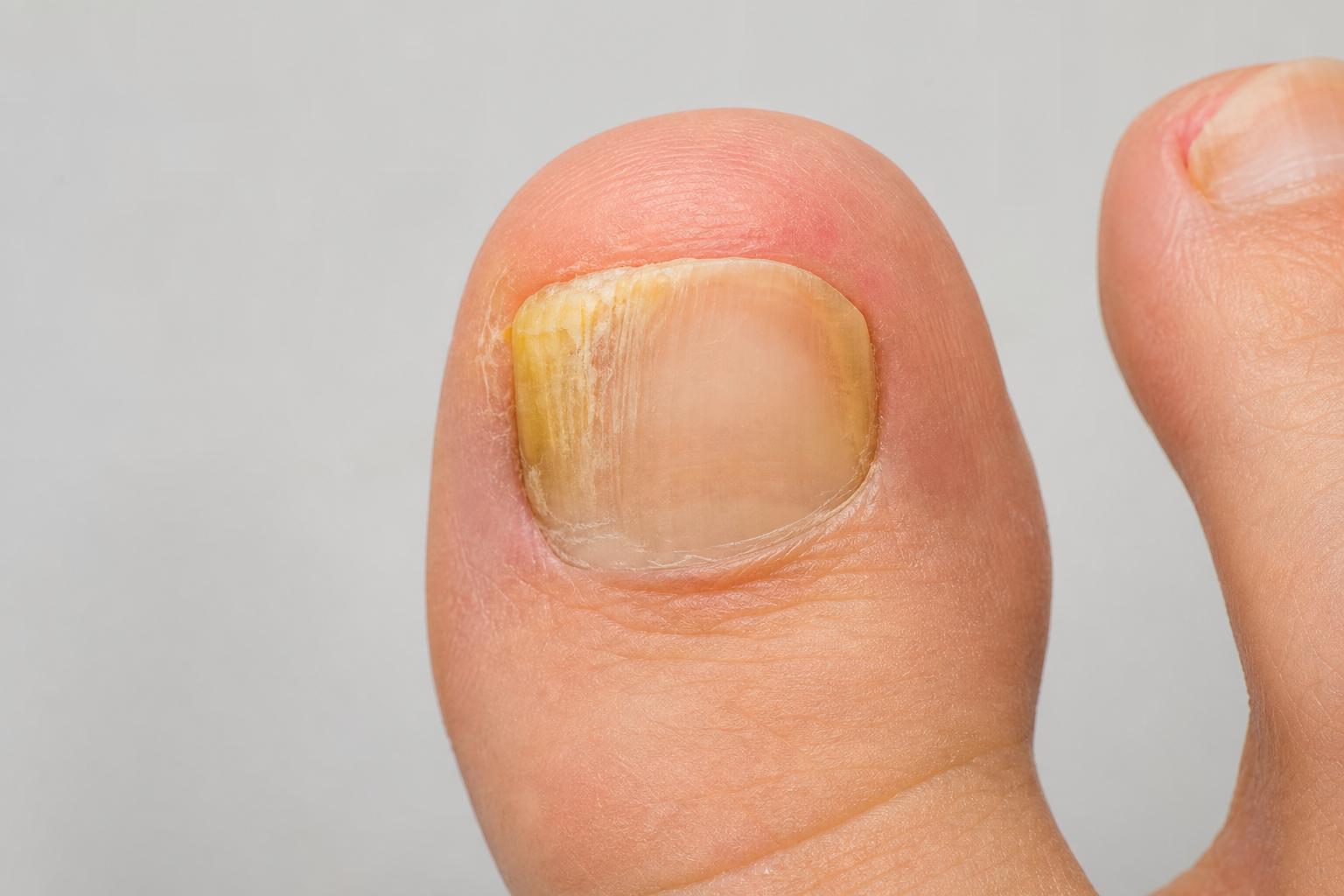
FNGU Stock: The Complete Canadian Guide to the MicroSectors FANG+ 3X ETN
Canadian investors love technology. We bank on our phones, stream our shows, and build side hustles on platforms run by a handful of giant U.S. companies. If you’ve ever wished you could magnify the daily moves of those tech titans, you’ve likely stumbled across the phrase “fngu stock.” Here’s the first twist: FNGU isn’t actually a stock. It’s a 3x leveraged exchange-traded note (ETN) that aims to deliver three times the daily returns of the NYSE FANG+ Index—an equal-weight basket of 10 high-growth, mega-cap names. That makes it thrilling when markets run and punishing when they chop or fall.
This in-depth Canadian guide demystifies FNGU: how it works, its real risks, what it costs to own, how taxes apply in Canada, how to buy it from Canadian brokerages, and when it might (and might not) make sense in a portfolio. We will also walk through practical examples, common mistakes, and tools you can use to approach FNGU ETN with clear eyes and a plan.
What FNGU Actually Is—and What It’s Not
Let’s clear the air. People search for “fngu stock price,” but FNGU is not a common share of a company. It’s the MicroSectors FANG+ Index 3X Leveraged ETN, issued by Bank of Montreal (BMO). An ETN is unsecured debt of the issuer, designed to provide exposure to a reference index. In FNGU’s case, the note targets three times the daily return of the NYSE FANG+ Index, before fees and financing costs. If the index rises 1% in a day, FNGU aims for about +3%. If the index drops 1%, FNGU targets roughly -3%.
Because FNGU is debt, not a fund holding stocks, you also assume the issuer’s credit risk. If BMO were unable to meet its obligations, holders of the note could be exposed to losses unrelated to the performance of the index. This is a distinct layer of risk compared to an ETF.
FNGU trades on NYSE Arca in U.S. dollars, during U.S. market hours. Canadians can buy it through cross-border brokerage accounts, but the U.S. dollar exposure and foreign-asset reporting rules may apply, which we’ll cover in detail below.
The Index Behind FNGU: What’s Inside the NYSE FANG+ Basket
The NYSE FANG+ Index is equal-weighted and concentrated. It typically includes 10 highly traded, U.S.-listed technology and internet-focused names. The exact membership can change, but the index is best known for featuring:
- Apple (AAPL)
- Amazon (AMZN)
- Alphabet (GOOGL/GOOG)
- Meta Platforms (META)
- Netflix (NFLX)
- NVIDIA (NVDA)
- Tesla (TSLA)
- Microsoft (MSFT)
- Alibaba (BABA)
- Baidu (BIDU)
These positions are equal-weighted at index rebalancing, so a smaller company in market-cap terms can have as much influence as a trillion-dollar giant—at least right after a rebalance. For traders, that equal weighting means single-name shocks can echo through the whole basket more evenly than a market-cap-weighted index like the Nasdaq-100.
The presence of China-based ADRs (Alibaba and Baidu) adds a geopolitical and regulatory layer. Delisting risk, changes in audit access rules, and U.S.-China tensions can inject volatility independent of the U.S. megacaps. That diversity of risk drivers can be a blessing or a headache, depending on your position.
How FNGU Delivers 3X: The Mechanics You Need to Know
ETN vs. ETF: Why It Matters
ETFs hold baskets of securities. ETNs are senior unsecured notes. With an ETN like FNGU:
- You track the index via a contractual promise from the issuer (BMO), not by owning the underlying stocks.
- There is issuer credit risk. If the issuer fails, the note may fail regardless of index performance.
- Tax treatment can differ from ETFs, and distributions are uncommon. FNGU does not typically pay dividends.
- Issuance and redemption are controlled by the issuer, which can sometimes impact liquidity or cause premiums/discounts to the note’s indicative value if new note creation is paused.
This structure is crucial context for risk management and for understanding why ETNs can behave differently than ETFs when markets get stressed.
Daily Reset and Compounding: Friend on Hot Streaks, Foe in Chop
FNGU targets 3x the daily return, reset every day. That reset means your long-term outcome is path-dependent. Two key effects follow:
- Volatility decay in sideways markets: When prices bounce up and down, gains and losses compound from a shrinking base, and the leverage accelerates that decay.
- Convex gains in strong trends: In a steady uptrend, daily compounding at 3x can outpace the simple 3x of the total period return due to gains compounding on a growing base.
If the FANG+ index goes +2%, then -2% across two days, the unlevered index ends slightly lower than it started. FNGU, targeting 3x each day, does worse than simple -3x over the two-day span. The effect grows with higher volatility and longer holding periods.
Indicative Value, Market Price, and Why Limit Orders Matter
ETNs publish an indicative value during trading hours, reflecting the theoretical fair value of the note given the index move and accrued fees. Market price can deviate due to supply/demand, bid-ask spreads, or if new issuance is constrained. Checking the indicative value (often displayed by brokers or financial data providers as FNGU.IV or a similar field) helps you avoid paying a premium or selling at a discount. This is also why many experienced traders use limit orders, not market orders—especially at the open, close, or during news-driven volatility.
Fees and Financing: The Quiet Drag
FNGU carries an investor fee that accrues daily at an annualized rate published in its prospectus and pricing supplements, plus embedded financing costs associated with delivering 3x exposure (linked to a benchmark interest rate plus a spread). Those ongoing costs are part of why long holding periods can be challenging, even in calm markets. Always verify the latest fee schedule in the official documents on the issuer’s website before buying.
The Real Risks of FNGU, Explained with Plain Numbers
Leverage Magnifies Everything—Including Losses
Because FNGU targets three times daily moves, a single rough session in tech can hit hard. Consider these stylized scenarios, assuming perfect tracking before fees:
| FANG+ Index Daily Move | Approx. FNGU Daily Move | Comment |
|---|---|---|
| +1% | +3% | Leverage works in your favour |
| -1% | -3% | Losses magnified equally |
| -5% | -15% | Common on bad earnings days |
| -10% | -30% | Severe, but possible in panics |
At -10% on the index in a single day, FNGU could be down roughly -30%. That’s enough to trigger trading halts or acceleration mechanisms in some leveraged products under extreme conditions. You must size positions with the possibility of deep drawdowns in mind.
Path Dependency and Volatility Decay
Here’s a simple five-day example to visualize compounding effects. Imagine the FANG+ index progresses as: +2%, -2%, +2%, -2%, +2%.
- Unlevered index: multiply by 1.02, then 0.98, and so on. You’ll end up below the simple sum of returns because losses follow gains and vice versa.
- FNGU at 3x daily: multiply by 1.06, then 0.94, then 1.06, 0.94, 1.06. You end up worse than three times the unlevered final result because daily compounding is harsher in chop.
Flip the script and make those five days all +2%. Now FNGU’s compounding can exceed the linear intuition of “3x the total move.” The lesson is simple: trade the trend you actually expect, not the dream of “3x forever.”
Issuer Credit Risk: The ETN Difference
With FNGU, you take on BMO’s credit risk because the ETN is an unsecured debt obligation. While BMO is a large Canadian bank with investment-grade credit ratings from major agencies, that risk is not zero. If an issuer gets stressed, the ETN can deviate from expected behaviour or face early redemption—events that are rare but important to understand before buying.
Call Rights, Accelerations, and Other Fine Print
ETN prospectuses often include the issuer’s right to call (redeem) the notes, and “acceleration” provisions if the indicative value collapses beyond a threshold or certain extraordinary events occur. The practical upshot: in severe market moves, you may be cashed out at an inopportune time, or find trading suspended while terms are sorted. Read the current pricing supplement for precise triggers and mechanics. Don’t assume you can always ride out a storm.
Liquidity, Spreads, and Trading Halts
Under normal conditions, FNGU trades actively on NYSE Arca. Around the open/close, during major earnings, or when macro data hits (U.S. CPI, Fed decisions), spreads can widen. Market orders can slip. Liquidity can thin in pre- and post-market sessions, which many Canadian brokers allow but which can be riskier. Think carefully before trading outside core hours.
Currency Risk for Canadians
FNGU is priced in U.S. dollars. If the Canadian dollar strengthens against the U.S. dollar while your position is open, your returns in CAD shrink, and vice versa. That FX layer rides on top of the already leveraged equity exposure. If you’re buying FNGU from Toronto, Calgary, or Vancouver, you’re betting on three things at once: technology stocks, the note’s structure, and the USD/CAD exchange rate.
Costs and Taxes for Canadians: What to Expect
The Costs You See—and the Ones You Don’t
- Investor fee: Accrues daily at an annualized rate disclosed by the issuer. It’s embedded and reduces indicative value over time.
- Financing/interest costs: Part of delivering 3x exposure. Tied to a benchmark rate plus a spread, detailed in the prospectus.
- Bid–ask spreads: Wider during volatile periods or outside core hours.
- FX conversion: Your broker may charge 1.5%–2% or more for converting CAD to USD, unless you use a lower-cost method.
- Commissions: Many Canadian brokers charge $0–$9.95 per U.S. trade, depending on the platform and account type.
Canadian Tax Treatment: TFSA, RRSP, and Taxable
This is general information, not advice; always consult a tax professional for your situation. In Canada:
- TFSA: Gains (and losses) are not taxable, but frequent trading can raise questions about business income vs. capital gains. CRA doesn’t define a strict threshold; factors include frequency, sophistication, and intent. Leveraged trading in a TFSA can draw scrutiny. Use care.
- RRSP/RRIF: Gains are sheltered while inside the plan; withdrawals are taxed as income later. U.S. dividend withholding tax is not relevant here as FNGU doesn’t normally pay distributions.
- Non-registered (taxable): Realized capital gains are 50% taxable at your marginal rate. Realized losses can offset capital gains. The superficial loss rule can deny losses if you repurchase an identical property within 30 days before/after selling at a loss and you still hold it at the end of the period—to be safe, avoid quick repurchases of the same ticker when claiming losses.
Foreign reporting: If the total cost of your specified foreign property (including U.S. stocks, ETFs, ETNs) exceeds CAD $100,000 at any point in the year, you generally must file form T1135. FNGU counts toward that threshold.
U.S. Estate Tax Considerations
Non-U.S. persons can face U.S. estate tax on U.S.-situs assets (including U.S.-listed securities) above certain thresholds, factoring in treaty provisions. The rules are complex and depend on the value of your worldwide estate at death. If you hold substantial U.S. assets, get specialized advice. FNGU is U.S.-listed and can be part of that calculation.
Lowering FX Costs: Norbert’s Gambit in Brief
Converting CAD to USD efficiently can save meaningful basis points. A common do-it-yourself method is Norbert’s Gambit using the Horizons DLR/DLR.U pair on the TSX, available at most Canadian brokerages.
| Step | Action | Notes |
|---|---|---|
| 1 | Buy DLR.TO in CAD | Dollar-linked ETF that trades in CAD |
| 2 | Journal shares to DLR.U.TO | Request your broker to “journal” to the USD side |
| 3 | Sell DLR.U.TO for USD | Now you have U.S. dollars in your account |
| 4 | Buy FNGU with USD | Use limit orders and trade during liquid hours |
Some banks make journaling seamless; others require a call or chat. Settlement times and fees vary. If this sounds cumbersome, consider brokers with tighter FX spreads (e.g., certain tiers at Interactive Brokers) or occasional FX promos at Canadian banks.
How to Buy FNGU in Canada: A Practical Walkthrough
Pick a Broker That Fits the Job
To trade “fngu stock” (the FNGU ETN) from Canada, you need U.S. market access and the ability to hold USD:
- Bank-owned platforms: RBC Direct Investing, TD Direct Investing, BMO InvestorLine, Scotia iTRADE, CIBC Investor’s Edge. Reliable, but FX spreads can be pricier.
- Independents: Questrade, Qtrade, Virtual Brokers. Often more flexible with fees and Norbert’s Gambit.
- Interactive Brokers (IBKR): Competitive FX rates, robust tools, strong for active traders.
- App-based brokers: Wealthsimple offers U.S. trading but check account-type features, FX fees, and order types for complex strategies.
Confirm: USD account support, commission schedule, FX costs, access to pre-/post-market (if you plan to use it), and how the platform displays indicative value for ETNs.
Funding USD, Placing Orders, and Execution Tips
- Fund CAD, convert intelligently: Use Norbert’s Gambit or broker FX when acceptable.
- Check market hours: NYSE Arca core hours align with 9:30 a.m.–4:00 p.m. ET. For Western Canada, that’s early morning.
- Use limit orders: Prevent overpaying during wide spreads or volatile tape.
- Avoid the first and last 5–10 minutes: Liquidity can be patchy; algos patrol the open/close.
- Watch the IV: If market price runs ahead of indicative value, you may be paying a premium.
Position Sizing, Stops, and Holding Period Discipline
A 3x ETN is not a “set it and forget it” core holding. Consider these guardrails:
- Size small relative to your overall portfolio. For many retail traders, that means low single-digit percentages, not double digits.
- Use alerts and conditional orders. If a key level breaks, act quickly without emotional second-guessing.
- Define your time horizon. Intraday? Multi-day swing? The longer you hold, the more the daily reset can deviate from your mental model.
- Know what you’ll do into earnings weeks. The FANG+ basket can gap violently around mega-cap reports.
Is FNGU Right for You? Use-Cases and Alternatives
Tactical Bullish Bets on Big Tech
If you’re constructive on mega-cap growth over the next few days or weeks—say, riding momentum into an earnings cluster or betting on a soft CPI print—FNGU can efficiently express that view with less capital deployed. That efficiency cuts both ways: it frees up cash, but it also allows oversized risk taking. Be honest with yourself about position sizing and loss tolerance.
Hedging and Pair Trades with FNGD
FNGD is the inverse 3x ETN for the same index. Some traders use FNGD tactically to hedge FNGU or to flip bias quickly without changing tickers. The same warnings apply: daily resets, path dependency, issuer risk, and potential accelerations. Don’t assume a long/short pair in equal dollars will be stable; compounding can work against both sides in chop.
Alternatives for Canadians Who Want Tech Exposure
- 2x TSX-listed ETFs: Horizons BetaPro HQU (2x Nasdaq-100) is a common option in CAD. It reduces U.S. tax paperwork and simplifies currency handling, but it’s not the FANG+ index and it’s 2x, not 3x.
- 3x U.S. ETFs: TQQQ (3x Nasdaq-100), SOXL (3x semiconductors), TECL (3x technology). These are ETFs, not ETNs, with their own structures and risks.
- Unlevered tech exposure: Canadian tickers like XQQ, ZQQ, HXQ (Nasdaq-100 exposure, CAD versions available) or U.S. QQQ for core allocations.
Match the instrument to the job. If your goal is a long-term, lower-maintenance tech allocation, a broad, unlevered ETF may fit better. If you’re chasing a short, high-conviction setup, FNGU is a sharper tool—handled with care.
What Actually Moves FNGU Day to Day
Earnings from the Big Ten
Apple, Amazon, Meta, Alphabet, Microsoft, Netflix, NVIDIA, Tesla, Alibaba, Baidu—when these names report, the index can gap. Guidance commentary on ad spending, cloud growth, AI capex, EV demand, and China sales often matters more than headline EPS beats or misses. One or two heavyweights can pull the basket hard.
Rates and Macro
Technology valuations are rate-sensitive. A hotter-than-expected U.S. inflation print or hawkish Federal Reserve commentary can compress multiples and hit FNGU quickly. Conversely, signs of easing inflation or dovish pivots can boost risk appetite. For Canadian traders, watch both the Fed and the Bank of Canada; the USD/CAD cross sometimes moves on rate differentials, adding a second layer to returns.
Regulation and Geopolitics
Antitrust cases, new digital-ad rules, data privacy regimes, and chip export controls can all affect constituents. The ADRs (Alibaba, Baidu) introduce U.S.-China relations into the mix. Keep an eye on U.S. regulatory filings, congressional hearings, and any changes in listing standards that could impact foreign issuers.
AI Spending Cycles and Supply Chains
Over the last few years, market leadership has swung on AI investment narratives—GPU shipments, cloud infrastructure budgets, and software monetization of generative AI. Supply constraints or a demand cooldown can drive large moves in names like NVIDIA and ripple through peers. A single AI headline can change FNGU’s tone for the day.
Research Checklist and Tools for Canadians
Before You Click Buy
- Read the latest FNGU prospectus and pricing supplement on the issuer’s website. Confirm fees, call/acceleration provisions, and maturity date.
- Check whether the issuer is currently creating new notes. Issuance pauses can create premiums to indicative value.
- Pull up the indicative value (IV) in your trading platform or via a financial data site.
- Map the earnings calendar for all ten constituents over the next three weeks.
- Set macro alerts for U.S. CPI, PPI, jobs data, and FOMC decisions.
- Decide your exit rules now: profit target, time stop, loss threshold.
Platforms and Data Sources
- Broker research portals (RBC DI, TD, BMO, Questrade) for events calendars and news feeds.
- TradingView or similar charting for price levels and alerts.
- Company investor relations pages for earnings release timings and transcripts.
- Issuer site for ETN documentation and daily indicative values.
A Written Trade Plan (Yes, Write It)
- Thesis: What specific catalyst are you trading?
- Timeframe: Intraday scalp, multi-day swing, or limited multi-week hold?
- Entry: Price zone and order type.
- Exit: Profit-taking ladder and stop discipline.
- Risk: Max capital at risk and correlation with your other positions.
- Review: Post-trade notes to refine future decisions.
Case Studies: How FNGU Behaves in the Real World
Case 1: Five Days of Chop
Suppose the FANG+ index goes: +1.5%, -1.8%, +0.9%, -2.2%, +1.2%.
- Unlevered: The final change is modest and may even be negative after compounding.
- FNGU target: Multiply each day by roughly 3x. You’ll likely end the week down more than three times the unlevered index’s final move due to the sequence of gains and losses.
Lesson: Leveraged notes hate whipsaws. If you must hold through chop, consider reducing size or tightening risk limits.
Case 2: Three-Week AI Melt-Up
Say the index posts a sequence of mostly green days with few retracements on the back of blockbuster AI headlines and strong cloud guidance. FNGU can outrun the naive “just triple the total move” assumption thanks to daily compounding on a rising base. Many traders use trailing exits during such runs, accepting that they won’t catch the top but will protect most of the move.
Case 3: One Bad Friday
Imagine a sharp macro surprise: hot CPI, yields spike, tech de-rates. The index falls 6% by midday. FNGU targets about -18%. If you sized the position as if it were a regular ETF, you’re now scrambling. This is where pre-defined max loss and intraday alerts save more accounts than brilliant theses do. The fix is discipline, not better luck.
Common Mistakes Canadians Make with FNGU
- Thinking “stock” instead of “note”: Ignoring issuer credit risk and ETN-specific mechanics.
- Using market orders at the open: Getting filled at a premium to IV during a wide-spread moment.
- Oversizing: Treating a 3x ETN like a core holding and then watching a normal pullback cause unacceptable damage.
- Holding indefinitely: Forgetting that daily resets and fees erode value when markets aren’t trending in your favour.
- Ignoring currency: Surprised when CAD strength wipes out part of a good trade.
- Skipping foreign asset reporting: Blowing past the CAD $100,000 T1135 threshold without realizing it.
- Trading earnings blind: Not mapping when Apple, Microsoft, or NVIDIA report before sizing up.
Pros and Cons of Trading FNGU
| Pros | Cons |
|---|---|
| Efficient way to express a short-term bullish view on mega-cap tech | 3x leverage magnifies losses as much as gains—violent drawdowns are common |
| Equal-weighted index diversifies single-name dominance at rebalance | Path dependency and volatility decay can erode returns in choppy markets |
| Lower capital required to target a given notional exposure | Issuer credit risk (unsecured debt of BMO) |
| Simple access via U.S. exchanges from Canadian brokerages | FX exposure for Canadians; potential estate tax considerations |
| No dividends—cleaner for RRSP/TFSA from a withholding standpoint | Ongoing investor fee and financing costs reduce indicative value over time |
Practical Tips for Canadian Traders
- Trade when the U.S. market is liquid. If you’re in B.C., that’s early; set alarms, not market orders.
- Always check the IV. If price trades rich to IV, use patience or pass.
- Pre-commit to your exit rules. FNGU punishes hesitation.
- Limit your aggregate tech beta. Owning QQQ, HQU, and FNGU simultaneously can stack the same risk.
- Keep notes. What worked, what didn’t, and why you sized the way you did.
Frequently Asked Questions about FNGU Stock
Is FNGU a stock or an ETF?
Neither. FNGU is a 3x leveraged exchange-traded note (ETN) that targets three times the daily return of the NYSE FANG+ Index. It’s a debt instrument issued by Bank of Montreal.
What does the “3x” in FNGU mean?
On any given trading day, FNGU aims for roughly three times the daily percentage move of the index, before fees and financing costs. It resets daily, so multi-day performance is path-dependent.
Can I buy FNGU in Canada?
Yes. Most Canadian brokers with U.S. market access allow you to trade FNGU on NYSE Arca in USD. You’ll need a U.S.-dollar account or to convert CAD to USD.
What fees does FNGU charge?
FNGU has a daily investor fee (annualized) and embedded financing costs related to providing 3x exposure. These reduce indicative value over time. Check the latest prospectus for current rates.
Does FNGU pay dividends?
No. FNGU typically does not pay distributions. Your return comes from price changes relative to the index.
Is FNGU suitable for long-term investing?
Generally not. Daily resets, fees, and volatility decay can make long holding periods hazardous. FNGU is more appropriate for short-term tactical trades by experienced investors.
What are the main risks with FNGU?
Leverage risk (magnified losses), path dependency, issuer credit risk (it’s an unsecured note), potential call/acceleration events, liquidity and spread risk, and currency risk for Canadians.
How does currency affect Canadian investors?
FNGU trades in USD. If CAD strengthens against USD, your gains convert to fewer Canadian dollars; if CAD weakens, the opposite occurs. That FX moves on top of the leveraged equity exposure.
Will I owe U.S. withholding tax on FNGU?
FNGU does not normally pay dividends or interest distributions, so withholding is usually not an issue. However, you still face Canadian tax rules on realized gains in taxable accounts.
Do I need to file a T1135 if I buy FNGU?
If the total cost of your specified foreign property exceeds CAD $100,000 at any point in the year, you generally must file T1135. FNGU counts toward that threshold.
What’s the difference between FNGU and TQQQ?
Both are 3x daily leveraged products, but FNGU is an ETN tracking the equal-weight NYSE FANG+ Index (10 names), while TQQQ is an ETF tracking the market-cap-weighted Nasdaq-100. Structures, holdings, and risk profiles differ.
What is FNGD?
FNGD is the inverse 3x ETN for the same FANG+ index. It aims for three times the opposite of the index’s daily move. It carries similar structural and compounding risks.
Can FNGU trade at a premium or discount?
Yes. Unlike ETFs with in-kind creation/redemption, ETNs can see larger gaps between market price and indicative value, especially if new note issuance is paused. Always check IV.
Could the issuer call or accelerate the note?
Yes. The issuer may have call rights, and acceleration provisions can trigger in extreme conditions. The prospectus outlines scenarios and mechanics. You may be cashed out unexpectedly.
Is there a Canadian-listed equivalent to FNGU?
There isn’t a direct TSX-listed 3x FANG+ product. Some Canadians use TSX 2x ETFs like HQU for Nasdaq-100 exposure or trade U.S.-listed leveraged ETFs/ETNs for similar themes.
How should I place orders for FNGU?
Use limit orders during core hours, avoid thin pre/post-market trading unless experienced, and beware the open/close when spreads can widen.
What position size is sensible?
It depends on your risk tolerance and experience, but many traders keep 3x ETNs to small single-digit percentages of portfolio value and use tight risk controls. Oversizing is the fastest way to regret.
Where can I find reliable information about FNGU?
Start with the issuer’s website for the prospectus and pricing supplements, your broker’s research tools for events calendars, and reputable market data platforms for real-time prices and indicative values.
Final Thoughts
Searching for “fngu stock” often means you’re hunting for amplified exposure to the biggest forces in today’s market: cloud computing, AI, digital ads, smartphones, streaming, and EVs. FNGU delivers that amplification—but it’s a scalpel, not a sledgehammer. It rewards precise timing, strict discipline, and sober awareness of structure-specific risks. If you’re a Canadian investor ready to trade it well, do the prep: check the prospectus, plan your exits, manage your currency exposure, and size with humility. In the right hands, FNGU is a capable tool. In the wrong hands, it’s a fast track to hard lessons.

Fire Emoji: The Complete Canadian Guide to 🔥 Meaning, Etiquette, and Smart Use
The fire emoji sits in a strange sweet spot: it’s simple, loud, and somehow perfect for both a Stanley Cup hot streak and a sizzling poutine review. You’ve seen it in DMs, Slack threads, and subject lines, but its meaning shifts with context—especially in Canada, where wildfire seasons, bilingual culture, and workplace norms all shape how 🔥 lands. This guide breaks it all down. You’ll learn what the fire emoji really communicates, when it shines (and when it backfires), how to type and paste it on every device, the rules of the Canadian workplace, and smart strategies for social, email, and brand content. We’ll also dig into accessibility, legal notes like CASL, and the subtleties of using 🔥 during wildfire season.
No fluff, no hedging—just clear, actionable advice for using the fire emoji with confidence across Canada, from Vancouver to St. John’s and every group chat in between.
What the Fire Emoji Means—And Why Context Matters in Canada
At its core, the fire emoji (🔥) signals energy. It’s a way to say “this is excellent,” “I’m impressed,” or “that’s intense” without a paragraph of adjectives. In casual conversation, it usually praises people or things: a great goal, a fresh haircut, an artful latte, a breakout track from a Canadian artist. It’s celebration with attitude. One 🔥 feels like a nod. Three 🔥🔥🔥 reads as “outrageously good.”
But because Canada has distinct cultural layers and public safety realities, the same symbol can carry very different weight. During an active wildfire season—BC, Alberta, the Northwest Territories, and northern Quebec know the drill—using a fire emoji about anything adjacent to real fires can come off as tone-deaf. In francophone spaces, the word “feu” opens extra meanings in everyday idioms. And in professional channels from Toronto tech startups to government offices in Ottawa, 🔥 can be spirited encouragement or a breach of tone depending on the moment and the audience.
In short: yes, the fire emoji is mostly about praise and intensity. But Canada’s social climate and seasons matter. Read the room—and the news—before you hit send.
Common Meanings of the Fire Emoji (and Canadian Examples)
Here are the dominant interpretations you’ll see coast to coast, with flavour you’ll recognize:
- Excellence and hype: “That setlist was 🔥” after a show at the Commodore Ballroom. “Your Nanaimo bar recipe? 🔥.”
- Momentum or streaks: “McDavid’s on a tear 🔥” or “Leafs power play is 🔥 this month.”
- Attraction and style: “New fit is 🔥” or “That St-Laurent thrift haul? 🔥.” Mind your relationship to the person; in Canada’s polite-but-direct culture, clarity beats mixed signals.
- Intensity or literal heat: “Heat warning in Winnipeg 🔥 stay hydrated.” This edges into public safety territory—pair with accurate info and not just the emoji.
- Approval in creative scenes: “This beat is 🔥” in a Toronto producer’s Discord, or “your mural is 🔥” in a Calgary arts Facebook group.
On Snapchat specifically, 🔥 signals a Snapstreak—daily exchanges between friends. That little flame can feel like a badge of honour in high school circles from Halifax to Whitehorse. Just remember: it’s a game mechanic, not a personality trait.
What Canadians Read Between the Lines
We tend to value politeness, clarity, and understated humour. A single fire emoji after someone’s new job announcement (“Congrats on Shopify! 🔥”) is charming. Dropping 🔥 under every corporate update? Try-hard. And in bilingual teams, brevity can help messages read smoothly in both English and French. “C’était 🔥” equals “That was fire,” but if clarity matters, add a plain-language sentence: “Super prestation ce soir—vraiment solide.”
Finally, Canadians track national stories closely. When wildfires dominate headlines, swapping 🔥 for neutral alternatives (🎉, 💯, 🙌, or plain text) shows empathy. Context changes reception, even if your intent doesn’t.
When the Fire Emoji Shines—and When It Backfires
The fire emoji is best in conversations that thrive on succinct positivity and shared context. Sports, music, food, and tech wins are safe bets. It’s also effective in social captions and story replies when you want to participate without derailing the post—say, reacting to a buzzing Nuit Blanche installation in Montreal or a community rink comeback in Iqaluit.
But there are places it can do more harm than good. Here’s how to tell the difference and make smart choices in Canadian settings.
Strong Use Cases for 🔥
Use the fire emoji when you want to condense praise or intensify excitement:
- Live sports reactions: “Raptors bench is 🔥 tonight.” Keep it to analysis, not insults at other fans or players.
- Arts and culture: “Stratford Festival’s Macbeth? 🔥.” Add a detail: “The staging flipped the whole act two.” It’s punchy plus substance.
- Food and drink: “That gochujang wings special in Burnaby is 🔥.” Add the spot’s name to help local businesses.
- Tech and startups: “Your demo day pitch was 🔥.” Follow with a line about the product so it doesn’t feel hollow.
- Fitness and outdoors: “Sunrise run on the Plains of Abraham 🔥.” Nature content resonates, but avoid the emoji when wildfires are active in the region.
When it’s a one-to-one compliment—coworker ships a clean PR, classmate launches a zine—one 🔥 plus a sentence is a tidy, human response.
Risky or Off-Limits Contexts
Some moments call for restraint in Canada’s social fabric:
- Wildfire news: Anything about evacuations, smoke, emergency funding, or firefighting efforts should avoid the fire emoji. Use clear language and verified sources instead.
- Accidents, injuries, or house fires: Never. Stick to compassion and practical info.
- Corporate crisis or layoffs: Emojis can cheapen serious updates. Write plainly, with empathy.
- Public sector and healthcare comms: In official updates from municipalities, provinces, or health authorities, emojis belong sparingly if at all, and only for clarity—never for drama.
- Content targeting youth: If you’re an institution (university, bank, insurer), be careful with “youthful” emojis. Coming across as authentic beats trying to speak teen slang.
In short: the fire emoji is a yes for celebration, a maybe for neutral intensity, and a no for hardship and safety information. When in doubt, write it out.
How to Type, Copy, and Paste the Fire Emoji on Every Device
Copying and pasting 🔥 is easy. Typing it via your device’s emoji picker is faster once you know the shortcuts. Here’s how Canadians can add the fire emoji across platforms common at home, school, and work.
On iPhone and iPad (iOS/iPadOS)
Use the built-in emoji keyboard:
- Tap the emoji icon in your keyboard (usually bottom left).
- Search “fire” or scroll to the “Smileys & Emotion” section.
- Tap 🔥. It appears inline in any app—Messages, Instagram, Teams, you name it.
If you don’t see the emoji keyboard, enable it under Settings → General → Keyboard → Keyboards → Add New Keyboard → Emoji.
On Android Phones and Tablets
Most Android devices in Canada ship with Gboard or Samsung Keyboard, both with emoji support:
- Open the keyboard, tap the emoji icon or long-press the comma/enter key (varies by device).
- Search “fire” or browse categories.
- Tap 🔥 to insert. It will render according to your device and app.
If your keyboard doesn’t show emojis, install Gboard from the Google Play Store and set it as your default.
On Mac (macOS)
Bring up the emoji & symbol viewer anywhere you type:
- Press Control + Command + Space to open the emoji panel.
- Type “fire” in the search field and click 🔥.
It works in Mail, Slack, Pages, browsers—any app that supports Unicode, which is nearly all of them.
On Windows 10 and 11
Use the built-in emoji picker:
- Press Windows key + . (period) or Windows key + ; (semicolon).
- Type “fire” or browse the emoji list, then click 🔥.
This works in Outlook, Word, Chrome, Teams, and most desktop apps. If the picker doesn’t open, update Windows or check Settings → Time & Language → Typing.
On Chromebooks
Chromebooks used in Canadian schools and offices support emojis system-wide:
- Right-click (or two-finger tap) a text field and choose “Emoji,” or press Search/Launcher + Shift + Space.
- Search “fire,” then click 🔥.
On Linux
Emoji support varies by distro and input method. On Ubuntu with IBus, for example, you can press Ctrl + Shift + e and type a colon code or open the character map. For everyday use, copy and paste 🔥 from a reliable source and set up a text expander for speed.
In Slack, Discord, GitHub, and Microsoft Teams
Collaboration tools used across Canadian companies and schools all support the fire emoji:
- Slack: Type
:fire:or pick 🔥 from the emoji menu. Use emoji reactions on messages for lightweight feedback. - Discord: Type
:fire:in servers that support standard emoji names, or use the picker. - GitHub: Type
:fire:in issues and PR comments, or react with 🔥. - Microsoft Teams: Click the emoji icon in chat, search “fire,” or react to messages with 🔥 where available.
Remember: workplace culture in Canada skews professional. One 🔥 on a great demo? Perfect. Filling a thread with flames? Not so much.
HTML, Unicode, and Copy-Paste
If you’re coding a Canadian website or email template and need to insert the fire emoji reliably, you have options:
- Unicode code point: U+1F525 (official Unicode name: “Fire”).
- HTML decimal entity:
🔥 - HTML hex entity:
🔥
Copy-paste option: 🔥. That works in most CMS editors (WordPress, Shopify, government CMSs) as long as UTF-8 is enabled, which it should be by default.
Design Differences: How 🔥 Looks on Apple, Google, Samsung, and More
Most Canadians move between devices and apps all day. The fire emoji will look slightly different on each platform—even if the meaning is identical. These are stylistic, not semantic, differences, but they can affect brand visuals.
Expect variations in flame shape, colour gradient, and glow. Apple’s version tends to be smooth and glossy. Google’s (Android) is flatter and bright. Microsoft’s has sharpened edges. None of this changes meaning, but subtle aesthetics matter in design-led campaigns.
| Platform | Rendering Style | Notes for Canadian Users |
|---|---|---|
| Apple (iOS/macOS) | Glossy, warm gradient with a soft glow | Dominant on iPhone-heavy audiences in Canada’s major cities |
| Google (Android) | Clean, bright, slightly simplified flame | Common across Canadian carriers; looks consistent on recent Android versions |
| Samsung | Distinct outline with vivid colour | Popular on Galaxy devices; appears bolder in some chat apps |
| Microsoft (Windows) | Stylized, angular flame in Segoe UI Emoji | Standard in Teams and Outlook on Windows desktops |
| Twitter/X | Twemoji styling, clean and flat | Web rendering standard; mobile uses system emoji |
| Facebook/Meta | Meta emoji set in the app; system emoji on mobile | Minor differences between app and web |
| JoyPixels/WhatsApp | Rounded, friendly look | WhatsApp uses system emoji on most platforms; JoyPixels common in some web apps |
Bottom line: the fire emoji remains recognizably “fire” everywhere. If you’re a Canadian brand with strict visual guidelines, test how posts look on iPhone and Android and in desktop clients like Outlook and Teams.
The Fire Emoji in Canadian Workplaces: Etiquette That Holds Up
Canadian workplaces lean practical and considerate. Emojis are welcome in many tech firms, agencies, and startups; more restrained in finance, law, and public service. The fire emoji has a place—but earn it with judgment.
Rules of Thumb for Slack and Teams
Keep your tone aligned with company culture and the seriousness of the channel:
- Project channels: Use 🔥 to applaud a launch, a bug fix, or a strong KPI update—once.
- One-on-one chats: 🔥 works as positive reinforcement when paired with specifics: “Great refactor—cut load time by 30% 🔥.”
- Company-wide announcements: Stick to neutral emojis or none at all unless it’s a celebratory milestone and leadership uses them too.
- During crises or sensitive timelines: Avoid the fire emoji entirely. Write clearly and formally.
In bilingual organizations, write the message in clear English or French and treat 🔥 as a mood accent, not a replacement for clarity. “Bravo pour la subvention CRSH—travail impeccable 🔥.”
HR, Compliance, and Inclusivity
HR in Canada often publishes internal communication guidelines. If your policy mentions tone, professionalism, and inclusivity, the fire emoji sits in the “use sparingly” bucket. Avoid using 🔥 to comment on a person’s appearance unless you have a close, informal rapport and it’s obviously welcome. When praising colleagues, focus on work outputs: “Your accessibility audit was 🔥—the checklists will help us meet WCAG 2.2.”
For regulated industries (finance, insurance, healthcare), assume a more conservative tone. Emojis are not prohibited by law, but your compliance team might set higher bars for decorum. Ask for the internal style guide; then mirror it.
Academic and Public Sector Settings
Universities in Canada are mixed: student services teams might use 🔥 on Instagram to spotlight campus events; registrars and financial aid offices usually won’t. Government communications generally avoid expressive emojis in formal updates. If you’re part of a municipal or provincial team, reserve emojis for youth outreach campaigns or engagement posts, and even then, consider alternatives like 🎉 or 🙌 rather than 🔥.
Brand and Marketing Strategy: Using 🔥 Without Burning Trust
Marketers love the fire emoji because it boosts scannability. It’s compact, emotional, and universal. But Canadian audiences can be allergy-prone to gimmicks, so bring substance along for the ride.
Email Subject Lines and CASL
Under Canada’s Anti-Spam Legislation (CASL), your subject line must not be misleading. Emojis are allowed, but they can’t exaggerate the content. “🔥 50% off skates today only” is fine if the discount is real and in the message. “🔥 Hottest mortgage rate in Canada” gets dicey if it’s not supported by facts.
Good practice: pair 🔥 with a specific benefit. “🔥 $15 off snow tires ends tonight” tells the truth and invites action. Test with and without emojis across your Canadian segments; deliverability and open rates can vary by ISP and audience.
Social Captions and Ads
Use the fire emoji to punctuate a single claim, not to carry weak copy. Examples:
- “Limited-batch maple chili sauce is back 🔥 Order by Sunday.”
- “Vancouver drop-in climb nights return—first session free 🔥.”
- “New Indigenous artist residency showcase 🔥 Opening Friday at 7 PM.”
Where to be cautious: ads touching regulated categories—alcohol, cannabis, fireworks—must follow federal and provincial rules. The emoji itself isn’t banned, but hype language can clash with required disclaimers. For cannabis, review Health Canada’s promotion restrictions before pairing 🔥 with potency or effects claims.
Retail, Sports, and Hospitality
Canadian retailers can get solid mileage from 🔥 in product launch posts, limited-time promos, and local collabs. Sports brands and teams naturally lean into it for streaks, playoff runs, and highlight reels—just skip it on injury updates. Hospitality venues (restaurants, festivals, theatres) can use 🔥 for signature dishes, new lineups, or closing nights, balanced by practical info: cover charge, all-ages, transit options post-show.
Social Media Playbook: How Canadians Use 🔥 on TikTok, Instagram, X, Snapchat, and Reddit
Every platform has norms. The fire emoji fits differently depending on whether you’re duetting a trend, replying to a journalist, or trading memes on a Canadian subreddit.
TikTok
Short, high-energy captions thrive. A 🔥 in the first three words can boost scannability, but the video must deliver. Trends move fast; pair 🔥 with a detail about the scene (e.g., “YYC food court hidden gem 🔥 lemongrass chicken”). Hashtags should complement, not copy the emoji: try #yycfood or #torontomusic rather than #fireemoji.
Stories and Reels are prime territory for 🔥 reactions and quick captions. In feeds, use it sparingly to avoid “bro-marketing” vibes. Canadian arts, sports, and foodie accounts can punctuate carousel posts with one or two 🔥 among other expressive emojis (🎥, 🎟️, 🏒, 🌶️). For accessibility, put the emoji at the end and write the full meaning in text.
Twitter/X
Keep it tight. One 🔥 can replace a hype adjective and free up characters for context: venue, city, scoreline, or a link. Journalists and public officials typically avoid expressive emojis in formal updates; community and arts accounts use them more. If you’re discussing wildfire smoke or air quality (AQHI) in Canadian cities, don’t add 🔥—stick to measurable info.
Snapchat
Beyond Snapstreaks, the fire emoji appears in reactions and captions. For brands targeting Canadian Gen Z, authenticity trumps trends. Show real people doing real things—intramurals, open mic nights, co-op highlights—and drop 🔥 as an accent, not the voice.
Reddit and Discord
Subreddits like r/canada, r/PersonalFinanceCanada, or local city subs skew practical. Fire emoji is welcome in sports threads or highlight posts; it’s out of place in sensitive topics or advice threads. On Discord servers for gaming, coding, or music production, 🔥 is common as a quick reaction to a track, a mod, or a PR merge. Still, add a constructive sentence so your praise helps the creator improve.
Combinations, Captions, and Alternatives to the Fire Emoji
Sometimes a combo says it best. Other times, 🔥 is too loud. Here’s how to mix and swap without sounding like a bot.
Smart Emoji Combos for Canadian Moments
- Sports: 🔥🏒 for a hot streak on the ice; 🔥🦖 for Raptors; 🔥🛶 for a canoe sprint win; 🔥🏟️ for a playoff atmosphere.
- Food: 🔥🌶️ for spicy; 🔥🍁 for a maple twist; 🔥🍔 for the comeback of a cult menu item.
- Weather and seasons: 🔥❄️ for “wild temperature swings” (use lightly); 🔥🌞 for heat waves (pair with safety info).
- Events: 🔥🎤 for a show; 🔥🎉 for a festival kickoff; 🔥🎬 for a TIFF premiere reaction.
- Positive reinforcement: 🔥💯 or 🔥🙌 to emphasize success without overdoing it.
Alternatives When 🔥 Is Too Much
Swap in other emojis to keep tone friendly without conjuring flames:
- 👏 Applause for genuine recognition in work or school.
- 🎉 Celebration without intensity. Good for milestones.
- 💯 Emphasis without heat. Great for “nailed it.”
- ✨ Sparkles for “polished” or “delightful.”
- ✅ Check for progress updates or completion.
In wildfire season, sparkles or confetti often carry the energy you want with none of the baggage.
Accessibility and Inclusion: Make 🔥 Work for Everyone
Screen readers usually announce 🔥 as “fire.” That’s clear, but chains of emojis can turn into a frustrating listening experience. Accessible Canadian content—especially from public institutions and educators—should respect these basics.
Five Accessibility Practices for Emoji Use
- Limit sequences: One or two emojis is fine; long strings are clutter for assistive tech users.
- Don’t replace words: Write the full meaning in text. “Early-bird tickets live now 🔥” is accessible; “🔥🔥🔥” alone is not.
- Put emojis at the end: Screen readers announce them after the sentence instead of interrupting it.
- Keep hashtags readable: #TorontoFoodFest beats #TorontoFoodFest🔥. Avoid embedding emoji inside hashtags.
- Be bilingual-ready: If your Canadian audience is English and French, ensure the sentence is fully understandable in both without relying on emoji.
If you’re aiming to align with government accessibility standards or Ontario’s AODA, use emojis sparingly, ensure contrast and readable fonts in images, and always describe images properly. Emojis are icing, not structure.
Legal, Safety, and Reputation: Canadian Considerations You Shouldn’t Ignore
While no Canadian law bans emojis, the way you use them affects compliance and public trust. Treat the fire emoji with the same care you’d bring to any brand signal.
Wildfires and Public Information
Canada experienced its worst wildfire season on record in 2023, with more than 18 million hectares burned. Sensitivity isn’t optional. If you communicate about fires—evacuations, smoke, road closures, relief—avoid 🔥 and share verified info from provincial and territorial sources:
- BC Wildfire Service (British Columbia)
- Alberta Wildfire (Alberta)
- Ontario’s Aviation, Forest Fire and Emergency Services (AFFES)
- SOPFEU (Quebec)
- Wildfire Management (Saskatchewan, Manitoba)
- Yukon, Northwest Territories, and Parks Canada wildfire updates
When soliciting donations or volunteers, provide clear links to recognized organizations and avoid sensational language or imagery. Emojis add noise when people need facts.
Marketing Compliance (CASL and Regulated Categories)
Under CASL, don’t mislead or obscure your offer with emojis. If 🔥 implies urgency or scarcity, it needs to be true. For regulated industries (alcohol, cannabis, vaping, gambling), provincial and federal rules limit promotional tone and placement—emojis won’t save a non-compliant ad. Review the latest guidance from Health Canada and your provincial regulators before publishing.
Workplace Records and Discovery
In regulated sectors and public bodies, chats and emails can be subject to records retention or access to information laws. Emojis, including the fire emoji, are part of the record. Use them as accents, not as the only signal of approval or decision. Put decisions in words.
Technical Reference: Unicode, HTML Entities, and Compatibility
A little technical background helps if you build websites, emails, or apps in Canada and want the fire emoji to render properly.
Core Data
- Official Unicode name: Fire
- Emoji: 🔥
- Unicode code point: U+1F525
- Introduced in Unicode: 6.0 (2010)
- Shortcodes: :fire: (Slack, GitHub, Discord)
- HTML entities: 🔥 or 🔥
The fire emoji defaults to emoji presentation; you typically don’t need a variation selector (U+FE0F). Fonts, OS versions, and app renderers control styling. As long as your content uses UTF-8, you’re covered on modern devices across Canada’s major carriers and ISPs.
Email and Web Rendering Tips
In email marketing to Canadian audiences, emojis are widely supported in subject lines and body copy. But some older Windows clients and niche enterprise setups can fall back to black-and-white glyphs. Test your campaigns in Outlook for Windows, Apple Mail, Gmail, and mobile clients. For web, ensure the page declares UTF-8 () and avoid custom fonts that lack emoji glyphs unless you’re injecting a colour emoji font.
French-Canadian Usage Notes: “Emoji feu” Without Friction
Quebec and francophone communities across Canada use the fire emoji like everyone else, but idioms differ. “C’est le feu” tracks closely to “it’s fire/amazing,” while “ça brûle” leans more literal. In professional French, emojis drop off faster, particularly in government, healthcare, and education. In creative and community contexts, though, 🔥 fits right in.
In bilingual posts, consider a mirrored structure with emoji as a neutral connector at the end:
- “Early bird tickets live now—premiers billets en vente maintenant 🔥”
When commemorating or discussing forest fires (“feux de forêt”), skip the emoji and rely on formal, accurate phrasing drawn from SOPFEU or provincial guidance.
Data-Driven Advice: Testing 🔥 Without Guesswork
If you run Canadian campaigns, treat the fire emoji like any variable—test it. A/B test subject lines with and without 🔥 across segments (province, language, device). On social, run split tests on captions for the same creative to see if 🔥 adds engagement or just clutter.
Hypotheses to Test
- Adding a single 🔥 to a retail subject line increases opens in Ontario and Alberta but not in Quebec.
- One 🔥 in a sports highlight tweet increases retweets, while three reduces replies (perceived spam).
- In bilingual Instagram captions, placing 🔥 at the end outperforms at the start for saves and shares.
Keep the emoji constant and vary the copy or placement. Track with UTM parameters for Canadian geo-insights, and beware seasonal shifts: during wildfire months, you may see different outcomes and should adjust accordingly.
Etiquette During Wildfire Season: A Canadian Reality Check
From late spring into summer, parts of Canada monitor wildfire risk closely. In bad years, smoke affects major cities from Edmonton to Montreal. Using the fire emoji casually during these months can look insensitive in certain threads or regions.
Red-Flag Situations for 🔥
- Local fires, evacuation alerts, or AQHI advisories: Avoid.
- Fundraising for relief: Avoid; replace with clear info and links.
- Public service posts: Stick to verifiable facts and plain language.
Instead of 🔥, consider alternatives for energy (🎉, 🙌, 💯) or skip emojis entirely. If your audience spans Canada, mention regional conditions: “Stay safe if you’re affected by smoke in the north—here’s where to check updates.” Link to provincial wildfire sites or Environment and Climate Change Canada air quality resources.
Real Examples: Polished Ways to Use or Avoid 🔥
Let’s make it concrete with good and bad examples you could see from Canadian individuals and brands.
Good Uses
- “Your Short Film Face Off entry was beautifully paced—congrats on the jury nod 🔥.”
- “Back-to-school U-Pass is live for fall. Activate in the app by Sept 5 🔥.”
- “Pop-up bao on Queen West this weekend. 11–3 both days—bring cash or debit 🔥.”
- “U18 girls brought the cup home—defence was unreal 🔥.”
Bad Uses
- “Wildfire footage is 🔥🔥🔥”—Insensitive, trivializing harm.
- “Emergency room wait times are 🔥 rn”—Flippant about healthcare strain.
- “Mortgage rates are 🔥”—Potentially misleading and tone-deaf without explanation.
Notice the pattern: 🔥 is fine for enthusiasm when nobody’s hurt, misled, or left confused. Otherwise, say it plainly.
Frequently Confused: Is 🔥 the Same as “Lit” or “Spicy”?
Slang shifts, but in Canadian English, “lit” and “fire” overlap to mean exciting or excellent. “Spicy” leans literal for food, or metaphorical for “provocative” takes. The fire emoji straddles both, which can cause confusion. If you’re praising flavour, add a word: “spicy ramen 🔥” reads as “it’s spicy” and “it’s great.” If you only mean heat, use 🌶️ alone.
The Fire Emoji for Educators and Non-Profits in Canada
Educators can use 🔥 to mark standout student work in informal channels (class Discord, Teams chat), but official grades and feedback should be in words. Non-profits can use 🔥 to spotlight wins—new grant, successful event—while avoiding it in posts about need or harm. For bilingual or Indigenous audiences, centre clarity and cultural respect over internet shorthand.
Crisis Communications and Newsrooms: Leave 🔥 at the Door
In Canadian newsrooms and emergency management, the fire emoji rarely belongs. Even for metaphorical “fire” stories—a team on a winning streak—many outlets default to neutral language for professionalism. If you’re running a local newsroom or town communications office, save 🔥 for promotion of unrelated feel-good stories and keep hard news emoji-free.
Security and Privacy: Emojis Are Metadata Too
In Canadian workplaces subject to PIPEDA or provincial privacy laws, emojis in chats and emails are part of the communication record. They can be searchable and discoverable. Use them thoughtfully, never as code for sensitive information. And remember: public posts can be screenshotted and shared without context. If a 🔥 could be misread later, skip it.
Beyond Text: Stickers, Reactions, and Custom Emoji
On platforms like Telegram, WhatsApp, Instagram, and iMessage, sticker packs and reactions extend what 🔥 can do. A reaction with 🔥 is often less intrusive than a reply—especially in big Canadian group chats across time zones. For Slack and Discord communities, branded custom emoji can be useful, but be careful with anything resembling real fire or emergencies. Keep your custom set playful and unambiguous.
Fun, Thoughtful, and Canadian: Mini Playbook by Scenario
Sometimes a short checklist beats a long explanation. Here are quick calls for common situations.
Sports Night
Yes to 🔥 for highlight clips and streaks. No for injuries and officiating controversies. Add a team or city tag: “Oilers PP 🔥 tonight.”
Restaurant Review
Yes to 🔥 for praise, 🌶️ for heat level, and one detail: “Charcoal corn ribs 🔥—smoky, limey, perfect.”
Work Win
Yes to 🔥 once, with specifics: “Closed the Q4 pilot—Concordia onboard 🔥.” No to carpet-bombing the thread.
Heat Wave
Skip 🔥, share facts: time, temp, city alerts, and hydration guidance. Link to Environment and Climate Change Canada heat warnings.
FAQ: Fire Emoji Questions Canadians Actually Ask
What does the fire emoji mean?
It signals excellence, excitement, or intensity. In casual use, 🔥 means “this is great.” In literal contexts about fires or heat, it risks sounding insensitive—so avoid it for emergencies or bad news.
Is the fire emoji rude or unprofessional?
Not by itself. In many Canadian workplaces, one 🔥 to praise work is fine, especially in Slack or Teams. It can be unprofessional in formal emails, public sector updates, or sensitive contexts. When in doubt, use words.
How do I type the fire emoji on Windows or Mac?
Windows: press Windows key + . (period) and search “fire.” Mac: press Control + Command + Space and search “fire.” On phones, open your emoji keyboard and tap 🔥.
What’s the Unicode for the fire emoji?
U+1F525. In HTML, use 🔥 or 🔥 to insert 🔥.
Does the fire emoji look the same on all devices?
No, each platform (Apple, Google, Samsung, Microsoft) has its own design. It always reads as fire, but colours and shapes vary slightly.
Is 🔥 appropriate during wildfire season in Canada?
Generally no for anything related to fires, smoke, evacuations, or safety. Choose neutral language, and link to official provincial resources for updates.
What does 🔥🔥🔥 mean compared to a single 🔥?
More emphasis. One fire equals “great,” three adds hype. In professional spaces, one is usually enough.
What’s the French way to use the fire emoji?
In casual French, “C’est 🔥” or “C’était 🔥” mirrors English. For formal French (especially in Quebec public sector), avoid emojis and write it out.
Is the fire emoji okay in email subject lines under CASL?
Yes, as long as the subject isn’t misleading. Pair 🔥 with a true, specific offer or update. Don’t promise “hottest ever” unless it’s factually supportable.
Does Snapchat use the fire emoji for streaks?
Yes. On Snapchat, 🔥 next to a friend’s name shows a Snapstreak—daily snaps exchanged. That’s platform-specific and doesn’t transfer to other apps.
What are good alternatives to the fire emoji?
Try 🎉 for celebrations, 💯 for strong approval, 🙌 for kudos, or 👏 for recognition. During sensitive times, words alone are best.
Can I trademark the fire emoji for my Canadian brand?
You can’t trademark the Unicode emoji itself. You might trademark a unique stylized flame logo, but not the standard 🔥 character. Speak with an IP lawyer before investing in a mark.
Does the fire emoji affect accessibility?
Screen readers announce “fire.” That’s fine in small doses. Avoid long emoji strings and always include the full message in text so everyone gets the meaning.
Is there an alt code for 🔥 on Windows?
Not a traditional numeric Alt code. Use the Windows emoji picker (Win + .) or copy and paste 🔥.
Can I use the fire emoji in government or public health communications?
Best avoided in formal updates. Use clear, direct language. If you run a community campaign with a casual tone, follow your organization’s style guide and consider more neutral emojis if any.
Final Thoughts: Use 🔥 With Heart, Not Hype
The fire emoji packs a lot into one character: praise, intensity, momentum. In Canada, it works beautifully for sport, art, food, and everyday wins—so long as you balance it with context and care. Skip it when people need facts or empathy. Include it when a short, spirited nudge will do. That’s the Canadian way: thoughtful, friendly, and just bold enough to keep things interesting.

FaceTime in Canada: The Complete Guide to Better Calls, Smarter Settings, and Real‑World Tips
If you live in Canada and carry an iPhone, iPad, or Mac, you’ve probably used FaceTime. It’s the built‑in way to make crystal‑clear video and audio calls across the country and around the world—without paying long‑distance fees or juggling extra apps. But there’s more to FaceTime than a quick video chat. Done right, it can replace phone calls, run a family watch party from Vancouver to Halifax, let a realtor walk a buyer through a Toronto condo from Calgary, or help grandparents in Saguenay read bedtime stories in real time. This guide goes deep: setup, bandwidth, privacy laws, accessibility, Group FaceTime, FaceTime links for Windows and Android guests, SharePlay, Apple TV, carriers, travel, troubleshooting, and practical etiquette that actually works in Canadian life.
Whether you’re brand new or you’ve used it for years, you’ll walk away knowing how to make FaceTime faster, safer, and easier—on any Apple device you own, anywhere in Canada.
What FaceTime Actually Is—and Why Canadians Rely on It
FaceTime is Apple’s free, end‑to‑end encrypted calling system for video and audio. It runs on iPhone, iPad, and Mac, and now reaches non‑Apple users through web links they can open on Windows or Android. You can place one‑to‑one calls or use Group FaceTime for up to 32 people. It’s included with every modern Apple device and uses Wi‑Fi or cellular data, not your voice minutes.
For Canadians, FaceTime solves a bunch of everyday problems. It sidesteps long‑distance fees when calling family in another province. It’s usually clearer than a regular phone call in noisy places. It works in tiny apartments with spotty reception because it can switch to Wi‑Fi. And because it’s encrypted, it adds a layer of privacy for sensitive personal conversations—though you still need to be smart about where you’re calling from and what you share.
Beyond the basics, FaceTime brings modern touches: FaceTime Audio for voice calls that sound significantly better than traditional calls; SharePlay to co‑watch a show or listen to music together; FaceTime links that invite non‑Apple folks in; and FaceTime on Apple TV for living‑room group calls using your iPhone as the camera. It’s not just a utility—used well, it feels like a real connection, even when you’re separated by 5,000 kilometres and a couple time zones.
Supported Devices, Versions, and Regional Notes for Canada
FaceTime comes preinstalled on Apple devices and is available on:
- iPhone: Most models from the iPhone 6s onward. For Group FaceTime and newer effects, you’ll want a more recent model.
- iPad: iPad (5th gen and newer), iPad Air, iPad mini (4 and newer), and iPad Pro models.
- Mac: Any Mac running a reasonably recent version of macOS; for best performance use macOS Ventura or newer.
- Apple Watch: FaceTime Audio only (no video), through the Phone app.
- Apple TV 4K: With tvOS 17 or later, FaceTime works using Continuity Camera from an iPhone or iPad as the camera and mic.
FaceTime is available in Canada in both English and French interfaces. Live Captions for FaceTime are available in English (Canada and U.S.) on supported iPhone, iPad, and Mac devices. Some advanced features require the latest iOS, iPadOS, macOS, and tvOS versions, so update your software before assuming something isn’t supported.
Important regional note: Activation for iMessage and FaceTime may trigger a one‑time hidden SMS to international servers. Canadian carriers (Bell, Rogers, Telus, SaskTel, Videotron, Freedom, and regional providers) sometimes charge a small fee for that activation text. It’s normal, but it surprises people. If you see a line item for “international SMS” when you turn on FaceTime for the first time, that’s likely what it is.
First‑Time Setup: iPhone, iPad, and Mac
Set Up FaceTime on iPhone or iPad
It’s mostly automatic, but check these settings to make sure people can reach you the way you want:
- Open Settings > FaceTime and toggle FaceTime on.
- Under “YOU CAN BE REACHED BY FACETIME AT” select your phone number and any email addresses linked to your Apple ID. If you want friends to find you even if they don’t have your number, add an email.
- Set “CALLER ID” to the number or email you want to appear when you call others. Most Canadians pick their phone number.
- If you’re setting up a child’s device, use Screen Time > Content & Privacy to restrict who can communicate, and limit FaceTime after bedtime.
If activation spins for more than 24 hours, check: your date/time are set automatically, you have an active SIM/eSIM with SMS capability (for that activation ping), and you’re signed in to your Apple ID in Settings. If nothing moves, toggle FaceTime off and on again, or sign out of Apple ID for iMessage/FaceTime and sign back in.
Set Up FaceTime on a Mac
On macOS, open the FaceTime app and sign in with your Apple ID. Go to FaceTime > Settings and confirm:
- You’ve selected your Canadian phone number and any emails to be “reachable at.”
- Caller ID shows your preferred number or email.
- You’ve enabled “Calls from iPhone” if you want your Mac to ring when your iPhone does (both must be on the same Wi‑Fi and Apple ID, and your carrier must support Wi‑Fi calling/continuity features).
If your Mac doesn’t show your phone number, make sure your iPhone is turned on, nearby, and signed into the same Apple ID with FaceTime enabled. Then, on iPhone, go to Settings > FaceTime > Calls from iPhone and enable the relevant options.
How to Place and Receive FaceTime Calls (Video, Audio, and Links)
Start a One‑to‑One FaceTime Video Call
Use Contacts, Messages, or the FaceTime app itself. Tap the camera icon next to a contact who has Apple devices. On Mac, click New FaceTime and type a name, number, or email. You can also ask Siri: “FaceTime Ali video.” If you’re in a noisy cafe in Montreal or a windy Edmonton park, consider FaceTime Audio instead—it’s lighter on data and often clearer.
Use FaceTime Audio for Crisp Voice Calls
FaceTime Audio sounds better than many standard phone calls because it supports wideband audio. It’s perfect for low bandwidth, basements with weak cell reception, or when you’re driving and using CarPlay (video is blocked on the road, but FaceTime Audio is supported). To start, tap the phone icon in FaceTime or in Contacts under the person’s details.
Schedule and Share FaceTime Links
FaceTime links open the door to Android and Windows users. Create a link in the FaceTime app, name the call (e.g., “Sunday family supper”), and share it by Messages, Mail, or WhatsApp. The link opens in a modern browser like Chrome or Edge. You can also paste it into a Calendar invite to make scheduling easier across time zones—handy if you’re trying to coordinate Toronto–Vancouver–Halifax without accidental midnight pings.
Join From the Lock Screen, Handoff, and Continuity
Your iPhone, iPad, and Mac all ring for incoming FaceTime calls if they’re signed into the same Apple ID and on the same Wi‑Fi network. Answer on whichever is closest. Mid‑call and need a bigger screen? Use Handoff: you’ll see a prompt on your Mac or iPad to move the call over with a click.
Group FaceTime: Bring Up to 32 People Together
Group FaceTime supports up to 32 participants. That’s enough for a class check‑in, a small team meeting, or a full family reunion with cousins in Saskatoon, aunties in Mississauga, and grandparents on Vancouver Island. Start a new call, add multiple contacts, or share a FaceTime link ahead of time so people can join when they’re ready.
Interface basics that make large calls saner:
- Grid view keeps everyone the same size; speaking participants gently highlight.
- Mute and video on/off are always visible. Get in the habit of muting when you’re not speaking, especially with big groups.
- Reactions: simple hand gestures can trigger fun on‑screen effects (hearts, fireworks). It’s optional but can lighten the vibe in long calls.
- Turn on Portrait mode to blur a busy background—great if your condo kitchen doubles as a home office.
- Use Voice Isolation mic mode to cut traffic noise if you’re dialing in from a balcony facing Yonge Street.
If someone is joining from Android or Windows via a FaceTime link, they can use camera, mic, and grid view in a supported browser, but they can’t start the call themselves or use every advanced effect. If the person you need to talk to doesn’t have an Apple device, create and send the link from your iPhone, iPad, or Mac.
FaceTime for Non‑Apple Users: Android and Windows in Canada
No, there’s no FaceTime app for Android or Windows. But there’s a practical workaround: web links. You, as the Apple user, create a FaceTime link and share it. Your friend opens it on their device in a modern browser (Chrome, Edge, or Safari on iPad). They can then join with their camera and mic. It’s a surprisingly smooth experience for quick catch‑ups and small meetings.
Limitations to be aware of:
- Non‑Apple users cannot initiate a FaceTime call themselves—an Apple user must create the link.
- Some features like SharePlay, mic modes, and Portrait may be limited or unavailable in a browser.
- Corporate firewalls can block camera/mic access in browsers. If your friend can’t unmute, ask them to try a personal device or home network.
If your team needs everyone to initiate or schedule calls cross‑platform, consider Zoom, Google Meet, or Microsoft Teams. For personal, fast, and private one‑to‑ones when at least one person has an iPhone, FaceTime links are ideal.
SharePlay in Canada: Co‑Watch, Co‑Listen, Co‑Work
SharePlay lets you watch movies, listen to music, follow workouts, or share your screen together over FaceTime while playback stays in sync. It’s brilliant for long‑distance date nights or helping a parent in Regina set up their new iPad from your place in Ottawa.
What You Can Do with SharePlay
- Co‑watch shows through supported apps like Apple TV and Disney+ in Canada. Everyone typically needs their own subscription and account.
- Co‑listen via Apple Music, queuing songs together during a FaceTime Audio or video call.
- Follow along with Apple Fitness+ workouts—encouragement included.
- Share your screen to help troubleshoot an app, compare spreadsheets, or walk someone through CRA My Account steps without guessing.
To start SharePlay, initiate a FaceTime call, then open a supported app and press Play. Your device will prompt you to use SharePlay. Accept, and others can join in sync. For screen sharing, tap the Share button in FaceTime. Be mindful of what’s visible—close email or anything sensitive before you share your screen.
FaceTime on Apple TV: Calls From the Couch
tvOS 17 introduced FaceTime on Apple TV 4K. The Apple TV uses Continuity Camera from your iPhone or iPad, turning your living room into a comfortable video‑call space. It’s fantastic for big family chats across provinces, or for letting grandparents sit back and enjoy a full‑screen conversation with grandkids in Winnipeg.
How to set it up:
- Update Apple TV to the latest tvOS, and iPhone/iPad to the latest iOS/iPadOS.
- Open FaceTime on Apple TV and follow the prompt to connect your iPhone/iPad as the camera.
- Place your iPhone on a stable surface. If you have a MagSafe stand, even better. Good lighting helps.
- Start a new call or accept an incoming one from Apple TV. You can also Handoff a call from your iPhone to the TV.
Center Stage automatically frames you as you move—handy if kids won’t sit still. If your home internet plan has data caps, remember a full‑screen HD call will use more bandwidth than a phone screen. See the data section below for estimates.
Video and Audio Quality: Get the Most From Your Connection
Canada’s connectivity varies wildly. Downtown Toronto condos often have gigabit fibre; rural Manitoba might rely on LTE or satellite. FaceTime adapts, but you’ll get better results with a few tweaks.
Mic Modes and Video Effects
- Voice Isolation: Cuts background noise and focuses on your voice. Great for cafes or shared spaces.
- Wide Spectrum: Picks up more ambient sound—useful if you’re trying to share the vibe at a concert or a nature soundscape in Banff.
- Portrait: Blurs your background to protect privacy and reduce distractions.
- Center Stage (with supported iPads or using iPhone as Continuity Camera): Keeps you in frame as you move.
On iPhone or iPad, access mic and video effects from Control Center while in a call. On Mac, look for the FaceTime controls in the menu bar or the video settings of your app.
Lighting and Framing
Simple fixes go a long way: face a window, avoid backlighting, raise the camera to eye level, and clean your lens. If you’re in a dim Calgary basement suite, a desk lamp placed behind your device can work wonders.
Bandwidth and Quality Expectations
FaceTime dynamically adjusts resolution and bitrate. On strong Wi‑Fi, expect crisp HD. On weak cellular, it will reduce quality to stay connected. If video keeps freezing, switch to FaceTime Audio, or turn off your camera for a minute to stabilize the connection.
Estimated Data Use
These are ballpark figures. Actual usage varies with network conditions, device, and whether SharePlay or screen sharing is active.
| Call Type | Approx. Data per Minute | Approx. Data per Hour |
|---|---|---|
| FaceTime Audio | 0.5–1.5 MB | 30–90 MB |
| FaceTime Video (lower quality on cellular) | 2–6 MB | 120–360 MB |
| FaceTime Video (HD on strong Wi‑Fi) | 6–12+ MB | 360–720+ MB |
| SharePlay screen share (varies) | 3–8 MB | 180–480 MB |
If you’re on a limited mobile plan, use Wi‑Fi whenever possible. Many Canadian home internet plans are unlimited; if yours isn’t, check your monthly cap before hosting a three‑hour Vancouver–Montreal group call in HD.
Data, Carriers, and Travel: FaceTime in the Canadian Context
FaceTime rides on data. That means your mobile carrier plan and your home internet both matter. Here’s how to avoid bill shock and make the most of what you’re paying for.
On Canadian Mobile Networks
- Unlimited plans: Most “unlimited” plans from Bell, Rogers, and Telus include a full‑speed data bucket, then slow to a reduced speed. After throttling kicks in, video may stutter. Switch to FaceTime Audio or find Wi‑Fi.
- Regional carriers: SaskTel, Videotron (Quebec), and Freedom often offer competitive data prices. Coverage varies by province; if you travel frequently across Canada, check coverage maps before relying on cellular FaceTime.
- 5G: Improves stability and speed where available, especially in dense urban cores. In rural areas, LTE is still the norm.
- Low Data Mode: On iPhone, enable Low Data Mode for specific cellular or Wi‑Fi networks to curb background use. FaceTime will still work, just more conservatively.
Roaming in the U.S. and Internationally
FaceTime is great when traveling—just use Wi‑Fi to avoid roaming charges. If you need cellular, add a roaming pass from your Canadian carrier or use an eSIM from a local provider at your destination. Canadian carriers support eSIM widely; you can activate a local plan before you even land. Turn off “Cellular Data” for FaceTime in Settings > Cellular > Cellular Data Options if you want to force calls to Wi‑Fi only.
Home Internet Considerations
Most urban Canadians have unlimited home internet. In some rural or northern regions (Yukon, Northwest Territories, Nunavut), data caps and higher overage rates may still apply, especially on fixed wireless or satellite connections. If you’re in a capped household, ask your provider about off‑peak hours and usage meters.
Wi‑Fi Calling and FaceTime
Wi‑Fi Calling is a carrier feature for regular phone calls. FaceTime is separate, but both benefit from strong Wi‑Fi. If your cellular signal is weak at home, turn on Wi‑Fi Calling so regular calls work too, and use FaceTime Audio when quality matters (interviews, consultations, or long personal conversations).
Privacy, Security, and Canadian Law: What You Need to Know
FaceTime is end‑to‑end encrypted. Only you and the person you’re calling can see and hear the conversation. Apple can’t decrypt live FaceTime content. That’s a big reason many people trust it for personal calls.
Still, keep these Canadian‑specific points in mind:
- Not for emergencies: You can’t dial 911 with FaceTime. Use your phone’s regular dialer. If you need mental health support, Canada’s 9‑8‑8 suicide crisis helpline is available by voice and text on standard phone lines, not via FaceTime.
- Recording consent: FaceTime doesn’t offer a built‑in recorder. On Mac or iPhone you can screen‑record, but in Canada the Criminal Code generally allows one‑party consent for recording a private conversation—you must be a participant, or have consent from at least one participant. That’s legality. Ethics and workplace or school policies can be stricter. Best practice: tell people before recording, and get clear consent in writing for professional contexts.
- PIPEDA and provincial privacy laws: Organizations operating in Canada must protect personal information under federal PIPEDA and provincial laws like PHIPA (Ontario), HIA (Alberta), and Quebec’s Law 25. FaceTime’s encryption is strong, but businesses, clinics, and schools should confirm their sector’s requirements and whether vendor agreements, assessments, or data residency assurances are necessary. Apple doesn’t generally sign custom data‑processing agreements for FaceTime. During COVID, regulators often permitted pragmatic solutions like FaceTime with safeguards; long‑term compliance may require approved platforms.
- Minors: If kids are using FaceTime, set Communication Limits and contact approvals in Screen Time. Teach them to refuse calls from unknown addresses and to report harassment. You can also toggle “Silence Unknown Callers” in iPhone settings to reduce spam.
Privacy tip: Avoid sharing sensitive information over video where shoulder‑surfing is possible (open offices, public transit). Use Portrait blur to obscure surroundings, and choose Voice Isolation if you’re worried about background conversations being overheard.
Accessibility Features That Matter in Canada
FaceTime includes powerful accessibility tools. For Deaf and hard‑of‑hearing Canadians, Live Captions can show real‑time transcripts in English (Canada/US) on supported devices. It also detects someone using sign language in Group FaceTime, automatically emphasizing the signer’s tile. VoiceOver (screen reader), Switch Control, and support for Made for iPhone hearing aids make calls more inclusive.
Other helpful features:
- Subtitles in live video with Live Captions; transcripts can assist with follow‑ups.
- Tap to raise volume and use Voice Isolation to improve clarity on noisy streets.
- On Mac, keyboard shortcuts for mute and camera on/off help those with mobility challenges quickly manage a call.
If you rely on captions in French, enable system‑wide dictation and transcription tools outside FaceTime as needed; Live Captions are currently English‑only. For workplace accommodations, confirm with your accessibility office which mix of tools and apps best fits your needs.
Troubleshooting: When FaceTime Misbehaves
Activation Stuck or Failing
Try this sequence:
- Confirm date/time set automatically.
- Toggle Airplane Mode on/off to refresh your connection.
- Sign out of FaceTime and iMessage, reboot, then sign back in.
- Make sure your carrier plan supports SMS (prepaid data‑only SIMs may fail activation).
- Contact your carrier if activation SMS is blocked; a quick reset on their side sometimes helps.
Can’t Reach Someone
- Ensure their email or number is actually registered with FaceTime. Ask them to open Settings > FaceTime and check.
- Green vs blue doesn’t apply to FaceTime—that’s Messages. For FaceTime, if the camera/phone icon is greyed out, the contact may not be reachable on FaceTime at that address.
- They might have Do Not Disturb or a Focus mode on, which can silence ringing.
- Try FaceTime Audio first; if it rings, ask them to turn on video afterward.
Video Freezes, Audio Drops
- Switch from cellular to Wi‑Fi, or vice versa, and rejoin.
- Enable Voice Isolation and turn off your camera for a minute to recover bandwidth.
- Move closer to your router; 5 GHz Wi‑Fi offers better speeds but shorter range than 2.4 GHz.
- If you’re behind a strict school or office firewall, try a personal hotspot or ask IT to enable the necessary ports for FaceTime.
FaceTime on Mac Doesn’t See Your Camera
- Quit apps that might be using the camera (Zoom, Teams, browser tabs).
- Check System Settings > Privacy & Security > Camera to confirm FaceTime has permission.
- If using iPhone as Continuity Camera, keep it unlocked and nearby, and allow permissions when prompted.
Spam or Harassment Calls
- Block the caller from the recent call list in FaceTime.
- Enable Silence Unknown Callers on iPhone to reduce unsolicited rings.
- Report persistent harassment to your local police service and keep screenshots. For carrier‑related fraud texts or calls, the CRTC maintains resources on reporting spam, and the Canadian Anti‑Fraud Centre accepts complaints.
Advanced Tips for Power Users
Continuity Camera: Use Your iPhone as a Pro Webcam on Mac
On macOS Ventura or later, your iPhone can become your Mac’s webcam—dramatically better quality than most built‑in cameras. In a FaceTime call on Mac, select your iPhone from the camera list. Use Center Stage and Portrait for a polished look in client meetings.
Handoff and Call Relay
Start a call on iPhone, then finish on Mac or iPad without hanging up. Keep Bluetooth and Wi‑Fi on for all devices. If you use “Calls on Other Devices,” your iPad or Mac can even take regular cellular calls relayed through your iPhone—handy if your phone is charging in the other room.
Keyboard Shortcuts on Mac
- Command + Shift + A: Toggle mute.
- Command + Shift + V: Toggle video.
- Spacebar: Often acts as push‑to‑talk when FaceTime is frontmost.
Screen Sharing Without Oversharing
Create a separate macOS desktop (Mission Control) for demo content and drag only the apps you want there. Close Messages and Mail on your main desktop so no notifications pop up mid‑share. On iPhone/iPad, turn on Do Not Disturb before screen sharing to hide banners.
FaceTime for Work and School in Canada
FaceTime works well for small‑group collaboration, freelancer check‑ins, real estate showings, tutoring, and remote troubleshooting. If everyone uses Apple gear, it’s frictionless. The downside is cross‑platform support is limited to web guests with links, which may not cut it for larger organizations.
For K‑12 and post‑secondary, many boards and universities standardize on Google Meet, Microsoft Teams, or Zoom for policy compliance and record‑keeping. Still, FaceTime can be useful for one‑to‑one conversations with parents or students when permitted by your institution. If you’re an educator, check your school division’s policy and any provincial guidance; privacy rules in Quebec, Ontario, and B.C. may set specific requirements for tools handling student information.
In healthcare and counselling, FaceTime’s encryption is strong, but regulators focus on overall risk management: consent, documentation, secure environments, and confidentiality. In Ontario (PHIPA) and Alberta (HIA), confirm with your college or health authority whether FaceTime is acceptable and under what safeguards. When in doubt, choose a platform your clinic has formally vetted and documented.
Etiquette That Keeps Calls Smooth
- Be on time. If you’re running late for a cross‑country call, drop a quick message.
- Mute when not speaking in Group FaceTime. It respects everyone’s ears.
- Use headphones in shared spaces to protect privacy.
- Pick neutral, well‑lit backgrounds. Portrait blur helps in small apartments and shared offices.
- Identify time zones in your invitation: “7:30 p.m. Atlantic / 6:30 p.m. Eastern / 3:30 p.m. Pacific.” It avoids confusion from St. John’s to Victoria.
FaceTime vs. Other Calling Apps in Canada
Which tool you choose depends on who you’re calling and what you need to do. Here’s a snapshot comparison to guide you.
| App | Best For | Cross‑Platform | Encryption | Group Size | Notes for Canada |
|---|---|---|---|---|---|
| FaceTime | Personal calls among Apple users, high‑quality audio/video | Apple devices; web guests on Android/Windows via links | End‑to‑end for calls | Up to 32 | Free, great quality, limited admin features for enterprises |
| Cross‑platform family/friends | Yes | End‑to‑end | Up to 32 voice/8 video (varies) | Tied to phone number; popular in immigrant communities | |
| Zoom | Large meetings, webinars, classrooms | Yes | Strong encryption; E2E available with setup | Hundreds with paid plans | Common in Canadian workplaces and schools |
| Google Meet | Education and workplaces on Google Workspace | Yes | Encrypted in transit | 100–500+ depending on plan | Integrates with Gmail and Calendar |
| Microsoft Teams | Corporate collaboration | Yes | Enterprise encryption and controls | Large | Common in provincial and municipal organizations |
| Signal | Privacy‑first one‑to‑one calls | Yes | End‑to‑end | Modest | Excellent privacy if both parties install it |
If everyone you talk to uses iPhone, FaceTime is a no‑brainer. For mixed environments, keep two or three tools handy and choose based on the group and task.
Spam, Scams, and Staying Safe on FaceTime
While FaceTime spam is less common than phone spam, it exists. Attackers sometimes blast random addresses, hoping to trigger callbacks or harvest information.
- Don’t answer calls from unknown addresses. Let them leave a FaceTime message if you recognize the voice later.
- Never share one‑time passcodes or banking info over a call you didn’t initiate.
- Block and report repeat offenders. Consider toggling “Reachable At” to just your phone number if your email address is widely known.
- Enable two‑factor authentication for your Apple ID. It secures your FaceTime identity alongside iCloud and iMessage.
If a scam involves your mobile plan (unexpected charges, SIM swap attempts), contact your carrier immediately. You can also bring unresolved billing complaints to the Commission for Complaints for Telecom‑television Services (CCTS), which serves consumers across Canada.
Real‑World Canadian Use Cases and Tips
Family Spread Across Provinces
Set a recurring FaceTime link and tie it to a Calendar invite with time zones listed. Suggest a quick check‑in agenda: highs, lows, and plans for the week. It keeps conversations balanced, especially with larger families bridging Toronto, Winnipeg, and Victoria.
Newcomers Staying Connected Abroad
FaceTime is free over Wi‑Fi; use it to connect with family back home without long‑distance fees. If your relatives don’t have Apple devices, send them a FaceTime link and walk them through joining from a computer. Be mindful of time zone gaps; add city time to your iPhone Clock app to avoid calling at 3 a.m.
Small Businesses and Freelancers
Use FaceTime Audio for client check‑ins—it sounds professional, even on sketchy hotel Wi‑Fi in Fort McMurray. For demos, share your screen and record your own end (with consent) for notes. If clients are on Windows, attach a FaceTime link to your calendar invite or use Zoom for larger sessions.
Real Estate and Home Services
Walk‑throughs over FaceTime can save travel time. Use Portrait mode for privacy if neighbors pass by, and switch to the rear camera for better detail when inspecting finishes. Record key moments locally (with consent) so out‑of‑town buyers can revisit the footage. Keep a portable MagSafe battery so your phone doesn’t die mid‑tour.
Education and Tutoring
For one‑to‑one tutoring, FaceTime plus SharePlay screen sharing is simple. Use an iPad and Apple Pencil to sketch solutions, and turn on Voice Isolation. Confirm with the school or parent about any recording, and send a written recap after the session to reinforce learning.
FaceTime Costs and Value in Canada
FaceTime itself is free. There’s no subscription, and it isn’t metered by Apple. Your costs come from internet access:
- Mobile data: Counts against your plan. Use Wi‑Fi to avoid throttling and fees.
- Home internet: Uses your monthly cap, if you have one. Many plans are unlimited; check yours.
- Activation SMS: A one‑time small charge may appear when enabling FaceTime. It’s normal.
Compared to long‑distance voice calling, FaceTime typically saves money—particularly for cross‑country families and international students. The biggest “cost” is data. Plan accordingly, and learn to switch to FaceTime Audio when the network is weak.
The Future of FaceTime: What to Expect (Without Hype)
Apple consistently improves audio processing, camera effects, and integrations like Continuity Camera and Apple TV. Expect incremental upgrades: smarter noise reduction, more natural eye contact correction, and tighter tie‑ins with Calendar and Messages. Don’t bank on a full Android app; Apple seems content with link‑based participation for non‑Apple users. The direction is clear: better quality, simpler sharing, and useful collaboration features without turning FaceTime into a heavy enterprise platform.
FAQs: FaceTime Questions Canadians Actually Ask
Does FaceTime use minutes or data in Canada?
Data. FaceTime uses Wi‑Fi or cellular data, not voice minutes. On “unlimited” mobile plans, it counts toward your full‑speed bucket before throttling applies.
Can I call Android or Windows users on FaceTime?
Yes, with a FaceTime link. Create the link on your iPhone, iPad, or Mac and send it. They join in a browser. They can’t initiate the call themselves.
Is FaceTime free across provinces?
Yes. There’s no long‑distance fee for FaceTime. Data usage is the only cost, depending on your internet or mobile plan.
Can I leave a FaceTime message?
On recent iOS versions, if someone misses your FaceTime call, you can leave a short video or audio message. Keep it concise and assume it may be viewed later.
Is FaceTime safe for confidential conversations?
It’s end‑to‑end encrypted, which is strong. However, confidentiality also depends on your environment and participants’ devices. For professional obligations (healthcare, legal, education), confirm sector‑specific requirements before adopting FaceTime as a default.
Can I record a FaceTime call in Canada?
FaceTime has no built‑in recorder, but you can use screen recording on Mac or iPhone. Canadian law generally allows one‑party consent if you’re part of the call. Workplace, school, and professional rules may require informing all parties or prohibiting recording altogether. When in doubt, ask and document consent.
Why did I get charged for an international text when turning on FaceTime?
Activation can trigger an international SMS to Apple’s servers. Some Canadian carriers bill a small fee for that message. It’s typically a one‑time charge.
How many people can join a Group FaceTime?
Up to 32 participants. For anything larger, consider Zoom, Google Meet, or Microsoft Teams.
Does FaceTime work over weak internet?
It adapts by lowering video quality. If it’s still choppy, switch to FaceTime Audio or find stronger Wi‑Fi. Voice Isolation helps in noisy spaces.
Will FaceTime ever come to Android as an app?
Unlikely. Apple provides web participation via FaceTime links but shows no sign of releasing a full Android app.
Can I use FaceTime on Apple TV in Canada?
Yes. With tvOS 17 or later on Apple TV 4K, use your iPhone or iPad as the camera via Continuity Camera and make FaceTime calls on your TV.
Is FaceTime available in French?
Yes, the interface supports French. Live Captions for FaceTime are available in English (Canada/US) on supported devices; check your device settings for availability.
Can I rely on FaceTime for business meetings?
For small teams on Apple devices, yes. For mixed platforms, recurring meetings, recordings, or compliance needs, tools like Zoom, Teams, or Google Meet are usually a better fit.
Does FaceTime support 911?
No. Use your regular phone app to dial 911. If you need suicide crisis support, call or text 9‑8‑8 from a standard phone line in Canada.
How do I reduce data usage on FaceTime?
Use Wi‑Fi, enable Low Data Mode, prefer FaceTime Audio when mobile, and limit HD screen sharing. Turning off your camera temporarily can stabilize poor connections.
Why can’t I FaceTime someone at their email?
They may not have that address enabled for FaceTime. Ask them to check Settings > FaceTime and select the email under “You can be reached by FaceTime at.”
What’s the difference between FaceTime and Wi‑Fi Calling?
FaceTime is an Apple service using data, supporting video and high‑quality audio. Wi‑Fi Calling is a carrier feature that routes regular phone calls and SMS over Wi‑Fi when cellular is weak. You can use both on the same device.
Is Group FaceTime good enough for team stand‑ups?
For up to 10–12 people on Apple devices, yes—especially if you enforce mute etiquette. For larger groups or multi‑platform teams, switch to a dedicated meeting app.
Closing Thoughts
FaceTime shines in Canada because it’s fast, private, and already on the devices people carry. Use FaceTime Audio when you care about sound, SharePlay when you want to do something together, and FaceTime links to include anyone—even without an iPhone. Respect privacy, watch your data on cellular, and keep your software updated. Do that, and you’ll get what FaceTime promises at its best: a simple, human way to feel close, no matter how far the distance between Vancouver rain and Montreal snow might be today.

$1 Deposit Casino Ontario: What’s Real, What’s Hype, and Smart Ways to Play on a Tiny Budget
Typing “$1 deposit casino Ontario” into a search bar is a bit like looking for a unicorn in downtown Toronto. It’s a fun idea—and yes, sometimes you’ll see flashy promos splashed across the web—but in Ontario’s regulated market, a true $1 minimum deposit offer is rare to the point of almost nonexistent. That doesn’t mean small-bankroll players are out of luck. It just means you need a clear plan, a keen eye for legit casinos, and a few smart tactics to squeeze real value from every dollar.
This guide cuts through the noise. You’ll learn what’s actually possible in Ontario, which licensed casinos come closest to a $1-deposit-style experience, how to stretch micro-budgets with low-stakes games and fair promos, and the simple checks that keep you safe and onside with the rules. Minimal hype, maximum practicality. 🍁
Can You Really Find a $1 Deposit Casino in Ontario?
Short answer: not typically. Ontario’s regulated iGaming framework—run by Alcohol and Gaming Commission of Ontario (AGCO) and iGaming Ontario (iGO)—leans toward higher minimum deposits, usually around $10 or more. There are good reasons for this:
- Payment processing costs and anti-fraud tools have fixed overheads, making true $1 deposits impractical.
- Responsible gambling standards favor sensible thresholds and transparent terms over micro-deposit gimmicks.
- Banking rails (like Interac e-Transfer) commonly set practical minimums that hover above $1.
So why does “$1 deposit casino Ontario” keep popping up online? Two common causes:
- Outdated or non-Ontario content recycled from other jurisdictions where $1 promos have appeared.
- Offshore sites that aren’t licensed in Ontario, sometimes dangling $1-style hooks. Avoid them.
Here’s the constructive pivot: if a true $1 deposit is off the table, you can still play smart. Focus on fully licensed Ontario casinos with:
- Low minimum deposits (often $10) and reasonable withdrawal thresholds
- Low-stakes slots and tables ($0.10–$0.20 spins/hands are common)
- Promos that don’t require big commitments (e.g., modest deposit-triggered free spins)
Stick to Ontario-Licensed Casinos Only
Safety and legality first. Always choose iGO-approved operators. That protects your deposits, ensures game fairness (audited RNGs), enforces clear bonus rules, and offers real recourse if something goes wrong. It also keeps you away from offshore traps that might dangle “$1” offers but skip on player protections.
Look for:
- Ontario-specific site versions and on-page references to iGaming Ontario and AGCO
- Canadian banking in CAD, including commonly used methods like Interac
- Clear terms, including wagering requirements and withdrawal limits
Ontario-Licensed Brands That Work Well for Small Budgets
Below are reputable names from the approved list that operate Ontario-facing sites and are known for user-friendly banking, solid game libraries, and transparent terms. Exact deposit minimums, promo availability, and payment options can change—always verify in the cashier and bonus T&Cs before you commit.
| Casino Brand | Typical Min. Deposit in Ontario | Low-Stakes Highlights | Banking Notes | Good For |
|---|---|---|---|---|
| Play Ojo | Often $10+ | Wide slot range with $0.10–$0.20 spins; transparent promos | CAD banking; commonly includes Interac/major cards | Clear terms, casual slot sessions |
| Royal Panda | Often $10+ | Low-denomination slots and user-friendly lobby | CAD options typical; check cashier for Interac | Mobile play, simple navigation |
| TonyBet | Often $10+ | Good selection of lower-stake slots and tables | Canadian-friendly banking; verify methods/fees | Balanced promos and casino/sports crossover |
| JackpotCity | Often $10+ | Micro-stake slots; familiar interface for beginners | CAD-focused; typically supports local methods | Slots-first players seeking steady RTP titles |
| Spin | Often $10+ | Plenty of $0.10–$0.25 spins; frequent drop-and-win style events | Canadian banking; confirm withdrawal limits | Regulars who like quick sessions |
| Ruby Fortune | Often $10+ | Low-stakes slots; streamlined cashier | CAD methods typical; review KYC requirements | New players testing the waters |
| Royal Vegas | Often $10+ | Low-volatility slot options to stretch bankroll | Interac/major cards common; check T&Cs | Longer playtime on small budgets |
| Lucky Nugget | Often $10+ | Light, easy slot sessions at small stakes | CAD cashier; confirm processing times | Beginner-friendly banking |
| Mummys Gold | Often $10+ | Accessible bet sizes across classic titles | Check minimums and any transaction fees | Low-commitment experimenting |
| Wildz | Often $10+ | Low-stake spins; gamified promos | CAD banking typical; verify Interac | Frequent, small sessions |
| Wheelz | Often $10+ | Budget-friendly slots and simple UI | Local payment options; check withdrawal thresholds | Casual daily players |
| Caxino | Often $10+ | Many titles playable at $0.10–$0.20 | CAD cashier; review ID checks before cashout | Fast-learning newcomers |
Note: Ontario rules evolve, and banking policies update. Always confirm minimum deposit/withdrawal amounts and any fees in the cashier before you deposit—even when you’ve seen a number posted elsewhere.
Why “$1 Deposit Casino Ontario” Is Mostly Hype—and What to Do Instead
Here’s the honest playbook:
- Expect a $10+ minimum deposit at most legit Ontario casinos.
- Focus on low-stakes games and low-volatility titles to stretch time-on-device.
- Chase fair promos, not the smallest deposit; look at wagering requirements and game weighting instead.
- Manage session length and stop-loss like a pro. More on that below.
In short, you don’t need a literal $1 deposit to play small. You need the right mix of game choice, promo terms, and bankroll rules. That’s how a “$1 deposit casino Ontario” dream translates into a realistic and enjoyable experience.
Low-Stakes Games: The Engine of a Small Bankroll
Slots with $0.10–$0.20 Spins
Ontario lobbies are packed with slots that run from $0.10 to $0.20 per spin—sometimes even lower. That means a $10 deposit can buy you 50 to 100 spins, which is enough to feel a game’s rhythm, trigger a small feature or two, and decide whether it suits you.
Volatility Matters (A Lot)
Volatility describes how a slot pays: low-volatility games deliver more frequent, smaller wins; high-volatility titles pay less often but can spike bigger. With a tiny bankroll, low-volatility is usually your friend. It smooths the ride and helps avoid running dry after a short losing streak.
RTP: Understand the “House Edge” in Plain English
Return to Player (RTP) is the long-run payback percentage. A 96% RTP means that over an enormous number of spins, the game returns $0.96 per $1 wagered. It’s not a promise for your session—variance rules the short run—but picking higher RTP games is sensible when every dollar counts.
Tables and Live Dealer on a Budget
Some RNG table games (like Blackjack or Roulette in digital form) accept very small bets. Live dealer often has higher minimums, but look around: you may find $1 or $2 side bets, or low-min roulette with reduced chip denominations. If you’re new, start in RNG tables to learn rules without pressure.
Bonuses That Actually Help Small Deposits
What to Look For
- Low qualifying deposit: Yes, often $10 (not $1), but that’s workable.
- Reasonable wagering requirements: 20x–35x on bonus money is common; lower is better.
- Fair game weighting: Slots usually count 100%; many table games don’t contribute fully.
- Realistic expiry windows: You want enough time to clear, not a mad dash.
What to Avoid
- Microscopic “$1 deposit casino Ontario” offers with ultra-high wagering or tiny max cashout caps.
- Bonuses where your favorite games contribute 0% to wagering.
- Promos that require a sequence of deposits before any benefit kicks in.
Free Spins vs. Bonus Cash
Free spins can be great for small budgets if the bet size per spin is transparent and the wagering on spin winnings is reasonable. Bonus cash stretches further across different games, but make sure it doesn’t shackle you to an impossible grind.
The Math in One Minute
If you deposit $10, get a 50% match ($5 bonus) with 30x wagering on the bonus only, your wagering target is $150 (30 × $5). On $0.20 spins, that’s 750 spins. Is that doable before the expiry? Maybe. But a $10 deposit won’t survive that unless the game pays back steadily or you catch a feature. That’s why volatility and RTP selection matter more than headline bonus percentages for small deposits.
Banking Tips for Tiny Deposits
Interac e-Transfer and Major Cards
Most Ontario-licensed casinos support familiar Canadian rails: Interac, Visa, and Mastercard debit/credit. Interac is popular for its simplicity and CAD-native flow. Minimums are typically higher than $1, which is one reason a genuine “$1 deposit casino Ontario” is so hard to find.
Withdrawal Minimums and Fees
Small deposits are fine, but check withdrawal thresholds. If the minimum withdrawal is $20 or $50, a $10 deposit plus small wins may not be cashable until you cross the threshold. Also check:
- Whether your deposit method must also be used for withdrawals (common AML policy)
- Any per-transaction fees (less common, but still worth a look)
- KYC timing: verifying your identity early avoids payout delays
No Crypto in Ontario’s Regulated Market
Ontario’s licensed casinos operate in CAD with approved payment methods. If you see an operator pushing crypto as the primary option for “$1 deposit,” you’re likely outside the regulated space. Skip it.
A Quick Safety Checklist Before You Deposit
- Licensing: Look for iGaming Ontario and AGCO references in the footer and terms.
- Local Domain/Branding: Ontario-facing site versions and CAD pricing are strong signals you’re in the right place.
- Transparent T&Cs: If minimum deposit info is missing or bonuses look too good to be true, walk away.
- Support Channels: Live chat and email should be easy to find and responsive.
- Responsible Gambling Tools: Deposit limits, loss limits, timeouts, and self-exclusion should all be available.
Strategy: Turn a Small Deposit into a Good Session
Session Structure
- Set a time cap before you start (e.g., 30–45 minutes) and stick to it.
- Pick two or three games max; hopping endlessly eats your focus and bankroll.
- Use low-volatility slots to maintain spin volume; save high-volatility experiments for days you can afford volatility.
Bet Sizing
- Start at $0.10–$0.20 per spin. If you double the deposit early, consider pocketing half for a withdrawal attempt or a longer session tomorrow.
- Use cautious “laddering”: increase bet slightly after small wins, reset after losses.
Bonus Timing
- Claim only when you can realistically meet wagering with your chosen bet size and time window.
- Prefer clear, simple promos over complex, multi-step deals.
Know When to Step Away
Kenny Rogers said it best: “You’ve got to know when to hold ’em, know when to fold ’em.” Set your win goals and stop-loss limits before the first spin. It’s the easiest way to play with a cool head. 🎯
Common Pitfalls with $1-Style Offers
- Max Cashout Caps: A “$1 deposit” deal with a $50 max cashout can neuter a lucky run. Read the fine print.
- Game Restrictions: Make sure your preferred slots contribute 100% to wagering—or accept a longer grind.
- Short Expiries: A 24-hour clock on wagering can force bad decisions. Look for reasonable timelines.
- Multiple Bonus Wallets: Juggling sports and casino bonuses simultaneously can get messy. Keep it simple.
Examples: What a Realistic Micro-Bankroll Plan Looks Like
The “Starter” Plan ($10 deposit)
- Pick an Ontario-licensed casino such as Play Ojo, Royal Panda, or Wildz.
- Skip the big match if wagering is heavy; consider a small free spins offer instead.
- Play two low-volatility slots at $0.10–$0.20 per spin, 25–30 minutes total.
- If you hit 2× your deposit, bank half if the withdrawal minimum allows; otherwise, mark the balance for tomorrow’s session.
The “Test and Learn” Plan ($20–$30 deposits over a week)
- Rotate between Caxino, Wheelz, and Spin to compare lobbies and promos.
- Track which games deliver steadier returns for you (volatility and RTP cues).
- Claim one small, clear promo during the week; ignore noisy offers.
- End every session with a written log: game, stake, net result, and how it felt.
Where the Value Really Hides
Site UX and Game Discovery
A casino that quickly surfaces low-volatility slots and lets you filter by bet size saves money by saving time. That’s why polished lobbies like Royal Vegas, Ruby Fortune, and JackpotCity remain popular with small-bankroll players—they’re easy to navigate, and micro-stake options are never far away.
Transparent Promos Beat Big Percentages
A 50% match with clean 25x wagering on slots can be better than a 200% headline with hidden traps. Read the contribution tables, spin value, and expiry before you click “opt-in.”
Reliable Banking
Consistent Interac support and fast KYC checks matter more than an extra 10 free spins. If you can’t cash out smoothly, no promo is worth it.
Responsible Gambling in Ontario
Ontario’s framework embeds strong player protections. Use them:
- Set deposit, loss, and time limits in your account tools.
- Take short cooling-off periods when you feel tilted.
- If gambling stops being fun, contact ConnexOntario (1-866-531-2600) for confidential support, 24/7.
FAQs: $1 Deposit Casino Ontario
Are there any legit $1 deposit casinos in Ontario right now?
They’re exceedingly rare. Most fully licensed operators set a higher minimum (commonly $10+). If you see a $1 promo, verify licensing and read the fine print carefully—it may be offshore or come with restrictive terms.
Which Ontario-licensed casinos work best for small budgets?
From the approved list, check out Play Ojo, Royal Panda, TonyBet, JackpotCity, Spin, Ruby Fortune, Royal Vegas, Lucky Nugget, Mummys Gold, Wildz, Wheelz, and Caxino. Confirm current minimums and promos in the cashier before depositing.
Can I use Interac for tiny deposits?
Interac is widely supported, but practical minimums usually exceed $1. Always check the cashier for the current floor and any fees.
Do bonuses help if I only want to deposit a little?
They can, but only if the wagering is reasonable for your stake size and session length. Often, small free-spin promos or low-wagering deals are better than big headline matches.
How do I avoid offshore or unlicensed sites?
Look for iGaming Ontario and AGCO references, CAD banking, clear terms, and Ontario-specific pages. When in doubt, verify the operator on the AGCO website.
What’s the smartest way to play on $10–$20?
Choose low-volatility slots with $0.10–$0.20 spins, set a time cap, and use strict stop-loss and win goals. Claim only promos you can realistically clear.
A Straight-Talk Wrap-Up
The phrase “$1 deposit casino Ontario” sounds enticing, but the regulated reality is different: true $1 minimums almost never show up, and when they do, it’s worth reading every clause twice. The smarter path is to play at fully licensed Ontario casinos, deposit modestly (often $10+), lean on low-stakes, low-volatility games, and be picky about promos.
Use reputable brands from the approved list with Ontario-facing sites—Play Ojo, Royal Panda, TonyBet, JackpotCity, Spin, Ruby Fortune, Royal Vegas, Lucky Nugget, Mummys Gold, Wildz, Wheelz, and Caxino—and you’ll get fair games, CAD banking, and real player protections. That’s how you turn a small roll into a solid, low-stress session. If you ever feel the fun slipping, step away and take a breather. Ontario’s tools and support are there to help.
Bottom line: you don’t need an actual $1 deposit to play small. You need a smart plan, the right games, and licensed casinos that respect your budget. Good luck, and play responsibly. 💡