









JBL Headphones in Canada: A Complete, Candid Guide to Sound, Features, and Smart Buying
If you’ve been eyeing a new pair of JBL headphones and wondering which model fits your life in Canada—your commute on the SkyTrain, a Cubans game-day watch party in Toronto, or Zoom calls in a small condo—this guide will help you choose with confidence. We’ll break down the lineup, explain the features that matter (and what’s just marketing), and share practical tips for Canadian buyers: where to find the best deals, how returns and warranties really work here, and what to expect from battery life in a February cold snap. By the end, you’ll know exactly which JBL wireless earbuds or over-ear cans belong on your head—and how to get the most from them.
Why Consider JBL? The Real-World Case for the Brand
JBL sits at a sweet spot: mainstream pricing with sound that’s lively and fun. The company has pro-audio roots—its parent, Harman, designs everything from studio monitors to car audio systems—so even its budget models tend to land on a tuning that people enjoy out of the box. If you like pop, hip-hop, EDM, or anything with a proper beat, JBL’s “Pure Bass” signature can be addictive without getting cartoonish when you keep the volume sensible. And unlike some brands that lock you into a single ecosystem, JBL headphones play nicely with iPhone, Android, Windows, and Mac.
Across the range, you’ll find practical features Canadians actually use: multipoint Bluetooth for juggling work and personal phones, adjustable noise cancelling for the TTC or STM, and rugged IP ratings for winter slush and summer sweat. You also get a strong app for custom EQ and firmware updates. The value is often excellent, especially when Canadian retailers slash prices around Black Friday, Boxing Day, and back-to-school.
The JBL Headphones Lineup at a Glance
JBL’s catalog changes every year, but most models fall into a few families. The names can get confusing, so think by use-case first, then match a family that fits.
True Wireless Earbuds: Tune, Live, Reflect, and Tour
These are the pocketable buds you see everywhere. JBL splits them into tiers:
- Tune: Budget-friendly, everyday listening. Typically IPX4 splash resistance, simple controls, and a bass-forward sound. Great for podcasts, music, and gym sessions if you’re not doing burpees nonstop.
- Live: Mid-range with more features: better microphones, active noise cancelling (ANC) on many models, and the JBL Headphones app with customizable EQ and sound modes.
- Reflect: Sports-focused, with higher water/sweat resistance and stabilizing fins. Pick these if your playlist lives at GoodLife or on a snowy morning run around the seawall.
- Tour: Premium earbuds with stronger ANC, more refined tuning options, and extras like improved transparency (Ambient Aware) and advanced call features.
Most JBL earbuds ship with three sizes of silicone tips; some include extra stabilizers. Pay attention to the fit: if you have smaller ears, choose compact cases and low-profile housings so your winter toque doesn’t press on them.
On-Ear and Over-Ear Headphones: Tune, Live, and Tour
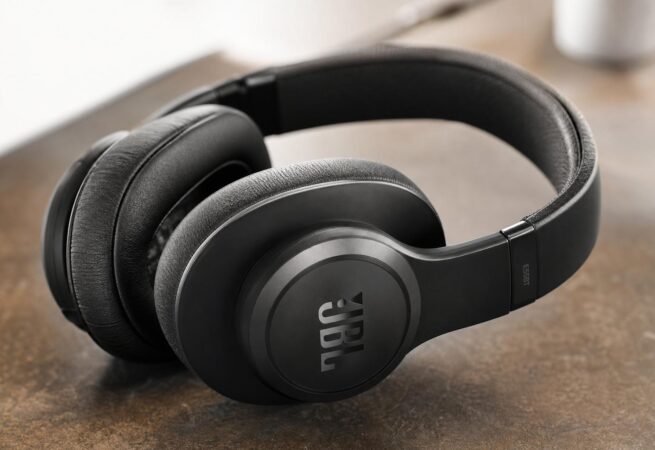
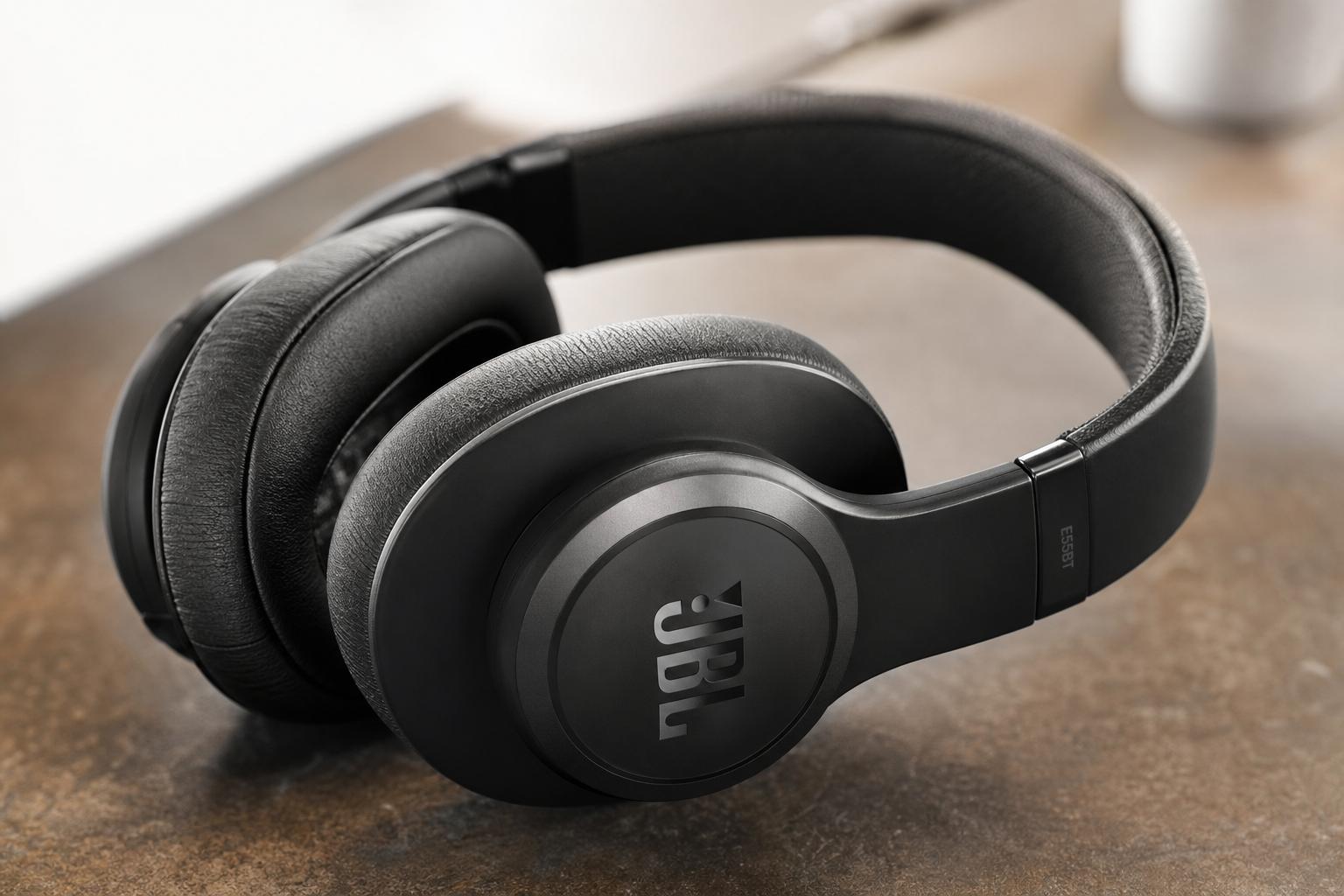
Over-ear JBL headphones are ideal if you want comfort, bigger drivers, and longer battery life. The families mirror the earbuds: Tune for budget, Live for mid-range with ANC and multipoint, and Tour for premium ANC and better build. Over-ears suit home offices, flights between Vancouver and Toronto, and long study sessions where you don’t want to charge every day.
On-ears rest on the ear (lighter, more compact), while over-ears surround it (better isolation, often more comfortable for hours). If you wear glasses, over-ears with plush pads are kinder to your temples.
Gaming Headsets: JBL Quantum Series
JBL’s Quantum line targets console and PC players. You’ll see versions that connect via 3.5 mm, USB, or low-latency 2.4 GHz dongles. Many include a detachable or flip-up boom mic, spatial sound modes, and RGB accents. Choose USB or 2.4 GHz for PCs and PlayStation; for Xbox, ensure the specific model supports Xbox wireless or has a 3.5 mm connection to the controller. Sound is punchy and cinematic, with tuning aimed at footsteps and positional cues.
Kids’ Headphones: JBL JR
JBL JR models are designed for smaller heads with volume-limiters that cap output around 85 dB. They’re a smart pick for remote learning, tablets, and road trips. The build is often durable and colourful, and some include wired and wireless modes. As always, supervise volume and give young ears breaks; safe listening habits matter more than any sticker on the box.
Sound Quality Deep Dive: What to Expect from JBL
Audio taste is personal, but patterns emerge. JBL headphones lean lively, with elevated bass and a clear upper-mid presence to keep vocals audible. It’s an energetic house sound that suits mainstream genres and video content. If you’re coming from flat reference headphones, JBL will likely feel more fun; if you’re a bass skeptic, plan to use the app EQ.
“Pure Bass” Explained (and How to Tame It)
JBL’s “Pure Bass” branding doesn’t mean “only bass.” It signals a tuning where sub-bass and mid-bass have some lift, giving kick drums and synths real weight. The good news: the JBL Headphones app includes a 10-band or multi-band EQ (varies by model). A quick -2 to -4 dB cut around 80–120 Hz often balances things without killing the groove. If vocals feel a bit forward or sibilant, ease 2–4 kHz slightly. Start small; tiny nudges usually fix what bugs you.
Bluetooth Codecs and Why They Matter
Most JBL Bluetooth headphones support SBC and AAC. On iPhone and iPad, AAC is the go-to and performs reliably. On many Android phones, AAC is fine, but SBC can be more stable in chaotic RF conditions. A handful of premium JBL models add higher-bitrate options; availability varies by release cycle, so check the official spec sheet if you care about “hi-res” badges. In practical daily listening, tuning and driver quality matter more than codec logos. If you want the lowest latency for gaming, a USB dongle or wired mode still wins.
ANC vs. Passive Isolation
Active noise cancelling on JBL headphones has improved, especially on Tour and newer Live models. Expect solid low-frequency reduction (bus rumble, HVAC) and decent midband performance (office chatter). Over-ear ANC generally beats earbud ANC because of passive seal plus counter-noise. If you ride the STM, SkyTrain, or GO Transit, you’ll notice a calmer soundstage, but don’t expect dead silence—few consumer ANC sets can erase squealing tracks or loud conversations. Combine ANC with a good physical seal for best results.
Ambient Aware and TalkThru
Ambient Aware pipes in outside noise so you can hear station announcements or cyclists approaching from behind. TalkThru drops music volume and boosts voice frequencies so you can chat without removing the headphones at the cafe counter. Both are genuinely useful in cities and on campus, and you can set their intensity in the app.
The JBL Headphones App and Personalization
The app (iOS/Android) unlocks the best of JBL: firmware updates, ANC profiles, EQ presets, ear tip fit tests on many earbuds, multipoint toggles, and Smart Audio/Video modes that trade a touch of audio quality for lower latency during streaming. Some premium models offer “Personi-Fi” or hearing tests to shape EQ to your ears. If music sounds too thick or too bright, the app is where you fix it.
Comfort, Fit, and Build: Small Details that Make or Break Daily Use
Great sound is useless if the fit is wrong. Take a minute to match the design to your anatomy and routine.
Earbuds: Shape, Tips, and Stability
JBL uses slightly oval nozzles on many buds. Try all tip sizes, even if you “always wear medium.” A deeper seal usually means better bass and ANC, but not everyone likes pressure in the ear canal. If your workouts involve jumping or sprints, pick Reflect buds with fins or any model offering wing stabilizers. For small ears or hoodies and tuques, low-profile buds reduce pressure points.
A tip you’ll thank yourself for: rotate earbuds slightly forward or back to find the most natural angle; tiny changes can stop hotspots. If you have sensitive ears, slow-rebound foam tips (from third-party brands) can help, though they may affect charging if too thick—check the case closes and the buds still seat on the pogo pins.
Over-Ears and On-Ears: Clamping Force and Heat
Over-ears distribute weight across the headband and pads. If you wear glasses, choose pads with softer memory foam so the arms don’t dig in. Clamping force relaxes over the first week, so don’t judge on day one. On cold winter walks, over-ears keep ears warm but can trap moisture when you come indoors; give pads a chance to air-dry to avoid odour or peeling. Protein leather is comfy but needs gentle cleaning. Fabric pads breathe better yet block less noise.
Battery Life and Charging: What You Can Expect in Canadian Conditions
Battery claims are measured at moderate volumes, room temperature, and with features off. Real life differs, especially north of the 49th.
Earbuds
Most JBL true wireless earbuds run 6–10 hours per charge with ANC off, 4–7 with ANC on. The case adds 2–3 full recharges for 20–30 hours total. Quick charge is common: ~10 minutes for about 1–2 hours of play. Wireless charging appears on mid- to high-end models; handy if you keep a Qi pad on your desk.
Over-Ears
Over-ear JBL headphones often hit 30–50 hours with ANC off and 20–40 with ANC on. A 5–15 minute top-up can deliver hours of listening. USB-C is standard, and most models let you listen while charging via cable; some even have a passive wired mode if the battery dies. For red-eyes from YVR to YYZ and back, you’ll be fine.
Cold Weather Reality
All lithium batteries struggle in deep cold. Expect shorter run time below -10°C and sluggish touch controls with gloves. Keep earbuds and the case in an inner pocket while outside, and let cold gear warm to room temperature before charging. Condensation is real: wipe off moisture before docking buds so the case pins don’t corrode.
Features that Matter in Canada
Use-cases here have quirks: bilingual calls, windy sidewalks, snow, and a lot of remote work.
Multipoint for Hybrid Work
Multipoint lets JBL headphones connect to two devices simultaneously—say a work laptop and your phone. You can watch a training video, then take a Teams call, then jump to a phone ring without digging into Bluetooth menus. If you hear stutters, try disabling “absolute volume” on Windows or turning off codecs beyond AAC/SBC for stability. Some models allow prioritizing “Audio” quality or “Video” (low-latency) in the app—helpful for Netflix or DAZN.
Call Quality in Wind and Noise
Many JBL earbuds include beamforming mics and noise suppression. They handle office chatter well, but wind is the enemy. If your daily route crosses the Burrard Bridge in January, cup the leeward side with your hand or toggle to a less aggressive noise control mode, which can reduce “robot voice” artifacts. For mission-critical calls, over-ears often win with larger mic arrays and better isolation. Gaming headsets with boom mics are best for clarity.
Water and Sweat Resistance
Look for IP ratings: IPX4 is splash-resistant (fine for drizzle and sweat), IP55/56 adds dust and stronger jets (better for grit and heavy workouts), and IP67 means dust-tight and immersion up to 1 m for 30 minutes (great for slushy runs or a rogue snowball). Over-ears rarely boast high IP ratings; keep them dry and clean.
Travel and Transit
Most Canadian airlines allow Bluetooth headphones gate-to-gate as long as devices stay in airplane mode; always follow crew instructions. VIA Rail is chill with Bluetooth, but consider courtesy—use ANC and keep volume low. For movies on seatback screens, pack a cheap Bluetooth transmitter or a 3.5 mm cable if your JBL model supports wired listening.
Setup and Everyday Use
Pairing is simple, but a few small steps make life easier day to day.
Pairing with iPhone and Android
Open the case (for earbuds) or hold the pairing button until the LED blinks. On iPhone, go to Settings → Bluetooth and tap your JBL. On many Android phones, Fast Pair will pop up automatically; accept and you’re done. If you’re pairing buds to a second device, put them back in the case, then hold the case button (or touch and hold both buds) to re-enter pairing mode—details vary by model.
Windows and Mac
On Windows 11, Settings → Bluetooth & devices → Add device → Bluetooth → choose your JBL. If you see “Headset” (HFP/HSP) and “Headphones” (A2DP) profiles, pick “Headphones” for music. Mac: System Settings → Bluetooth → connect. If you use Teams/Zoom on both laptop and phone, enable multipoint and test switching before an important call.
The JBL Headphones App: Quick Wins
- Run the ear tip fit test (where available). It can fix weak bass instantly.
- Try an EQ preset first; only fine-tune if something still bugs you.
- Save battery by turning ANC off at home. Use Ambient Aware while walking.
- Update firmware—quiet bugs get squashed without fanfare.
- Enable “Find My Buds” or similar features if offered; cases get mischievous.
Latency Tips for Streaming and Games
Latency is the lag between audio and video. JBL’s “Video” or “Low Latency” modes help, but for competitive gaming, 2.4 GHz dongles or wired modes are still better. On Android, developer options can reveal Bluetooth audio settings; try AAC or SBC only for stability. On iPhone, keep it simple—AAC is fine. On Windows, disable enhancements in Sound settings if you hear desyncs in browsers.
Buying JBL Headphones in Canada: Prices, Stores, and Timing
You can buy jbl headphones from a lot of places here, but a little strategy saves real money.
Where to Buy
- JBL Canada (ca.jbl.com): Full lineup, official warranty, and occasional promos.
- Best Buy Canada: Broad selection, price matches, and frequent sales. Look for open-box deals.
- Amazon.ca: Convenient, but confirm the seller is JBL or an authorized dealer.
- The Source, Walmart Canada, Canada Computers, Staples: Good for in-store pickup and returns.
- Costco: Limited selection but excellent return policy if you’re a member.
Typical Price Ranges (CAD, street prices fluctuate)
| Category | Example Models | Ideal For | Key Features | Typical Price Range |
|---|---|---|---|---|
| True Wireless Earbuds – Budget | Tune series (various) | Everyday listening, students | IPX4, fun bass, app EQ (on many), basic ANC on some | $60–$120 |
| True Wireless Earbuds – Mid | Live series | Commuters, hybrid work | Better ANC, multipoint, ambient modes | $100–$180 |
| True Wireless Earbuds – Premium | Tour series | Frequent flyers, picky listeners | Stronger ANC, advanced transparency, refined tuning | $180–$280 |
| Over-Ear – Budget | Tune Over-Ear | TV, study, long battery life | 30–50 hr battery, lightweight | $70–$140 |
| Over-Ear – Mid/Premium | Live / Tour Over-Ear | ANC, office, travel | Adaptive ANC, multipoint, app EQ | $150–$380 |
| Gaming Headsets | Quantum series | Console/PC, streaming | 2.4 GHz or USB, boom mic, spatial sound | $70–$250 |
| Kids | JBL JR | Remote learning, tablets | Volume-limited, small fit | $40–$90 |
Note: Pricing shifts with sales. Premium models can drop sharply during Black Friday and Boxing Week—often the best time to buy.
Sales Calendar and Taxes
Watch for Prime Day (July), back-to-school (August/September), Black Friday/Cyber Monday (late November), and Boxing Week (late December). Students can sometimes stack discounts at campus stores. Remember taxes: HST in Ontario and Atlantic provinces, GST/PST combos in BC, Manitoba, Saskatchewan, and Quebec. A $199 set in Ontario becomes about $225 at the till.
Return Policies and Hygiene Rules
Returns for headphones are generally allowed within 14–30 days at major Canadian retailers, but unopened packaging may be required for in-ear products for hygiene reasons. Some stores allow opened returns if all tips and accessories are present and clean; always check the policy before buying. Quebec’s Consumer Protection Act offers strong protections against defective goods; even outside Quebec, provincial Sale of Goods Acts imply that products must be fit for purpose and reasonably durable. “Final sale” doesn’t apply to defective items anywhere in Canada.
Warranty and Authenticity
Most JBL headphones include a 1-year limited warranty in Canada. Keep your receipt or e-receipt—Harman (JBL) service will ask for it. Buy from authorized sellers to avoid counterfeit or grey-market units; Amazon marketplace listings can be tricky, so check the “Sold by” field. Wireless devices sold in Canada must comply with Innovation, Science and Economic Development (ISED) regulations; product labels or documentation often reference this certification. If a deal looks too good to be true, it probably is.
Model Recommendations by Scenario
JBL releases refreshes frequently, so treat these as templates rather than single-SKU endorsements. Match the family to your needs and confirm the latest revision’s features before you buy.
Best Value Under $100 CAD
Look to the Tune series for true wireless and over-ears. You’ll trade some ANC strength and premium materials, but you’ll get a lively sound and long battery life. For students and casual listeners, this is where the price-to-fun ratio peaks—especially on sale.
Commuting and Noise Cancelling
Live and Tour earbuds or over-ears with ANC suit buses and trains. Over-ears isolate better and stay comfortable longer, while earbuds are pocketable and easier with scarves and hats. If your commute includes transfers and announcements, prioritize strong Ambient Aware controls for safety and convenience.
Workouts and Outdoor Runs
Reflect-series earbuds with higher IP ratings and stabilizers are the dependable pick. Sweat is corrosive; treat IPX7 or IP67 as insurance. Keep a microfiber cloth in your gym bag to wipe salt off the charge contacts before docking the buds.
Work-from-Home Calls and Multipoint
Choose Live/Tour over-ears or mid/premium earbuds with multipoint and beamforming mics. If you speak in both English and French, test how the mics handle sibilants and plosives for your accent; slight EQ tweaks in the app can make your voice clearer to clients. A wired fallback via 3.5 mm is handy if your laptop’s Bluetooth is flaky.
Gaming on PC and Console
Go with the Quantum series. For PC, USB or 2.4 GHz models offer lower latency and spatial modes. For console, confirm platform compatibility—PlayStation generally works well with USB dongles, Xbox support is more specific. If you also commute, consider separate gear: a lightweight pair of JBL Bluetooth earbuds for daily life, and a dedicated Quantum headset at the desk.
Kids and Students
JBL JR models with volume limits keep things safe. For high school and university, a Tune or Live over-ear helps focus in libraries and coffee shops. If you take transit daily, ANC with Ambient Aware is worth the extra dollars for both comfort and awareness.
How JBL Stacks Up Against Bose, Sony, and Apple
Fair question: why not jump to Bose or Sony, or stick with AirPods? Here’s the quick, honest rundown.
- Bose: Often best-in-class ANC and very comfortable over-ears. If you live beside a construction site, Bose is a contender. Sound is smooth and easy-going, less bass-forward than many JBL sets. Price is higher.
- Sony: Excellent ANC on top models, customizable sound, and feature-rich apps. Tuning is flexible, with powerful EQ. Prices trend premium; mid-range Sony competes closely with JBL’s higher Live/Tour models.
- Apple/AirPods: Seamless for iPhone/Mac with instant switching and spatial audio. ANC on Pro models is strong. Sound is clean but not as bass-punchy as typical JBL. If you’re all-Apple, performance is hard to beat, but prices are firm and customization is limited compared to JBL’s EQ.
JBL’s edge is value and a fun, energetic signature. JBL noise cancelling won’t always beat the best from Bose or Sony, but many listeners prefer JBL’s bass presence and broader model variety across price points.
Maintenance, Care, and Sustainability
Good headphones should last several Canadian winters. A few simple habits keep them fresh and safe.
Cleaning and Storage
- Wipe ear tips and nozzles weekly. For earbuds, remove tips and rinse in warm soapy water, dry fully before reinstalling.
- For over-ears, a damp microfiber cloth on pads and headband works. Don’t soak. If pads are replaceable, consider swapping after a year of heavy use.
- Keep silica gel packets in the case or drawer to fight humidity—useful in coastal cities like Vancouver and Halifax.
Battery Health
- Avoid leaving gear in hot cars or on radiators. Extreme temps kill lithium cells.
- Top up between 20–80% for longevity. Monthly full cycles recalibrate the battery gauge.
- If storing for a season, leave around 50% charge and power off.
E-Waste and Recycling in Canada
Don’t toss old headphones in the trash. Many provinces participate in EPRA/Recycle My Electronics programs, with hundreds of drop-off locations. Ontario’s resource regulator (RPRA) oversees producer responsibility; Quebec has ARPE-Québec; Alberta, BC, Manitoba, Saskatchewan, Nova Scotia, PEI, and others have similar programs. Check your province’s official recycling site or Recycle My Electronics to find a local depot. Some retailers, including Best Buy, accept small electronics for recycling, and a few offer trade-in credits for recent models.
Hearing Safety
Canada’s guidance broadly aligns with international standards: around 85 dBA for up to 8 hours is considered the upper limit for prolonged exposure, with time halving for each +3 dB increase. Translation: keep volume comfortable, take breaks, and use ANC so you’re not cranking volume to fight noise. Kids should use volume-limited models and supervised listening habits, regardless of what the label promises.
Troubleshooting and Hidden Tricks
Ninety percent of issues have quick fixes. Here’s your short list.
Pairing Problems
- Forget and re-pair: On your phone, “Forget This Device,” then re-enter pairing mode on the JBL.
- Reset the buds: Most JBL earbuds reset by holding both touch panels or a button sequence inside the case for 5–10 seconds. Check your manual for the combo.
- Update firmware: Open the JBL Headphones app and install updates; connection bugs often vanish after.
One Earbud Quiet or Dead
- Clean contacts: Lint in the case can block charging pins. Use a dry brush.
- Balance settings: On iPhone (Accessibility → Audio/Visual) and Android, make sure L/R balance is centered.
- Re-sync earbuds: Many models let you re-link left and right by placing them in the case and holding the button until LEDs flash alternately.
Audio Lag or Stutter
- Switch to “Video/Low Latency” mode in the app if available.
- Turn off multipoint temporarily when gaming or watching sports; it reduces negotiation overhead.
- Keep your phone on the same side as the primary antenna (often the right earbud) to avoid body blocking in crowded trains.
Mic Sounds Muffled
- Disable very strong ANC during calls; some ANC profiles can colour your voice pickup.
- Move out of the wind or shield one side of your face. Physics beats software here.
- On Windows, select the correct “Headset (Hands-Free)” device for calls; for music, switch back to “Headphones (Stereo).”
App Won’t Detect the Headphones
- Allow Bluetooth and Location permissions; Android in particular can block device scans without Location.
- Make sure only one phone has an active app session; close the app on your second device.
- Toggle Bluetooth off/on and reboot the headphones.
Glossary: Plain-English Jargon Buster
- ANC (Active Noise Cancelling): Mics listen to outside noise and generate inverse sound to reduce it.
- Ambient/Transparency: Lets outside sound in so you can hear your surroundings.
- Multipoint: Connects to two devices at once and auto-switches audio.
- IP Rating: Ingress Protection against dust/water. Higher is better for sweat and weather.
- Codec (SBC, AAC): The way Bluetooth compresses audio. AAC is common on Apple; SBC works everywhere.
- 2.4 GHz Dongle: USB receiver for low-latency wireless, typical in gaming headsets.
- EQ: Equalizer. Adjusts bass, mids, and treble to your taste.
Final Buying Checklist (Canada-Focused)
- List your top 3 needs: commuting ANC, gym stability, call clarity, battery life, or price.
- Match a JBL family: Tune (budget), Live (mid), Reflect (sport), Tour (premium), or Quantum (gaming).
- Check IP rating if you sweat or run outside.
- Confirm multipoint and ANC depth if you work hybrid.
- Try fit in-store if possible; comfort beats specs.
- Buy from an authorized Canadian retailer for warranty coverage.
- Time your purchase around big sale periods; prices can drop hard.
- Keep the receipt and all tips/accessories for returns.
FAQ: JBL Headphones in Canada
Are JBL headphones good value compared to Bose or Sony?
Often, yes. JBL offers energetic sound, solid features, and frequent discounts. Bose and Sony typically lead in top-tier ANC and comfort, but JBL’s mid and premium models are competitive and usually cheaper. If you love lively bass and customizable EQ, JBL is a smart bet.
Which JBL earbuds have the best noise cancelling?
Look at the Tour and newer Live series. Over-ears in those families will outperform earbuds on raw isolation, but premium JBL earbuds with adaptive ANC can get impressively quiet for transit and offices.
Do JBL headphones support high‑resolution Bluetooth codecs?
Most support SBC and AAC. Some premium releases add higher-bitrate options, but availability varies by model and year. If a specific codec matters, check JBL’s official spec sheet for that exact model.
Can I use JBL Bluetooth headphones on Canadian airlines?
Yes, most airlines here allow Bluetooth headphones throughout the flight with devices in airplane mode, subject to crew instructions. For seatback screens, pack a small Bluetooth transmitter or use a wired connection if your model supports it.
How’s the call quality on JBL earbuds in windy Canadian winters?
It’s decent with beamforming mics, but wind is tough for any earbuds. Over-ears or gaming headsets with a boom mic do better in harsh conditions. Shielding the mic side with your hand and finding a doorway or bus shelter helps a lot.
What’s the warranty for JBL headphones in Canada?
Typically one year limited manufacturer warranty. Keep your proof of purchase, and buy from authorized Canadian retailers. Provincial consumer laws provide additional protections against defects and unreasonable durability issues; Quebec’s Consumer Protection Act is notably strong.
How do I return JBL earbuds if I tried them and didn’t like the fit?
Policies vary. Best Buy and similar stores usually allow returns within a set window, but earbuds may need to be in like-new condition with all tips for hygiene reasons. Check the store’s policy before opening and keep everything clean.
What IP rating should I get for workouts and Canadian weather?
IPX4 is fine for light sweat and drizzle. If you train hard or run outdoors in all seasons, aim for IP55/IP56 or IP67 in the Reflect line. Over-ears are rarely water-resistant; keep them dry.
Do JBL headphones support multipoint Bluetooth?
Many mid- and premium models do—check the specs. It’s especially useful if you carry a work phone and a personal device or switch between laptop and phone calls all day.
Where can I recycle old headphones in Canada?
Use EPRA/Recycle My Electronics drop-off depots in many provinces or check with retailers like Best Buy. Provincial programs (e.g., ARPE-Québec, RPRA oversight in Ontario) support responsible e-waste recycling. Don’t toss electronics in the trash.
What’s the best time to buy JBL headphones in Canada?
Black Friday/Cyber Monday and Boxing Week typically have the steepest discounts. Prime Day and back-to-school are also strong. Keep an eye on flyers and price trackers.
Will JBL earbuds fall out during runs?
Reflect models with fins are built to stay put. For other lines, choosing the right tip size and angle makes a big difference. If you struggle, try third-party foam tips, but confirm the buds still charge in the case.
Is the JBL Headphones app necessary?
Strictly speaking, no—you can use most headphones without it. But you’ll want it for EQ, ANC settings, firmware updates, and features like Ambient Aware. It’s worth installing.
Can I get open-box or refurbished JBL headphones in Canada?
Yes. Best Buy, The Source, and other retailers often sell open-box units at a discount with return windows. JBL sometimes offers refurbished models via its official store. Ensure there’s a warranty and verify accessories are included.
Do JBL gaming headsets work on Xbox and PlayStation?
Many do, but compatibility depends on the connection type. USB and 2.4 GHz dongles typically support PC and PlayStation; Xbox requires specific support or a 3.5 mm cable to the controller. Check the model’s compatibility chart before buying.
How do I keep pads and tips from smelling after workouts?
Wipe gear after each session, let it air out of the case, and deep-clean weekly. Salt is corrosive—clean charge contacts on earbuds lightly with a dry brush. Replace pads or tips every 6–12 months if you train hard.
Will JBL headphones work for French and English voice assistants?
Yes. On iPhone, Siri follows your system language; on Android, Google Assistant does the same. Many JBL models support assistant triggers through onboard controls.
Are there legal issues with wearing headphones while cycling or driving in Canada?
Laws differ by province and context. In general, distracted driving rules apply; cyclists can often use headphones but should maintain awareness. Use Ambient Aware, keep volumes reasonable, and prioritize safety. When in doubt, check your province’s guidance.
What if my JBL case stops charging the earbuds?
Clean the case pins and earbud contacts, try a different USB-C cable and power source, and update firmware. If the battery is truly dead within the warranty window, contact JBL support with your receipt.
If you’re set on jbl headphones now, decide what you value most—noise cancelling, gym toughness, multipoint, or pure musical punch—and let that steer the model choice. Pair it with smart buying timing and good care, and you’ll have sound that brightens commutes, workouts, and workdays all across Canada.